Web
Analytics

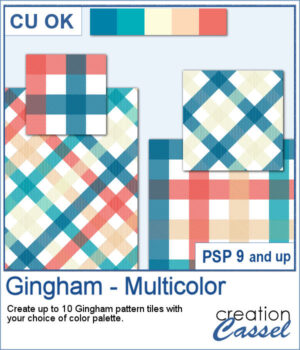
New script – Gingham – Multicolor

Gingham patterns are timeless, but they don't have to be limited to just one color. Gingham – Multicolor lets you create coordinated pattern tiles using your own color palette, with each tile combining between two and five colors for a fresh look every time.

Generate up to 10 seamless tiles in a single run, then use them as they are or rotate them 45 degrees for a completely different plaid effect. Whether you're creating scrapbook papers, card backgrounds, or digital embellishments, you'll have a collection of matching patterns ready in seconds.

Get this script: Gingham-Multicolor

Want a chance to get this script for free? Head over to this Facebook post and tell us if you have used multicolored Gingham designs (Remember, only comments count. Likes and shares are appreciated, but won’t count as entries.) A winner will be announced in next week’s newsletter. If you’re not on the list yet, you can join right here. It’s free, and we only email once a week!
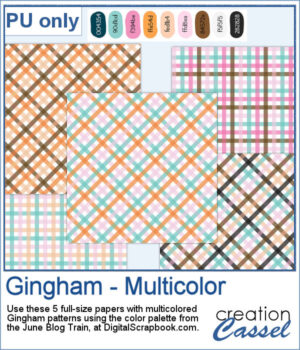
I used the color palette from the Digitalscrapbook.com June Blog Train, and generated a number of colorful tiles, which were then turned into full-size papers for you to use. Visit the Blog Train thread to download other supplies that would match those papers.

You need to be logged in to download this sample. Please log in or register using the links at the top of this page.
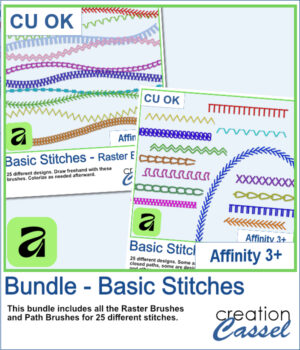
New Affinity Brushes – Basic Stitches

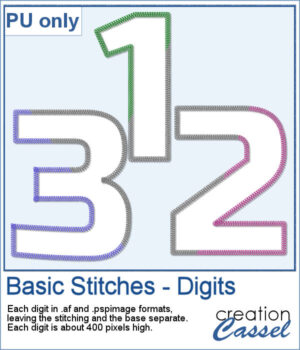
Love the look of stitched embellishments? This week, I've added Basic Stitches for Affinity 3+ in three options to suit the way you work. Choose Raster Brushes for freehand stitching, Path Brushes to add perfectly spaced stitches along vector shapes and curves, or save with the Bundle, which includes both.

All 25 stitch designs are provided in greyscale, so you can easily recolor them to coordinate with any scrapbook page, card, illustration, or creative project.

You can also grab the complete bundle if you want both sets of brushes.

Want a chance to get this script for free? Head over to this Facebook post and tell us how you usually add stitching to your project. (Remember, only comments count. Likes and shares are appreciated, but won’t count as entries.) A winner will be announced in next week’s newsletter. If you’re not on the list yet, you can join right here. It’s free, and we only email once a week!

As a free bonus, you can also download a complete set of stitched digits (0–9). Each number is provided in both Affinity and PaintShop Pro formats, with the stitching on a separate layer so you can customize the colors to match any project.

You need to be logged in to download this sample. Please log in or register using the links at the top of this page.
New script – Sequin Garland

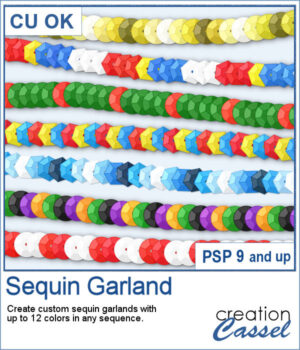
Create custom sequin garlands in any color sequence with the new Sequin Garland script for PaintShop Pro. Combine up to 12 colors, arrange them in any order, and generate unique picture tubes perfect for holidays, country flags, school colors, sports teams, celebrations, and themed projects. With round and hexagonal sequins, the possibilities are almost endless.

Get this script: Sequin Garland

Want a chance to get this script for free? Head over to this Facebook post and tell us a color combination that you would like to see. The combination suggested by the winner will be sent as a freebie for all those who posted a suggestion so let's have a lot! (Remember, only comments count. Likes and shares are appreciated, but won’t count as entries.) A winner will be announced in next week’s newsletter. If you’re not on the list yet, you can join right here. It’s free, and we only email once a week!

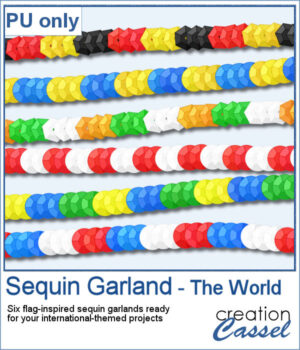
To celebrate the release of Sequin Garland, this week's freebie includes six ready-to-use sequin garlands inspired by countries from around the world. Use them to decorate travel layouts, cultural projects, sports pages, or any project that could use a colorful international touch.

You need to be logged in to download this sample. Please log in or register using the links at the top of this page.
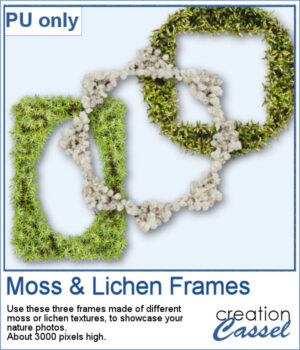
New script – Moss & Lichen

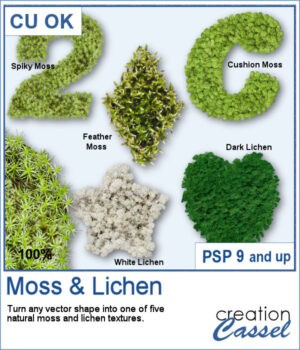
Add a touch of nature to any project with the new Moss & Lichen script for PaintShop Pro. This script transforms any vector shape into a realistic organic element covered with one of five different textures, ranging from spiky moss and feather moss to dark and white lichen. Whether you are creating woodland scenes, fantasy designs, titles, frames, or unique embellishments, these natural textures can give your projects a rich and overgrown look in just a few clicks.

Get this script: Moss & Lichen

Want a chance to get this script for free? Head over to this Facebook post and tell us: have you ever photographed moss or lichen? (Remember — only comments count. Likes and shares are appreciated, but won’t count as entries.) A winner will be announced in next week’s newsletter. If you’re not on the list yet, you can join right here. It’s free, and we only email once a week!

To complement this week's release, download a free set of three Moss & Lichen Frames. Each frame features a different texture and shape, making them perfect for showcasing nature photos, outdoor adventures, woodland scenes, or any project that could use a touch of organic texture.

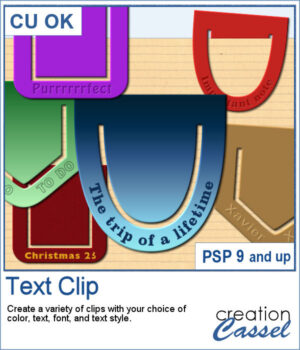
New script – Text Clip

Add a personal touch to your projects with the new Text Clip script for PaintShop Pro. Create custom paperclips in different shapes, colors, and styles, and add your own text to label, decorate, or highlight any element on your page. Whether you want something bold, subtle, or playful, these clips are as versatile as your creativity.

Get this in the store: Text Clip

In order to win these picture tubes, add a comment on this Facebook post telling us what’s one short phrase you would put on a clip to remember a special moment? (remember, add a comment, not just a Like!) The winner will be announced in the newsletter, next week. Not a subscriber yet? Not a problem. You can register here and it is free (and you only get one email per week).

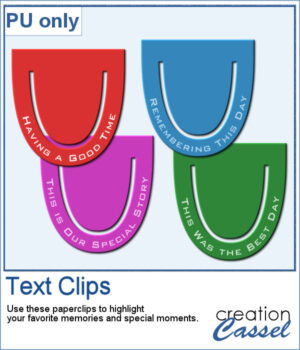
I created a set of clips with the script. I used the same shape, and the same font for consistency. You can also see that the text is slightly textured. Each clip is almost 400 pixels high, in png format.

You need to be logged in to download this sample. Please log in or register using the links at the top of this page.
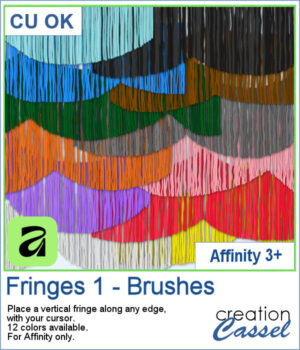
New Affinity Brushes – Fringes 1

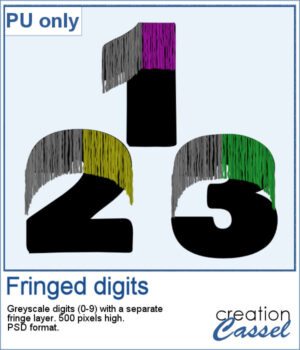
Add realistic fringe details to your projects with these image brushes for Affinity. Draw soft, vertical strands along any edge and customize the look with spacing and color variations.

With 12 colors included, you can quickly enhance scrapbook pages, cards, or decorative elements.

Get these brushes in the store: Fringes 1 for Affinity

In order to win these picture tubes, add a comment on this Facebook post telling us where would you most likely add a fringe effect in your projects (remember, add a comment, not just a Like!) The winner will be announced in the newsletter, next week. Not a subscriber yet? Not a problem. You can register here and it is free (and you only get one email per week).

For a sample, I had fun drawing fringes on top of a set of digits in Affinity. You get a complete set (0 to 9) plus a hyphen, in layered psd format. Since it is in greyscale, you can colorize the fringe to your liking in any program that will open psd files.

You need to be logged in to download this sample. Please log in or register using the links at the top of this page.
New picture tubes – Fringes 3

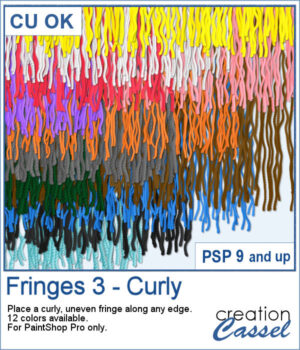
If you want to add a softer, more organic finish to your projects, the Fringes 3 picture tubes will do just that. It offers uneven, curly strands that follow any edge, giving a textured look similar to unravelled yarn or worn fabric. With 12 realistic colors that match existing thread and wool tubes, it’s easy to add movement and depth to your designs.

Get these in the store: Fringes 3

In order to win these picture tubes, add a comment on this Facebook post telling us whether you prefer a clean straight fringe or a more curly, worn look like this one? (remember, add a comment, not just a Like!) The winner will be announced in the newsletter, next week. Not a subscriber yet? Not a problem. You can register here and it is free (and you only get one email per week).

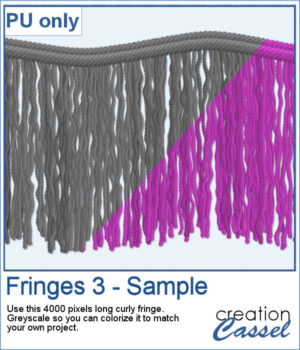
This week’s freebie is a curly fringe element created with the grey Fringes 3 tubes. Since it is grey, you can easily recolor it to match any project. The top border is made from the Wool picture tube. Use it as a border, along an edge, or as a decorative accent to add texture and movement.

You need to be logged in to download this sample. Please log in or register using the links at the top of this page.
New picture tubes – Two-Tone Chains 2

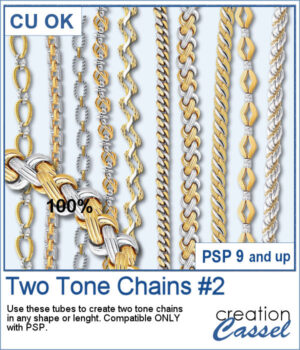
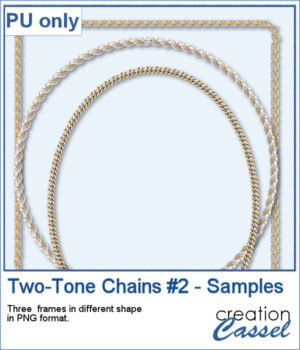
After several years, I just released another set of two-tone chain picture tubes. As usual, you can use those tubes and place them freely with your cursor or place them evenly with the VectorTube script.

Create frames, lose chains, alphabets, and more.

Get these tubes: Two-Tone Chains #2

And if you want matching tubes, get the Two-Tone Chains #1 too.

Want a chance to win this script? Add a comment on this Facebook post telling us what chain picture tubes you already have (Remember, comments count — not Likes!). A winner will be announced in next week’s newsletter. Not subscribed yet? Sign up here — it’s free, and we only send one email per week.

For a sampler, I created 3 different shape frames using three different picture tubes. Each frame is about 2000 pixels high. They are all in PNG format so you can use them in most program.

You need to be logged in to download this sample. Please log in or register using the links at the top of this page.
New Script – Coffee Texture for PaintShop Pro

Add a Coffee Texture to Your Designs in PaintShop Pro

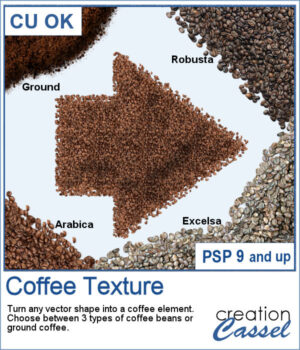
Want to turn your vector shapes into realistic coffee-themed elements? Our new Coffee Texture script for PaintShop Pro lets you convert any shape into coffee beans or ground coffee, with a choice of Arabica, Robusto, or Excelsa styles.

You can use this script to create coffee-themed titles, design decorative frames, or add fun accents to your layout.

It also includes picture tubes, so you can scatter individual coffee beans on your project for an extra touch of realism.

Get this script: Coffee Texture

Win this Script!

To enter the draw, leave a comment on this Facebook post telling us:
Do you like coffee? If so, what’s your favorite kind? Note: Comments only — Likes don’t count! The winner will be announced in next week’s newsletter. Not on the list yet? Subscribe here — it’s free and we only email once a week.

Free Sample Download

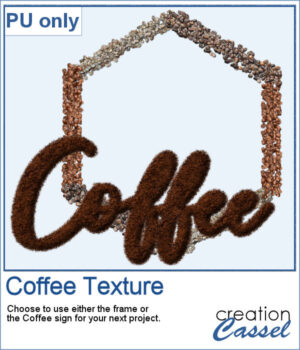
This freebie includes a coffee-themed word art (made using the ground coffee option) and a decorative frame (created with the included picture tubes).

Note: This freebie is available to registered users only.
Please log in or create a free account using the links at the top of this page.
New script – Cuts of Beef

Cuts of Beef PSP script preview

Add Realistic Beef Textures to Your Designs in PaintShop Pro

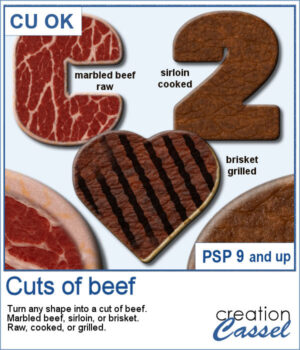
Want to serve up something unique in your next digital project? With this new Cuts of Beef script for PaintShop Pro, you can turn any shape into a realistic piece of marbled beef, sirloin, or brisket — raw, cooked, or grilled.

This script adds detailed textures and color variations to your shape, and you can even add grill marks for a freshly barbecued look. Just like on the real grill, no two pieces will come out exactly the same — thanks to built-in randomness, each run of the script gives you a slightly different result.

Get the script here: Cuts of Beef

Win This Script!

For a chance to win this script, leave a comment on this Facebook post and tell us what kind of meat you enjoy grilling. Remember to leave a comment — Likes don't count!

The winner will be announced in next week’s newsletter. Not a subscriber yet? You can sign up here — it’s free, and we only send one email per week.

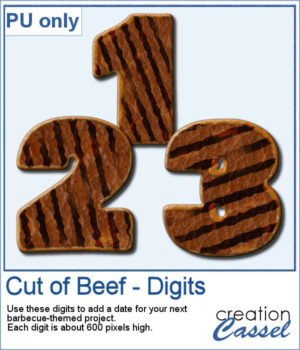
Beef digits sample preview

Free Sample Download

As a sampler, you can download a set of digits made from grilled marbled beef. Each digit is about 600 pixels tall and saved in PNG format, making them easy to use in most programs.

Note: This freebie is available to registered users only. Please log in or create a free account using the links at the top of the page.