Web
Analytics

New script – Gingham – Multicolor

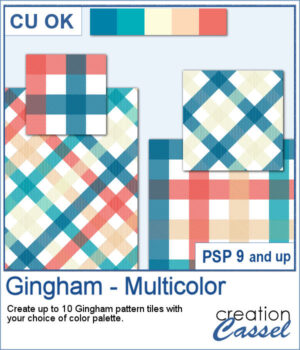
Gingham patterns are timeless, but they don't have to be limited to just one color. Gingham – Multicolor lets you create coordinated pattern tiles using your own color palette, with each tile combining between two and five colors for a fresh look every time.

Generate up to 10 seamless tiles in a single run, then use them as they are or rotate them 45 degrees for a completely different plaid effect. Whether you're creating scrapbook papers, card backgrounds, or digital embellishments, you'll have a collection of matching patterns ready in seconds.

Get this script: Gingham-Multicolor

Want a chance to get this script for free? Head over to this Facebook post and tell us if you have used multicolored Gingham designs (Remember, only comments count. Likes and shares are appreciated, but won’t count as entries.) A winner will be announced in next week’s newsletter. If you’re not on the list yet, you can join right here. It’s free, and we only email once a week!
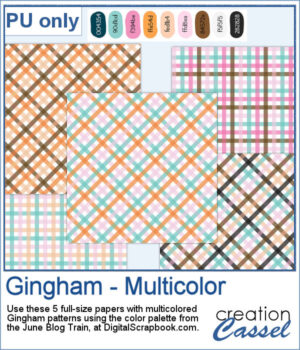
I used the color palette from the Digitalscrapbook.com June Blog Train, and generated a number of colorful tiles, which were then turned into full-size papers for you to use. Visit the Blog Train thread to download other supplies that would match those papers.

You need to be logged in to download this sample. Please log in or register using the links at the top of this page.
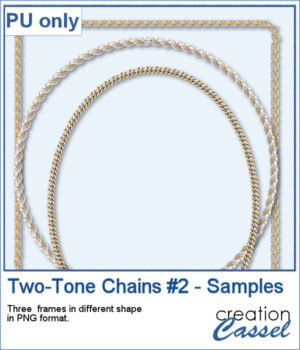
New picture tubes – Two-Tone Chains 2

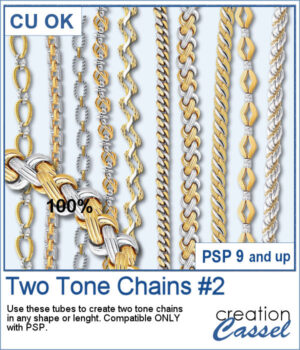
After several years, I just released another set of two-tone chain picture tubes. As usual, you can use those tubes and place them freely with your cursor or place them evenly with the VectorTube script.

Create frames, lose chains, alphabets, and more.

Get these tubes: Two-Tone Chains #2

And if you want matching tubes, get the Two-Tone Chains #1 too.

Want a chance to win this script? Add a comment on this Facebook post telling us what chain picture tubes you already have (Remember, comments count — not Likes!). A winner will be announced in next week’s newsletter. Not subscribed yet? Sign up here — it’s free, and we only send one email per week.

For a sampler, I created 3 different shape frames using three different picture tubes. Each frame is about 2000 pixels high. They are all in PNG format so you can use them in most program.

You need to be logged in to download this sample. Please log in or register using the links at the top of this page.
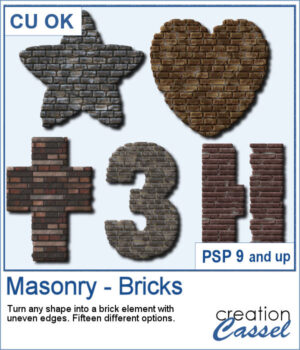
New script – Masonry – Bricks

Looking for a unique way to turn your titles or elements into something bold and textured? The Masonry – Bricks script lets you convert any shape—raster or vector—into a brick-style element with realistic texture and uneven edges.

You can choose from 15 different combinations of patterns and colors, so every result is a little different. Use it to create custom alphas, decorative accents, photo frames, or even full word art pieces that look like they were built from brick or stone.

Get this script in the store: Masonry – Bricks

Want a chance to get this script for free? Head over to this Facebook post and tell us: What kind of shape or title would you turn into a masonry element? A date? A house number? Maybe a word like “HOME” or “STRONG”? (Remember — only comments count. Likes and shares are appreciated, but won’t count as entries.) A winner will be announced in next week’s newsletter. If you’re not on the list yet, you can join right here. It’s free, and we only email once a week!

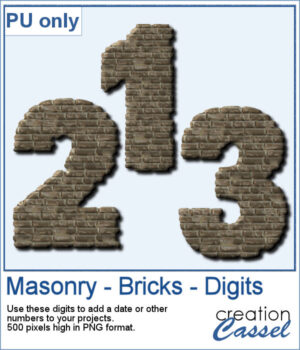
To give you a sample of what this script can create, here’s a set of digits from 0 to 9, turned into masonry elements using one of the built-in styles. These are perfect for adding dates, ages, or other numbers to your layouts. Each one is 500 pixels high and saved in PNG format, so they’re easy to add and recolor.

You need to be logged in to download this sample. Please log in or register using the links at the top of this page.