
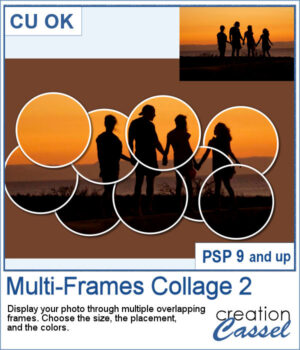
 Turn a single photo into a fun collage with the Multi-Frames Collage 2 script. Your image will appear through a series of overlapping circular frames that you can position to highlight the important parts of your photo. Choose the size of the circles, customize the frame and background colors, keep or modify the original background, or remove it completely. Experiment with different arrangements to create a unique result every time.
Get this in the store: Multi-Frames Collage 2
Want a chance to get this script for free? Head over to this Facebook post and tell us if you can envision some of your photos displayed with such frames. Likes and shares are appreciated, but won’t count as entries.) A winner will be announced in next week’s newsletter. If you’re not on the list yet, you can join right here. It’s free, and we only email once a week!
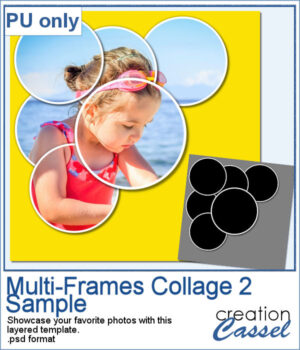 For a sample, I created a layered template that you can use to showcase your favorite photo. It is in .psd format so you can use it in PaintShop Pro, Affinity, or various other programs.
You need to be logged in to download this sample. Please log in or register using the links at the top of this page.