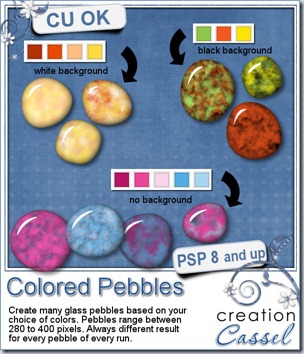
A couple of weeks ago, i released a script to create rock pebbles. During a recent shopping trip, i had noticed some colored glass pebbles and thought it would be great to simulate them digitally. And there it is.
This script will allow you to choose any base colors (from 1 to 6 colors), so you can have perfectly matching pebbles to use in a kit, on a layout or to around a particular photo. Choose a white or black background, or any other color. Even better, you can have translucent glass pebbles. How fun is that?
Each run of the script can generate up to 20 pebbles that will always be different since there is a random feature coded in several places in the script: so you get random shape, random color choice, random texture, even random brightness as the colors will be slightly modified, just to make everything perfectly… different!
What would you use these for? Just think of what you would use colored pebbles in real life. You can make a mosaic from them, you can scatter them around or make a border out of them, you can fill a glass jar, and more. If you are a PSP user, you can also combine them into a tube and “paint” with them.
This script is available in my store: Creation Cassel
And this week, although i have a regular RAK thread at DST, everyone will be a winner. Yes, you read correctly. EVERYONE who will post 2 colors they would like to see combined in glass pebbles, will get a set, even if they are not a PSP user (since they will be in PNG format). And of course, one winner will be drawn on Monday to win the script itself (among PSP users, or anyone willing to buy PSP). So check out the thread here, and add your color choices. Tell your friends about that draw since they will get something out of it anyways!!
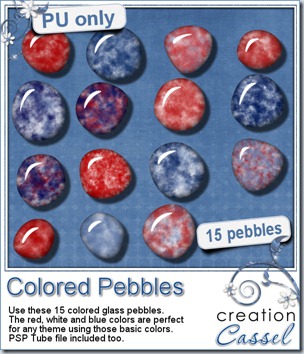 This week, i created a set of glass pebbles for you based on red, white and blue colors. I know the 4th of July is coming soon, and we also have our French scrapper friends celebrating their national day on July 14th using the same colors. Canada Day is on July 1st, and it uses red and white (you can drop the blue ones). Of course, you dont have to use those colors only for national holidays: many other themes or events can use those pebbles for embellishments, even if it is only for a basic kids layout!
You need to be logged in to download this sample. You can either login, or register on the top of this page.
Although it is NOT a requirement, how about you tweet about it or post on your Facebook wall? Maybe some of your distant digiscrapper friends would like to see those?
If you tweet about it, add the @creationcassel tag to it, and if you post on Facebook, remember to tag me too. I am curious to know how many of you will do it! Com’on, just do it!
News from the Campus
You better stay tuned because all the details of the big Anniversary promotion will be posted soon. Register to our mailing list if you want to get everything before i post it on this blog, or on Facebook. The Newsletter will have all the details FIRST.

It is coming! SOOOOOOOOOOON