Web
Analytics

New script – Paper Tree 3

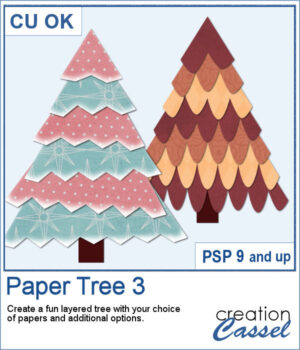
Create a fun layered paper tree with your favorite designs!

This script builds each branch one at a time with randomly chosen variations, so every tree is truly unique. Select your preferred edge style, the degree of “droopiness,” optional rotations, and highlights, then let your papers do the rest.

Everything remains unmerged so you can decorate your tree afterward—add glitter, lights, ornaments, or anything you like!

Get it in the store: Paper Tree 3

Want a chance to win this script? Add a comment on this Facebook post telling us what you would hold with this string tie (Remember, comments count — not Likes!). A winner will be announced in next week’s newsletter. Not subscribed yet? Sign up here — it’s free, and we only send one email per week.
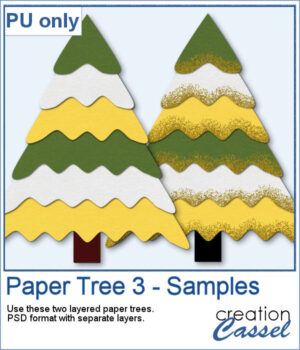
For a sampler, I am offering you two trees, using the same papers. One is decorated with gold glitters while the other one is "plain" for you to decorate the way you want.

You need to be logged in to download this sample. Please log in or register using the links at the top of this page.
New script – String Tie

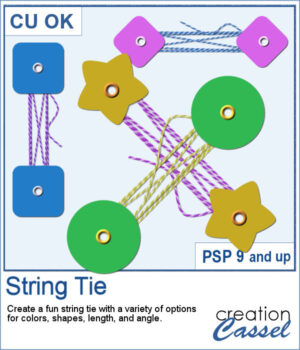
This week’s script lets you create your own string-tie closures, just like the ones you see on envelopes and notebooks — but fully customizable. You can pick the button shape, the colors, the spacing, and even the angle so the tie fits perfectly on your project. Each run gives you a slightly different result thanks to a few fun random elements, including the loose end.

All the layers stay unmerged, neatly grouped, and ready for you to tweak or drop onto your page.

Get it in the store: String Tie

Want a chance to win this script? Add a comment on this Facebook post telling us what you would hold with this string tie (Remember, comments count — not Likes!). A winner will be announced in next week’s newsletter. Not subscribed yet? Sign up here — it’s free, and we only send one email per week.

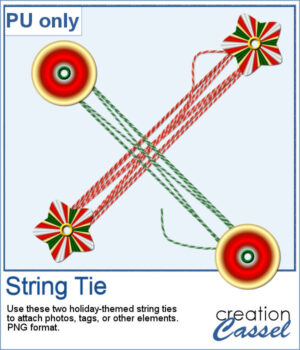
For a sampler, I created two holiday-themed string ties, using gradients for the buttons. You can rotate them a little, but be careful so that the included shadows would still be suitable.

You need to be logged in to download this sample. Please log in or register using the links at the top of this page.
New script – Travel Tag 5

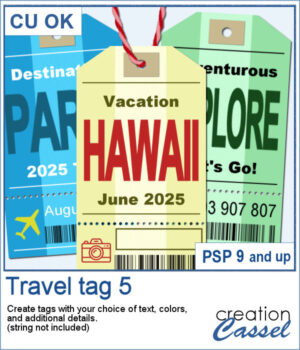
Want to add some travel flair or realistic labels to your projects? This new script will create customizable Travel Tags with your own text, colors, and style.

You can enter up to three lines of text, pick any color, gradient, or pattern, and the script will automatically create a lighter center area with a subtle grid texture for a printed look. It even adjusts the contrast if your tag color is too dark or too light.

Add random numbers, your own text, or an empty box ready to add written text. Every tag is different, making it perfect for scrapbook pages, travel projects, or fun digital labels!

Get it in the store: Travel Tag 5

Want a chance to win this script? Add a comment on this Facebook post telling us how you would use a travel tag (Remember, comments count — not Likes!). A winner will be announced in next week’s newsletter. Not subscribed yet? Sign up here — it’s free, and we only send one email per week.

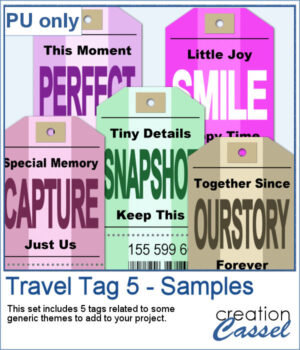
Since those tags are expected to be customized to your project or your story, I created some more "generic" tags that can be used with a variety of themes.

You need to be logged in to download this sample. Please log in or register using the links at the top of this page.
New picture tubes – Crochet Lace Tube #8

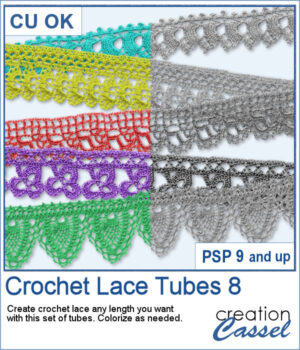
Add a soft and handcrafted feel to your digital creations with this new set of Crochet Lace tubes. You get 5 delicate lace patterns that you can draw freely in any length or direction using your cursor. Perfect for framing photos, decorating cards, or adding subtle detail to your scrapbook pages.

Since the lace is provided in greyscale, it’s easy to recolor to match your project’s palette — whether you’re going for romantic, vintage, or nature-inspired themes. For a polished result, use a straight piece of lace with the Mitered Corner Frame or Circular Element script.

Get this tube set: Crochet Lace Tubes 8

Want a chance to win this script? Add a comment on this Facebook post telling us if you have other Crochet Lace tubes (Remember, comments count — not Likes!). A winner will be announced in next week’s newsletter. Not subscribed yet? Sign up here — it’s free, and we only send one email per week.

For the samplers, I created one square and one round frame from two of the crochet lace tubes. They are in PNG format so you can use them in any program and also in greyscale so you can colorize them to suit your project.

You need to be logged in to download this sample. Please log in or register using the links at the top of this page.
New script – Knot #18

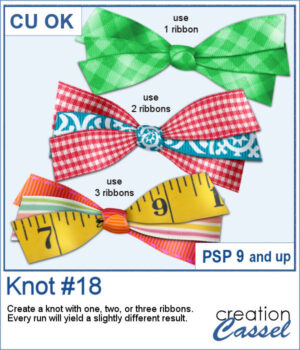
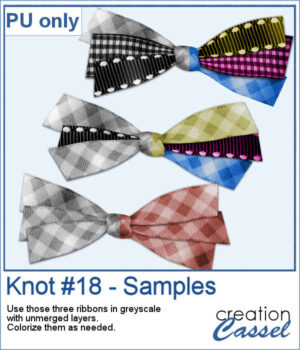
Do you ever struggle to make ribbons look natural when tying them digitally? This new script will take care of that for you! Whether you choose one, two, or three ribbons, the script will automatically prepare them and tie them into a lovely triple knot.

Each time you run the script, you’ll get a slightly different result — the tails will angle differently, the ribbon segments will vary, and the knot itself will be randomly picked from your chosen ribbons. You can create endless unique bows without having to manually crop, resize, or align anything!

Get this script: Knot #18

Want a chance to win this script? Add a comment on this Facebook post telling us just something about this triple knot (Remember, comments count — not Likes!). A winner will be announced in next week’s newsletter. Not subscribed yet? Sign up here — it’s free, and we only send one email per week.

For a sampler, I ran the script with one, two, and three greyscale ribbons. The result is left in unmerged layers so you can colorize them separately as needed for your project.

You need to be logged in to download this sample. Please log in or register using the links at the top of this page.

New script – Alpha-tags #4

Give your titles and captions a fresh, playful look with tab-style labels made in just a few clicks. Pick a base color for the whole set, add one or more accent colors (texture optional), choose any font and text color, then select a side detail—lines, dots, or arrows. The script keeps everything tidy by auto-sizing wide or tall characters, and you can decide whether the letters stay perfectly aligned or get a subtle hand-placed wobble.

Generate full alphabets, numbers, short words, and matching blank tabs you can type on later. It’s quick, consistent, and perfect for pages, pocket cards, and photo labels.

Get this script: Alpha-Tags 4

Want a chance to win this script? Add a comment on this Facebook post telling us what color combinations you would like to use for such tags (Remember, comments count — not Likes!). A winner will be announced in next week’s newsletter. Not subscribed yet? Sign up here — it’s free, and we only send one email per week.

For a sampler, I created a full alphabet in warm fall colors. This is perfect for either autumn or Halloween-related projects, whether they are scrapbook pages, cards, or others.

You need to be logged in to download this sample. Please log in or register using the links at the top of this page.
New script – Stitched Edges #3

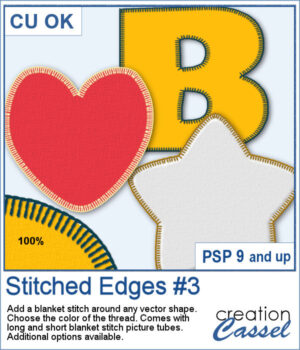
Although you can add a serged edge on any shape (with the Stitched Edges #1), you can now add a blanket stitch around your elements. Starting with a vector shape, you can choose to have long or short stitches and you can pick any color for the thread. The end result is left on unmerged layers so you can tweak that thread color by changing the blend mode as needed.

You can also add custom textures or puffiness to the element if you want, but it is optional.

Get this script: Stitched Edges #3

Want a chance to win this script? Add a comment on this Facebook post telling us what project could use some stitched edges (Remember, comments count — not Likes!). A winner will be announced in next week’s newsletter. Not subscribed yet? Sign up here — it’s free, and we only send one email per week.

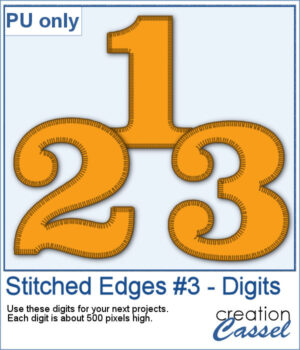
For a sampler, I created some basic set of digits that are stitched for you. Each digit is about 500 pixels high so you can resize them as needed.

You need to be logged in to download this sample. Please log in or register using the links at the top of this page.
New script – Tinted Silhouette

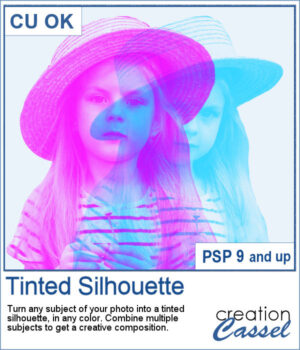
This tinted silhouette effect is perfect to create striking accents from any photo, whether you want to highlight a single subject or layer several for a more dynamic composition. You can apply a solid tint, use gradients for colorful variations, or repeat the script with multiple colors to build creative overlays.

Choose a version optimized for light or dark backgrounds, or generate both and pick the one that fits your project best. Combine different silhouettes, adjust blend modes, and experiment with endless effects.

Get this script: Tinted Silhouette

Want a chance to win this script? Add a comment on this Facebook post telling us what subject you would consider using to create such effect (Remember, comments count — not Likes!). A winner will be announced in next week’s newsletter. Not subscribed yet? Sign up here — it’s free, and we only send one email per week.

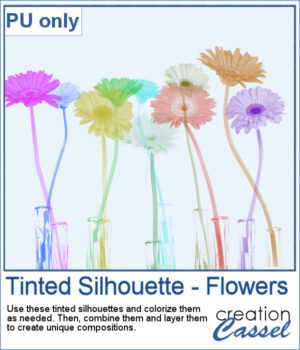
This week, as a sampler, I'm offering you these flower silhouettes in PNG format. They come in pink but you can easily recolor them as needed for your project.

Try layering them together, adjusting blend modes, or filling them with gradients to create unique bouquets or borders on your scrapbook pages.

You need to be logged in to download this sample. Please log in or register using the links at the top of this page.

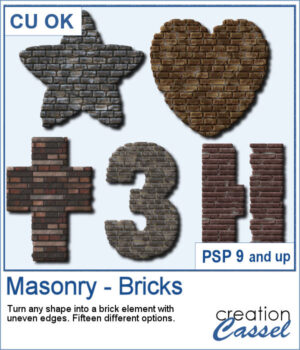
New script – Masonry – Bricks

Looking for a unique way to turn your titles or elements into something bold and textured? The Masonry – Bricks script lets you convert any shape—raster or vector—into a brick-style element with realistic texture and uneven edges.

You can choose from 15 different combinations of patterns and colors, so every result is a little different. Use it to create custom alphas, decorative accents, photo frames, or even full word art pieces that look like they were built from brick or stone.

Get this script in the store: Masonry – Bricks

Want a chance to get this script for free? Head over to this Facebook post and tell us: What kind of shape or title would you turn into a masonry element? A date? A house number? Maybe a word like “HOME” or “STRONG”? (Remember — only comments count. Likes and shares are appreciated, but won’t count as entries.) A winner will be announced in next week’s newsletter. If you’re not on the list yet, you can join right here. It’s free, and we only email once a week!

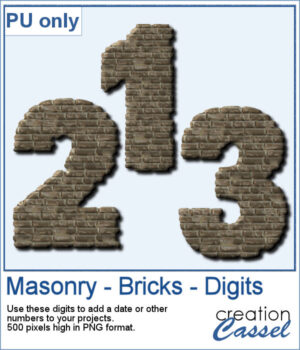
To give you a sample of what this script can create, here’s a set of digits from 0 to 9, turned into masonry elements using one of the built-in styles. These are perfect for adding dates, ages, or other numbers to your layouts. Each one is 500 pixels high and saved in PNG format, so they’re easy to add and recolor.

You need to be logged in to download this sample. Please log in or register using the links at the top of this page.

New script – Datestamp#14

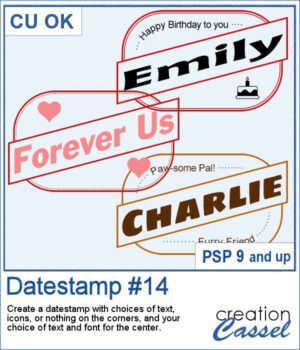
Looking for a bold and stylish way to frame your words or photos? The Datestamp #14 script gives you a fun design that’s perfect for highlighting a name, a message, or even a full photo!

This script creates a classic rectangular frame with a slanted banner across the middle, letting you showcase your main text front and center. You get to pick the font, color, and wording for that banner — so it’s fully customized to your project.

Want to dress up the corners too? You’ll have plenty of options! Choose to add icons (like hearts, planes, or graduation caps), short messages, or even fill the corners with a color or pattern. You can leave them empty as well, or use your own brushes or photos to personalize it even further.

This design works beautifully for cards, titles, tags, or photo labels. Use it to create custom greetings, mark a special trip or event, or label a pet or loved one in a layout. It’s super flexible — and super fun!

Get this script in the store: Datestamp #14

Want a chance to get this script for free? Head over to this Facebook post and let us know: What would you write in the diagonal banner? A name? A destination? A fun phrase? (Remember — only comments count. Likes and shares are always appreciated, but won’t count as entries.) A winner will be picked and announced in next week’s newsletter. If you’re not subscribed yet, you can join right here. It’s free and we only email once a week!

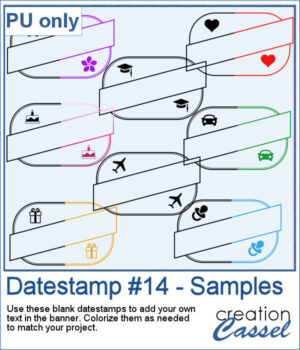
To give you a sample of what this script can create, here’s a set of 8 datestamps — one for each shape available in the script. The banners are left blank so you can add your own text, and the corner icons range from birthdays and love to travel and graduation. Each one is in black so you can easily colorize them to match your project.

You need to be logged in to download this sample. Please log in or register using the links at the top of this page.