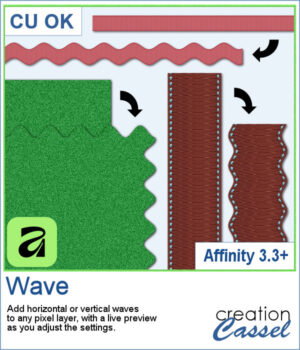
Ever wished Affinity had a Wave command like PaintShop Pro? This free Wave script brings that missing feature to Affinity!
Turn straight ribbons into wavy ones, add curves to stitching, or create decorative paper edges. Adjust the horizontal or vertical waves and experiment with the settings using a live preview.
The effect is applied to a duplicate layer, leaving your original untouched.
A handy little utility for adding creative curves to your digital scrapbooking projects!
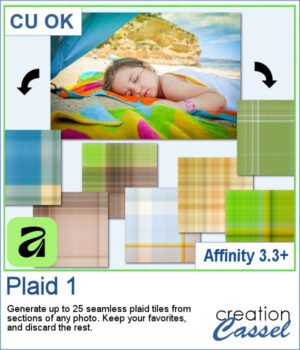
Turn the colors of your favorite photos into unique plaid patterns with this Affinity script! Generate up to 25 different seamless plaid tiles from a single image, using randomly sampled colors to create coordinating designs. Use the tiles at any scale or angle to make custom papers for scrapbook layouts, cards, and other digital projects. Run the script again for even more variations!
Want a chance to get these beads for free? Head over to this Facebook post and tell us if you tend to use plaids often or not. (likes and shares are appreciated, but won’t count as entries.) A winner will be announced in next week’s newsletter. If you’re not on the list yet, you can join right here. It’s free, and we only email once a week!
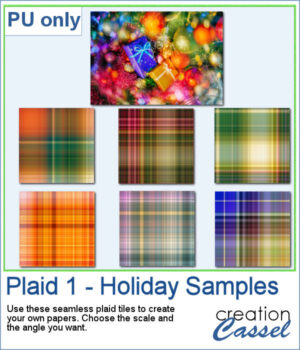
For a sampler, I used a colorful holiday photo and generated a dozen plaid tiles. I picked 6 of those tiles and am offering them to you in .jpg format. You can then use those tiles to create full-size papers, using the scale you want and the angle you want (a 45 degree angle looks great!).
You need to be logged in to download this sample. Please log in or register using the links at the top of this page.
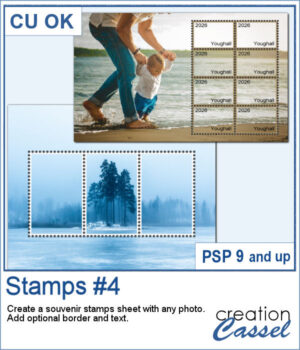
Have you ever seen souvenir stamp sheets where several stamps come together to form one larger picture? You can do that using any photograph!
Simply choose the general area for your stamp sheet and the number of rows and columns. You can then reposition the perforation grid to showcase your subject exactly where you want it. Add optional borders and text for a more traditional postage stamp look, or keep it simple for a unique photo effect.
You can even run the script multiple times to combine different stamp arrangements on the same photo!
Want a chance to get these beads for free? Head over to this Facebook post and tell us whether you have ever seen souvenir stamp sheets before. (likes and shares are appreciated, but won’t count as entries.) A winner will be announced in next week’s newsletter. If you’re not on the list yet, you can join right here. It’s free, and we only email once a week!
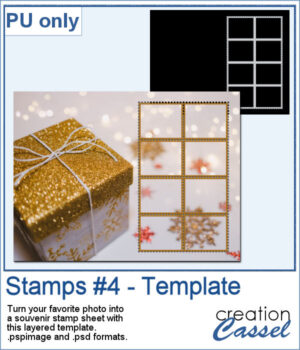
For a sample, I created a layered template where you can replace the background by any photo of yours, and adjust the color of the border (if you want) and have your own souvenir sheet. If needed, you can also change the orientation of the template. Then, add the text you want on each stamp.
You need to be logged in to download this sample. Please log in or register using the links at the top of this page.
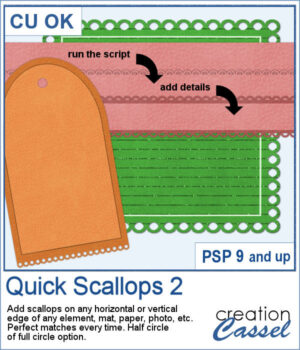
This script lets you add decorative scalloped edges to photos, papers, mats, and other scrapbook elements. Choose between open scallops with half-circle cutouts or eyelet scallops with complete circular holes for a punched-paper effect.
Apply the scallops to a single edge, two opposing edges, or all four sides. The script automatically adjusts the spacing so the scallops fit perfectly, without any awkward partial shapes. It's an easy way to create decorative borders, photo mats, paper strips, and tags with a realistic paper-punched look.
Want a chance to get these beads for free? Head over to this Facebook post and tell us where you like to add scallops. (likes and shares are appreciated, but won’t count as entries.) A winner will be announced in next week’s newsletter. If you’re not on the list yet, you can join right here. It’s free, and we only email once a week!
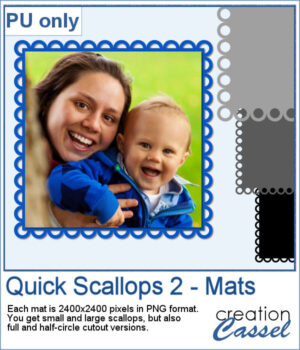
For a sample, I created 4 mats that you can colorize or clip papers to. Each mat is 2400x2400 pixels so you can easily resize them as needed.
You need to be logged in to download this sample. Please log in or register using the links at the top of this page.
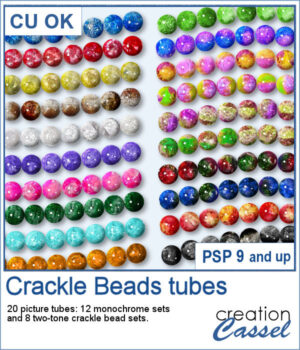
Add some sparkle to your projects with these colorful Crackle Beads Picture Tubes. This collection includes 20 different tubes, with 12 monochrome sets and 8 two-tone combinations. Each tube contains a variety of beads that are randomly selected as you draw, giving your strings a natural and varied appearance.
Use them to create bead strings, borders, frames, decorative accents, and more. Mix different colors and sizes to create your own unique designs.
Want a chance to get these beads for free? Head over to this Facebook post and tell us what you typically do with bead tubes. (likes and shares are appreciated, but won’t count as entries.) A winner will be announced in next week’s newsletter. If you’re not on the list yet, you can join right here. It’s free, and we only email once a week!
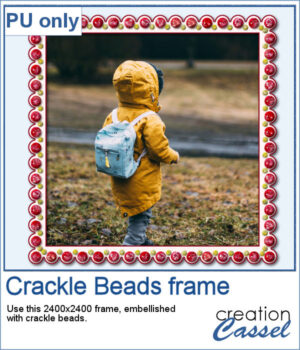
For a sample, I created a paper frame and added beads manually to it. You can see the red beads and smaller yellow beads.
You need to be logged in to download this sample. Please log in or register using the links at the top of this page.
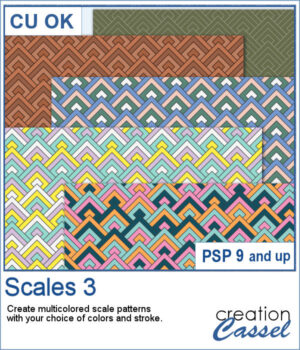
The Scales 3 script creates a geometric scale pattern made from nested diamond shapes. Choose a single color for a solid or monochrome design, or select four colors and experiment with different arrangements, including random variations by row or by scale.
You can create a seamless tile or fill a paper in the size of your choice. Once it is finished, create another version using the same color palette—especially handy when you want to try several randomized arrangements without choosing your colors again.
Want a chance to get this script for free? Head over to this Facebook post and tell us if you have used a "scale" pattern in the past. Likes and shares are appreciated, but won’t count as entries.) A winner will be announced in next week’s newsletter. If you’re not on the list yet, you can join right here. It’s free, and we only email once a week!
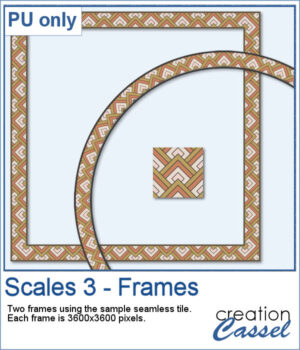
For a free sample, I used the color palette from the Digital Scrapbook October blog train, and created one multicolored seamless pattern. From there, I filled long ribbons with that tile. Finally, I used the Mitered Corner frame script to make a square frame, and the Circular Element script to make a round frame, using that same seamless pattern.
You need to be logged in to download this sample. Please log in or register using the links at the top of this page.
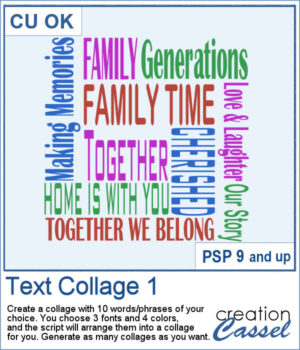
Create your own word art with the Text Collage 1 script for PaintShop Pro. Enter 10 words or short phrases, choose three fonts and four colors, and let the script arrange them into a square collage.
Generate as many variations as you like, then customize the individual vector layers to make the result your own.
Want a chance to get this script for free? Head over to this Facebook post and tell us what theme you would like to choose to create a text collage. Likes and shares are appreciated, but won’t count as entries.) A winner will be announced in next week’s newsletter. If you’re not on the list yet, you can join right here. It’s free, and we only email once a week!
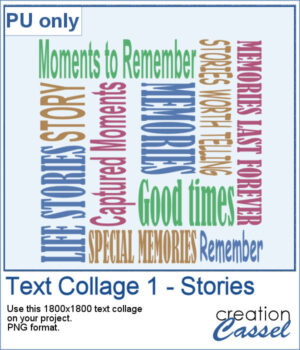
For a sampler, I created a collage with words and phrases related to memories and stories. Although I used some muted colors, you can always changed them by locking the transparency and painting some words. The collage is in PNG format so you can use whatever background color or patterns behind it.
You need to be logged in to download this sample. Please log in or register using the links at the top of this page.
You can now add some autumn-related details for your projects whether on corners, on edges, or randomly placed all around. This set includes 10 different corners, with 12 different edges, and 13 individual shapes.
You can use those tips as punches with the Eraser tool or painted segments with the Brush tool.
Want a chance to get this script for free? Head over to this Facebook post and tell us what element/shape you typically associate with autumn. Likes and shares are appreciated, but won’t count as entries.) A winner will be announced in next week’s newsletter. If you’re not on the list yet, you can join right here. It’s free, and we only email once a week!
For a sampler, I created some bookmarks that you can print or use on various projects. You can attach a string to them, write names or quotes or other messages on them. They are in png format so you can use them in a variety of programs.
You need to be logged in to download this sample. Please log in or register using the links at the top of this page.
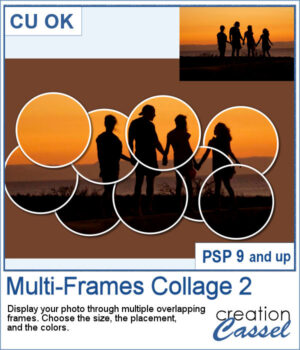
Turn a single photo into a fun collage with the Multi-Frames Collage 2 script. Your image will appear through a series of overlapping circular frames that you can position to highlight the important parts of your photo. Choose the size of the circles, customize the frame and background colors, keep or modify the original background, or remove it completely. Experiment with different arrangements to create a unique result every time.
Want a chance to get this script for free? Head over to this Facebook post and tell us if you can envision some of your photos displayed with such frames. Likes and shares are appreciated, but won’t count as entries.) A winner will be announced in next week’s newsletter. If you’re not on the list yet, you can join right here. It’s free, and we only email once a week!
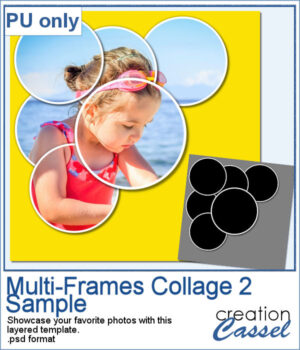
For a sample, I created a layered template that you can use to showcase your favorite photo. It is in .psd format so you can use it in PaintShop Pro, Affinity, or various other programs.
You need to be logged in to download this sample. Please log in or register using the links at the top of this page.
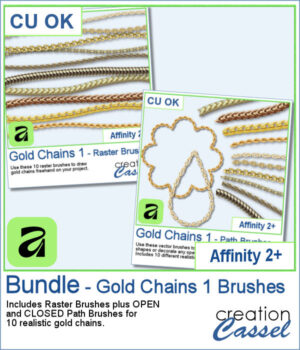
Add a touch of gold to your Affinity projects with these realistic Gold Chains brushes. The collection includes 10 different chain designs, from delicate links to heavier and more decorative styles.
Choose the Raster Brushes to draw your chains freehand, or use the Path Brushes to make the chains follow vector lines, curves, and shapes. Each chain comes with both an Open and a Closed Path Brush, making it easy to decorate anything from simple curves to complete frames and outlines.
Want a chance to get these brushes for free? Head over to this Facebook post and tell us how you would likely use gold chains in your projects. Likes and shares are appreciated, but won’t count as entries.) A winner will be announced in next week’s newsletter. If you’re not on the list yet, you can join right here. It’s free, and we only email once a week!
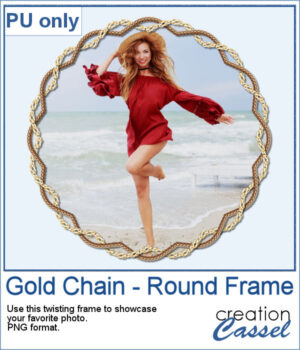
For a sample, I created a frame with two intertwined gold chains. The frame includes shadows to give that realistic 3D effect. The result is in PNG format so you can use it with any program.
You need to be logged in to download this sample. Please log in or register using the links at the top of this page.

 Ever wished Affinity had a Wave command like PaintShop Pro? This free Wave script brings that missing feature to Affinity!