Web
Analytics

PSP script – Quick Scallops 2

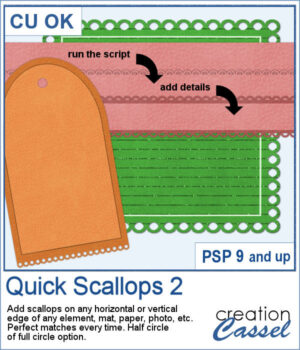
This script lets you add decorative scalloped edges to photos, papers, mats, and other scrapbook elements. Choose between open scallops with half-circle cutouts or eyelet scallops with complete circular holes for a punched-paper effect.

Apply the scallops to a single edge, two opposing edges, or all four sides. The script automatically adjusts the spacing so the scallops fit perfectly, without any awkward partial shapes. It's an easy way to create decorative borders, photo mats, paper strips, and tags with a realistic paper-punched look.

Get this script: Quick Scallops 2

Want a chance to get these beads for free? Head over to this Facebook post and tell us where you like to add scallops. (likes and shares are appreciated, but won’t count as entries.) A winner will be announced in next week’s newsletter. If you’re not on the list yet, you can join right here. It’s free, and we only email once a week!
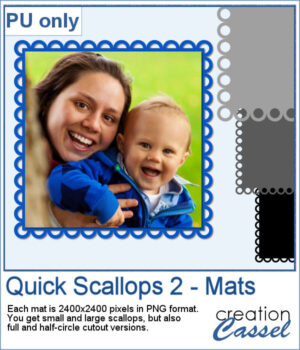
For a sample, I created 4 mats that you can colorize or clip papers to. Each mat is 2400x2400 pixels so you can easily resize them as needed.

You need to be logged in to download this sample. Please log in or register using the links at the top of this page.
PSP script – Scales 3

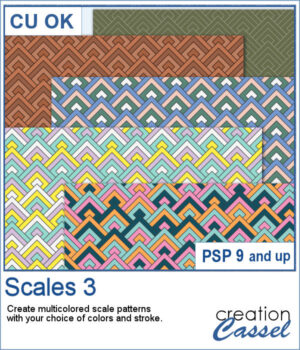
The Scales 3 script creates a geometric scale pattern made from nested diamond shapes. Choose a single color for a solid or monochrome design, or select four colors and experiment with different arrangements, including random variations by row or by scale.

You can create a seamless tile or fill a paper in the size of your choice. Once it is finished, create another version using the same color palette—especially handy when you want to try several randomized arrangements without choosing your colors again.

Get this script in the store: Scales 3

Want a chance to get this script for free? Head over to this Facebook post and tell us if you have used a "scale" pattern in the past. Likes and shares are appreciated, but won’t count as entries.) A winner will be announced in next week’s newsletter. If you’re not on the list yet, you can join right here. It’s free, and we only email once a week!

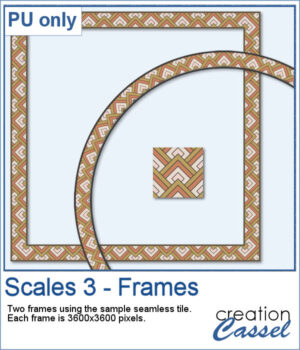
For a free sample, I used the color palette from the Digital Scrapbook October blog train, and created one multicolored seamless pattern. From there, I filled long ribbons with that tile. Finally, I used the Mitered Corner frame script to make a square frame, and the Circular Element script to make a round frame, using that same seamless pattern.

You need to be logged in to download this sample. Please log in or register using the links at the top of this page.
New script – Text Collage 1

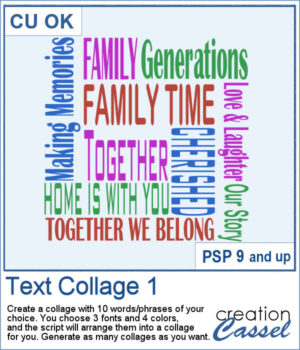
Create your own word art with the Text Collage 1 script for PaintShop Pro. Enter 10 words or short phrases, choose three fonts and four colors, and let the script arrange them into a square collage.

Generate as many variations as you like, then customize the individual vector layers to make the result your own.

Get this script: Text Collage 1

Want a chance to get this script for free? Head over to this Facebook post and tell us what theme you would like to choose to create a text collage. Likes and shares are appreciated, but won’t count as entries.) A winner will be announced in next week’s newsletter. If you’re not on the list yet, you can join right here. It’s free, and we only email once a week!

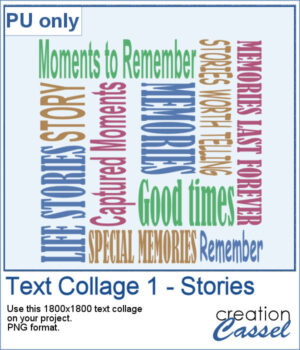
For a sampler, I created a collage with words and phrases related to memories and stories. Although I used some muted colors, you can always changed them by locking the transparency and painting some words. The collage is in PNG format so you can use whatever background color or patterns behind it.

You need to be logged in to download this sample. Please log in or register using the links at the top of this page.
New script – Knot #19

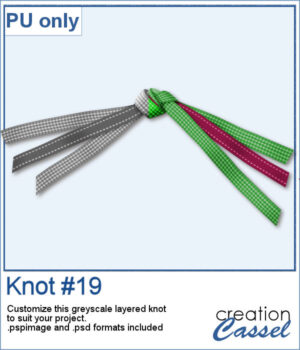
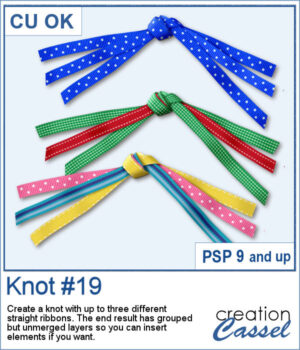
Three ribbon knot embellishments created with the Knot #19 PaintShop Pro scriptCreate your own ribbon knot embellishments using the ribbons already in your stash! The Knot #19 script lets you combine one, two, or three straight ribbons into a dimensional knot with flowing ends on both sides.

Mix colors and patterns to coordinate with any project. The resulting pieces remain on separate, grouped layers, giving you even more flexibility to customize your finished embellishment.

As a bonus, the ends are cut randomly to look more natural.

Get this script in the store: Knot #19

Want a chance to get this script for free? Head over to this Facebook post and tell us if you are more likely to use one, two, or three ribbons when running this script. Likes and shares are appreciated, but won’t count as entries.) A winner will be announced in next week’s newsletter. If you’re not on the list yet, you can join right here. It’s free, and we only email once a week!

Sample of a knot with three greyscale ribbons to be colorized by the userFor a sampler, I created a knot using two different ribbons in greyscale. The end result is left on unmerged layers so you can colorize them to your liking and even insert elements, or other ribbons in the knot. The file is available in .pspimage format and .psd format so you can use it in more programs.

You need to be logged in to download this sample. Please log in or register using the links at the top of this page.
New script – Sequin Scatters Generator

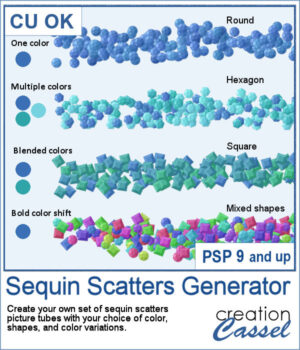
This lets you create your own custom sequin scatter picture tubes in just a few clicks. Choose your colors, decide how they vary, and pick from round, hexagonal, square, or mixed sequin shapes to generate unique scatters that perfectly match your project. Instead of using fixed tubes, you can generate new sequin styles whenever you need them, making this script a flexible and creative tool for digital scrapbooking and design.

Get this script: Sequin Scatters Generator

In order to win this script, add a comment on this Facebook post telling us what shape of sequins you would first use (remember, add a comment, not just a Like!) The winner will be announced in the newsletter, next week. Not a subscriber yet? Not a problem. You can register here and it is free (and you only get one email per week).

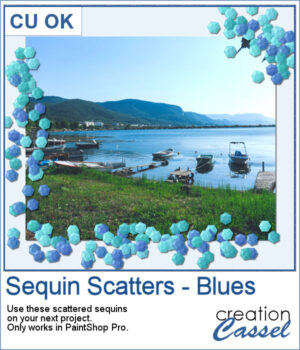
For a sample, I generated a set of picture tubes using three colors in the blue shades. They would be perfect for water or nautical themes. But you can also use them for any other theme, as an accent.

You need to be logged in to download this sample. Please log in or register using the links at the top of this page.