
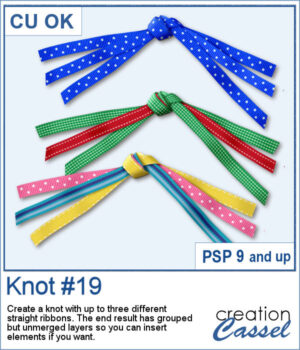
 Create your own ribbon knot embellishments using the ribbons already in your stash! The Knot #19 script lets you combine one, two, or three straight ribbons into a dimensional knot with flowing ends on both sides.
Mix colors and patterns to coordinate with any project. The resulting pieces remain on separate, grouped layers, giving you even more flexibility to customize your finished embellishment.
As a bonus, the ends are cut randomly to look more natural.
Get this script in the store: Knot #19
Want a chance to get this script for free? Head over to this Facebook post and tell us if you are more likely to use one, two, or three ribbons when running this script. Likes and shares are appreciated, but won’t count as entries.) A winner will be announced in next week’s newsletter. If you’re not on the list yet, you can join right here. It’s free, and we only email once a week!
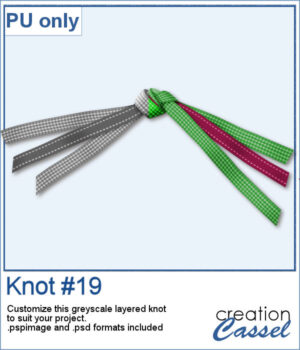 For a sampler, I created a knot using two different ribbons in greyscale. The end result is left on unmerged layers so you can colorize them to your liking and even insert elements, or other ribbons in the knot. The file is available in .pspimage format and .psd format so you can use it in more programs.
You need to be logged in to download this sample. Please log in or register using the links at the top of this page.