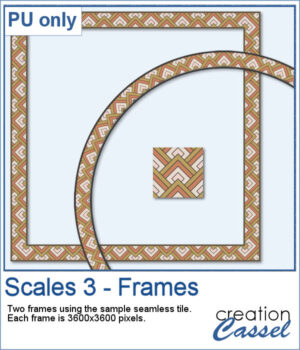
The Scales 3 script creates a geometric scale pattern made from nested diamond shapes. Choose a single color for a solid or monochrome design, or select four colors and experiment with different arrangements, including random variations by row or by scale.
You can create a seamless tile or fill a paper in the size of your choice. Once it is finished, create another version using the same color palette—especially handy when you want to try several randomized arrangements without choosing your colors again.
Want a chance to get this script for free? Head over to this Facebook post and tell us if you have used a "scale" pattern in the past. Likes and shares are appreciated, but won’t count as entries.) A winner will be announced in next week’s newsletter. If you’re not on the list yet, you can join right here. It’s free, and we only email once a week!
For a free sample, I used the color palette from the Digital Scrapbook October blog train, and created one multicolored seamless pattern. From there, I filled long ribbons with that tile. Finally, I used the Mitered Corner frame script to make a square frame, and the Circular Element script to make a round frame, using that same seamless pattern.
You need to be logged in to download this sample. Please log in or register using the links at the top of this page.
With the release of Affinity 3.3, scripting is now available, and that opens up a whole new range of possibilities. Of course, I couldn't resist experimenting with it!
If you have used my PaintShop Pro scripts before, you already know how useful a script can be for taking a repetitive or sometimes tedious process and doing much of the work for you. Affinity scripting is still very new, but I have already been busy exploring what can be done with it.
And instead of introducing this new category with just one script, I decided to start with two!
Duplicate Image – FREE Affinity Script
The first script is a simple utility that I am offering for free. Duplicate Image does exactly what its name suggests: it creates a duplicate of your current image so you can continue working on a copy while leaving the original untouched.
It is a simple script, but it is also a great way to try scripting in Affinity for the first time. You can download it, install it, and see how scripts work without having to purchase anything.
For the second script, let's do something a little more creative!
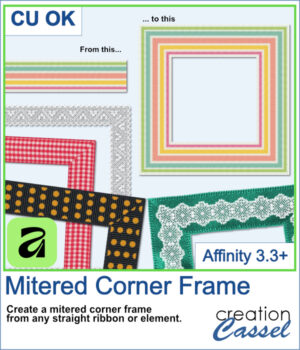
Have you ever had a ribbon, lace, paper strip, fabric trim, or other straight element that you wished you could turn into a frame? Creating the four sides isn't difficult, but getting those corners to meet neatly can take a little more work.
The Mitered Corner Frame script does that work for you.
Start with your straight element, choose the dimensions you want, and the script creates the four sides with neatly mitered corners. That means the same ribbon or trim can be used to create frames of different sizes to suit your photos, scrapbook pages, cards, and other projects.
And because you start with your own element, you are not limited to one particular frame style. A ribbon can give you one look, lace another, and a textured or patterned strip something completely different.
Want a chance to get this script for free? Head over to this Facebook post and tell us what other PSP scripts from the store you would like to see converted for Affinity. Likes and shares are appreciated, but won’t count as entries.) A winner will be announced in next week’s newsletter. If you’re not on the list yet, you can join right here. It’s free, and we only email once a week!
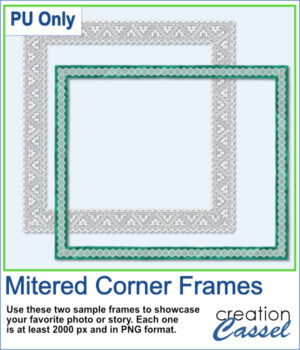
For a sample, I ran this script in Affinity to generate these two frames. They are in PNG format so you can use them in any program.
You need to be logged in to download this sample. Please log in or register using the links at the top of this page.
More Affinity Scripts to Come
These are the first Affinity scripts to appear in the Creation Cassel store, but they certainly won't be the last. I have already been experimenting with other ideas and have more scripts in various stages of development.
Affinity scripting is brand new, so I am learning what is possible right along with everyone else. It will be interesting to see how the scripting capabilities develop over time, and what new tools we can create with them.
For now, you have one free script to experiment with and one that can start doing some of the work for you right away.
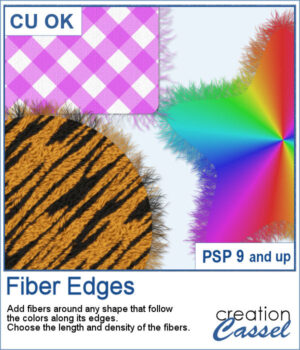
This script adds realistic frayed fibers around the edges of any shape in PaintShop Pro. The fibers automatically follow the colors along the edge, creating a natural and organic finish every time.
You can control the length and density of the fibers, and since each run introduces subtle variation, no two results will ever look the same.
In order to win this script, add a comment on this Facebook post telling us what kind of elements would you use fiber edges on (remember, add a comment, not just a Like!) The winner will be announced in the newsletter, next week. Not a subscriber yet? Not a problem. You can register here and it is free (and you only get one email per week).
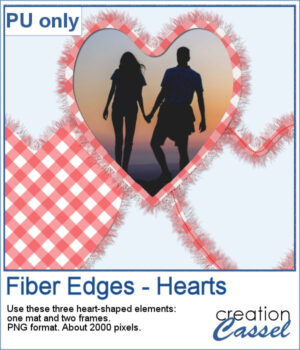
For Valentine Day, I ran the script on a heart filled with gingham. That created a full mat. Then, using the starting shape, I trimmed an inside area to create a frame. Then, I ran the script on the sized down shape, I added some fibers on the inside and included a stitching (from a Styled Line). Three elements you can use in different ways.
You need to be logged in to download this sample. Please log in or register using the links at the top of this page.

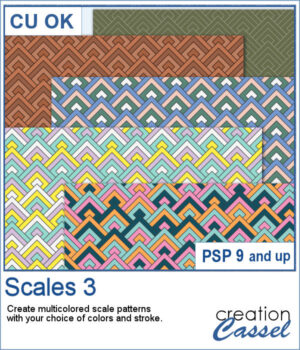 The Scales 3 script creates a geometric scale pattern made from nested diamond shapes. Choose a single color for a solid or monochrome design, or select four colors and experiment with different arrangements, including random variations by row or by scale.