Although you can add a serged edge on any shape (with the Stitched Edges #1), you can now add a blanket stitch around your elements. Starting with a vector shape, you can choose to have long or short stitches and you can pick any color for the thread. The end result is left on unmerged layers so you can tweak that thread color by changing the blend mode as needed.
You can also add custom textures or puffiness to the element if you want, but it is optional.
Get this script: Stitched Edges #3
Want a chance to win this script? Add a comment on this Facebook post telling us what project could use some stitched edges (Remember, comments count — not Likes!). A winner will be announced in next week’s newsletter. Not subscribed yet? Sign up here — it’s free, and we only send one email per week.
For a sampler, I created some basic set of digits that are stitched for you. Each digit is about 500 pixels high so you can resize them as needed.
You need to be logged in to download this sample. Please log in or register using the links at the top of this page.
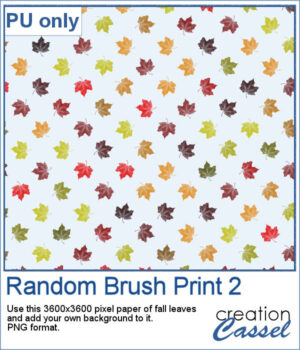
Tartan 1 brings the cozy feel of classic plaids to your projects, turning any color palette into a seamless, woven tile in seconds. The thread texture gives a realistic plain-weave look—perfect for papers, backgrounds, borders, and photo mats—so your layouts can swing from heritage tartan to modern plaid with just a couple of clicks.
For a sampler, I used a fall-themed color palette and generated three seamless tiles. Use them for larger surface with whatever scale and angle you want for your project.
This Sticky Album effect brings back the look of classic adhesive photo albums, complete with realistic ridges and subtle imperfections. It’s a fun way to add a nostalgic touch to your photos, or to create a unique textured overlay that feels instantly vintage.
For this week's sample, I am sharing a basic 6x4 overlay. You can adjust the opacity and the blend mode to get the result you want based on your own photo (different colors can require different blend modes).
This text portrait effect is great if you have a specific subject you want to showcase, and even better if the original image has odd colors since this effect can be applied to a black and white version. But you can still keep the original color, choose a monochrome effect, or even a gradient. So many possibilities.
Since I cannot make a sampler from this scripts because it would be based on your own photo, I figured you might be able to showcase something for this time of year: first day of school. Do you have photos of your children, grandchildren or other children in your life? You can use one of those datestamp for all those elementary grades.
Although you can create scallop patterns using a set number of solid colors or gradients, this script will let you generate a unique “shell-like” scallop design with up to three different colors in one pattern. You choose the colors, and the script will automatically create a perfectly seamless tile in just a few clicks.
For the free samples, I created several tiles using a pastel palette of yellow, pink, and blue. These tiles make perfect soft backgrounds for scrapbook pages, cards, or other digital projects. Once your page is filled with the seamless tiles, you can apply various effects to make the design sharper, more textured, or more subtle.
Looking for a unique way to turn your titles or elements into something bold and textured? The Masonry – Bricks script lets you convert any shape—raster or vector—into a brick-style element with realistic texture and uneven edges.
To give you a sample of what this script can create, here’s a set of digits from 0 to 9, turned into masonry elements using one of the built-in styles. These are perfect for adding dates, ages, or other numbers to your layouts. Each one is 500 pixels high and saved in PNG format, so they’re easy to add and recolor.
Looking for a bold and stylish way to frame your words or photos? The Datestamp #14 script gives you a fun design that’s perfect for highlighting a name, a message, or even a full photo!
To give you a sample of what this script can create, here’s a set of 8 datestamps — one for each shape available in the script. The banners are left blank so you can add your own text, and the corner icons range from birthdays and love to travel and graduation. Each one is in black so you can easily colorize them to match your project.
Have you collected great brushes over the years, only to find they’re just too small for today’s high-resolution projects? Back in the PSP9 era and earlier, brushes were limited to 500 pixels — and some were even under 100. That might have worked fine back then, but now a 100-pixel brush looks tiny on a 3600-pixel layout!
Since I cannot make a sampler from this script, I created a whole alphabet made of stone. It will be perfect to add to your adventure-related projects or to place them in the sand, on the beach.
Looking for a creative way to give your elements a warm, handmade feel? The Crochet Texture 1 script lets you turn any vector shape into a realistic crochet piece! With detailed textures and edging, your shapes will look like they've been stitched with yarn — perfect for cozy, crafty projects.
To give you a little sample of what this script can do, here's a freebie made with the Crochet Texture 1 script: a simple crocheted flower in sunny yellow, using a ribbed fill and a matching edge. It’s perfect to tuck into a kids’ layout, a cozy winter scene, or even a handmade card project.
Create Titles That Fit Together Like a Puzzle
To give you a little taste of what this script can create, here's a free title made using the Alpha Blocks 1 script. It says SUMMER DAYS, in cheerful brown and turquoise tones, with alternating block shapes. This is a Personal Use freebie — perfect to drop into a sunny layout!