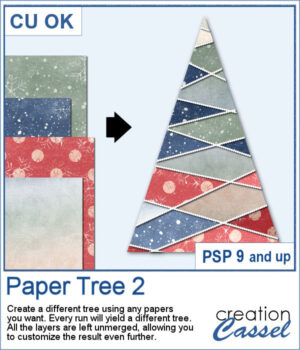
It might not be hard to draw chevrons by hand, but it is tedious... very tedious.
This script will use some of 40 different hand drawn patterns to create that effect for you. You can also choose a color palette with up to 8 colors for a unique result that will suit your project or your photo.
It will generate a large seamless tile that you can then use as a fill pattern for any image.
Get this in the store: Hand Drawn Chevron
To win this product, add a comment on this Facebook post telling us if you have ever hand drawn chevrons in PSP (remember, add a comment, not just a Like!) The winner will be announced in the newsletter, next week. Not a subscriber yet? Not a problem. You can register here and it is free (and you only get one email per week).
For a sample, I created two seamless tiles with Halloween colors. Each tile is in PNG format so you can add whatever background color you want on it.
You need to be logged in to download this sample. You can either login, or register on the top of this page.

You don't have to limit yourself to boring, simplistic, or ready-made tags when you want something customizable.
For samples, I created 12 tags for the months of the year. Each one has a different color that matches the month. I used solid colors so you CAN brush over any section with the brush tool if you want to erase some text and replace it with something else. Each tag is in png and if you are doing traditional scrapbooking, you could even print and cut them.
More crochet laces for you to decorate your projects. Create them in any length you need, and colorize them in any color you want to match your project.
For this freebie, I used a long lace and created a square frame by manually "mitering" the corners. I needed to do it manually to make those corner look realistic.
This script will create a visual catalogue of all the masks that are available in your PSP. Whatever folders you have listed under the File Location, they will be scanned for any compatible masks (they can be in many file formats). Once done, it will place a copy of each of those masks on a page, along with the path of the individual folders.
For a sampler, this is the time of year where you might have some autumn projects. I have created a wood fence with fall color vines on it. The fence is 4000 pixels long and in PNG format so it can be used in most graphic programs.
You can easily create some simple polkadot patterns with PaintShop Pro, but as soon as the pattern is not as simple, it can become a headache to create.
For a sample, I greated two matching papers with the same 7 colors, one in straight lines, and one in zigzag. They are full-size so you can either size them down or trim them to suit your project.
Turning a photo into a completed puzzle might be simple when you use an overlay, but if you want to separate some pieces from the main puzzle, that is much more challenging.
This script is related to your own photos so I can't give you a sample of my photos! Being around back-to-school time, you could use this painted cardboard alpha using primary colors. Each character is about 500 pixels in height so you can resize them as needed for your project.
Double knots are hard to find because unless they are part of a kit, the colors and patterns are not likely to match the supplies you are using or the project you are making. However, with this script, you can use any ribbon you want so you can use the straight ribbons from the same kit. In addition, you can tweak and colorize the separate ribbons and the script will combine them, creating a unique knot.
For a sampler, I created four knots in pastel colors for you. They are all in png format (not layered) so they can be used in various programs.
This is the second set of wood fence picture tubes. It includes 6 sets of tubes that will allow you to draw fences however long you want. You can start with a 4000-pixel image if you want a fence that will go from end to end on your standard page, but you can also use a standard page and drag your cursor only for a little bit to get a shorter fence.
For a sampler, I created a long fence (more than 3600 pixels) with a cute squirrel and some vines on it. Add it to your project, add more critters if you want, and embellish with flowers or grass at the base.
If you like to create your own custom greeting cards, you might be limited by the size of the available envelopes you have. But now, with this script, you can choose any size up to 10x8 inches. It could be a long and thin envelope, or a large square one.
For a sampler, I am offering you the template to create a 9x4 inch envelope with a scalloped flap. You can customize each piece to make it a unique envelope to match whatever greeting card you need to use it with. The template is in psd format.
You can have fun this summer with titles and shapes. You can use the Watermelon but now you can turn your shape into a fresh strawberry, complete with a stem.
For a sampler, I created a full alphabet (A to Z) in uppercase and ten digits (0-9). Everything is in PNG format so it can be used in most program. Each strawberry is about 600 pixels high.