Web
Analytics

PSP script – Scales 3

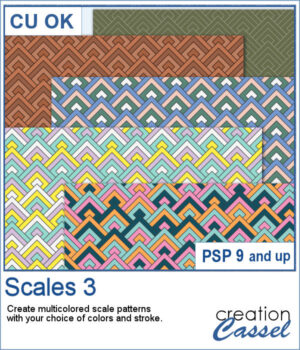
The Scales 3 script creates a geometric scale pattern made from nested diamond shapes. Choose a single color for a solid or monochrome design, or select four colors and experiment with different arrangements, including random variations by row or by scale.

You can create a seamless tile or fill a paper in the size of your choice. Once it is finished, create another version using the same color palette—especially handy when you want to try several randomized arrangements without choosing your colors again.

Get this script in the store: Scales 3

Want a chance to get this script for free? Head over to this Facebook post and tell us if you have used a "scale" pattern in the past. Likes and shares are appreciated, but won’t count as entries.) A winner will be announced in next week’s newsletter. If you’re not on the list yet, you can join right here. It’s free, and we only email once a week!
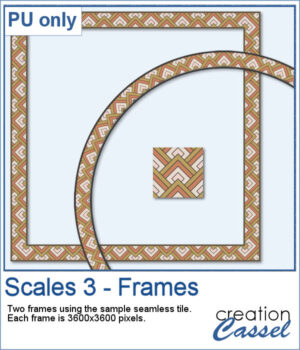
For a free sample, I used the color palette from the Digital Scrapbook October blog train, and created one multicolored seamless pattern. From there, I filled long ribbons with that tile. Finally, I used the Mitered Corner frame script to make a square frame, and the Circular Element script to make a round frame, using that same seamless pattern.

You need to be logged in to download this sample. Please log in or register using the links at the top of this page.
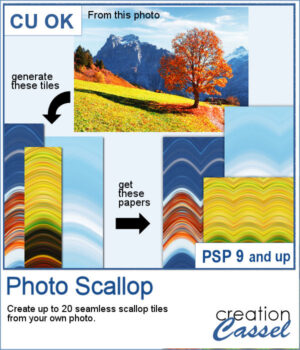
New script – Photo Scallop

The Photo Scallop script for PaintShop Pro lets you turn any photo into seamless scallop patterns with soft, flowing curves. Each run generates multiple tiles based on different parts of your image, giving you a variety of coordinated color palettes. Use them as full papers, borders, or combine them for more creative designs.

Get this script in the store: Photo Scallop

In order to win these brushes, add a comment on this Facebook post telling us what type of photo would you use with this script; bold colors? soft colors? landscape? (remember, add a comment, not just a Like!) The winner will be announced in the newsletter, next week. Not a subscriber yet? Not a problem. You can register here and it is free (and you only get one email per week).

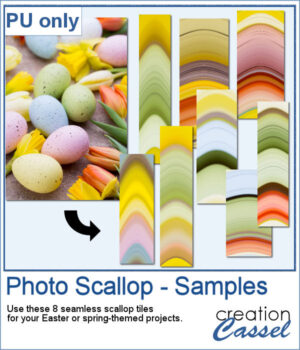
For samples, I generated some seamless tiles from an Easter photo with nice pastel colors. You can use those tiles to fill out a full page and then, you can continue being creative and apply more effects, like the kaleidoscope, the rotating mirror, the brush stroke, etc.

You need to be logged in to download this sample. Please log in or register using the links at the top of this page.
New script – Octagons

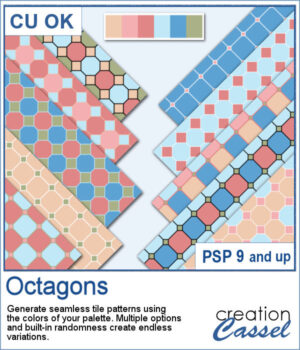
The Octagons script for PaintShop Pro lets you generate seamless geometric tiles using the colors from your own palette. Each tile combines octagon shapes with small diamond connectors to create bold, repeating patterns perfect for scrapbook backgrounds and digital papers. The script randomly varies the grout thickness, diamond size, and color arrangements, so every run produces a fresh set of coordinated designs.

Get this script: Octagons

In order to win this script, add a comment on this Facebook post telling us if you have this kind of pattern in your stash (remember, add a comment, not just a Like!) The winner will be announced in the newsletter, next week. Not a subscriber yet? Not a problem. You can register here and it is free (and you only get one email per week).

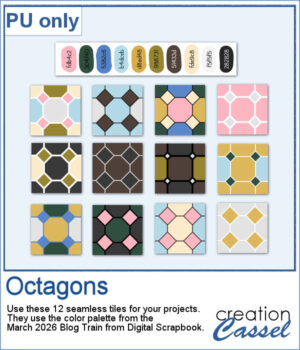
For a free sample, I used the 10-color palette from the March 2026 Blog Train from Digital Scrapbook and generated 12 different seamless tiles. You can use any of them along with that palette to expand your stash.

You need to be logged in to download this sample. Please log in or register using the links at the top of this page.
New script – Scallop Pattern 5

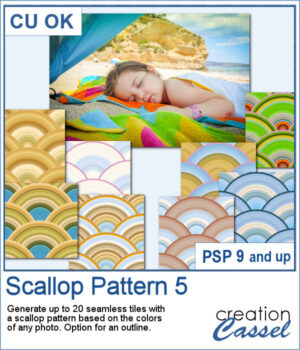
Although you can create scallop patterns with a set number of colors or gradients, you can get a lot more different patterns when they are based on a photo. In fact, this script works similarly to the Plaid Maker script: it will pick a random segment of the photo and turn it into a seamless scallop pattern.

You can generate up to 20 tiles in one run and every tile will be different.

Get this script in the store: Scallop Pattern 5

In order to win this script, add a comment on this Facebook post telling us if you use scallop patterns in projects (remember, add a comment, not just a Like!) The winner will be announced in the newsletter, next week. Not a subscriber yet? Not a problem. You can register here and it is free (and you only get one email per week).

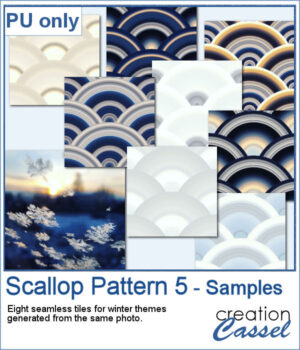
For a few samplers, I used a winter photo from Unsplash and generated many tiles. I kept the best eight tiles. Once you have filled your page with the seamless tiles, you can apply various effects to make the design sharper or more subtle.

You need to be logged in to download this sample. You can either login, or register on the top of this page.