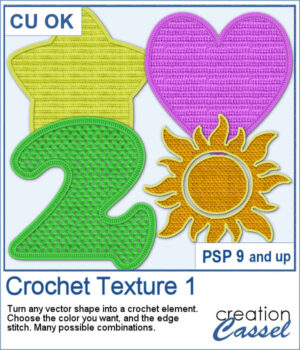
 Looking for a creative way to give your elements a warm, handmade feel? The Crochet Texture 1 script lets you turn any vector shape into a realistic crochet piece! With detailed textures and edging, your shapes will look like they've been stitched with yarn — perfect for cozy, crafty projects.
You can choose from five different fill stitches and five edge styles, then decide whether you want them to match or contrast. The script also gives you full control over the yarn thickness and color, so your final piece is completely customized. Whether you want a clean and smooth finish or something textured and bold, you'll get exactly the look you're going for.
Use it to create scrapbook elements, word art, decorative icons, or even full titles with a handmade twist!
Get this script in the store: Crochet Texture 1
Want a chance to get this script for free? Head over to this Facebook post and tell us: what shape would you turn into a crochet element? A heart? A coffee mug? A letter of the alphabet? (Remember: only comments count — likes don’t!) Winner will be announced in next week’s newsletter. Not subscribed yet? Join here — it’s free, and we only email once a week. The winner will be announced next week — good luck!
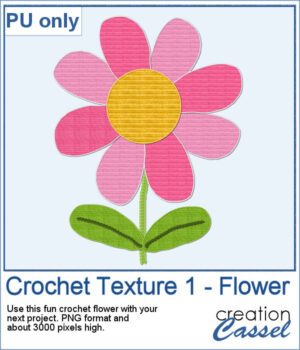 To give you a little sample of what this script can do, here's a freebie made with the Crochet Texture 1 script: a simple crocheted flower in sunny yellow, using a ribbed fill and a matching edge. It’s perfect to tuck into a kids’ layout, a cozy winter scene, or even a handmade card project.
You need to be logged in to download this sample. Please log in or register using the links at the top of this page.