Now, you can use your Paintshop Pro to add a fun line of puffy paint around an edge of a shape or a letter.
You can replicate that uneven look of puffy paint in various colors or thickness, with this script.
Add an outline around any shape or draw your own lines and convert them to puffy paint look.
Every run of the script will give you a different look because of the random feature coded in the script.
Get this fun script in the store: Puffy Paint
For a chance to win this script, tell me what element or design you would like to create using puffy paint. I will announce a winner in the newsletter, next week. Not a subscriber yet? Not a problem. You can register here and it is free (and you only get one email per week).
As a sampler of what you can get with this script, I created a set of digits in "white". You can easily fill them in with the color of your choice for a different look.
Since it is white, you can also consider them as icing digits. And why not fill them with our own Sprinkles?
Each digit is about 400 pixels high in PNG format.
A complete set will be available in the newsletter, so keep an eye on it, this coming Sunday.
You need to be logged in to download this sample. You can either login, or register on the top of this page.
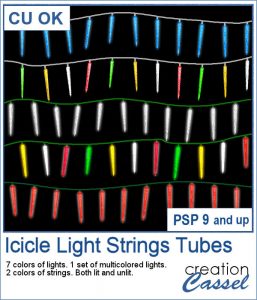
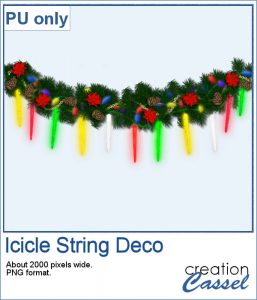
Adding holiday decorations is always fun, and even better when you do it digitally.
This week, for a sampler, I used several products from the store to create a decorated wooden window. I used the Wooden Window script, the Christmas lights and the Christmas strings.
You can now create a fun title or text using individual stamps that will display letters, digits, abbreviations or words.
How about a way to date all the photos and pages you will be doing in December?
As a child, you likely have played with playdough (or plasticine). You must have created textures, poked your finger in it, rolled it to make snakes and used cookie cutters to create various shapes.
For a sampler, I created a "hand drawn" alphabet for you. I used three fall colors.
If you are creating kits, you will want to use this script to create a variety of labels in just a few seconds. Keep the ones that you like, and discard the others.
As a sampler, I ran the script using 5 papers from the kit Enchanted Autumn from Marisa Lerin. This set includes 15 different labels, ranging in size between 600 and 1000 pixels. Some are round, some are oval, some are square and some are rectangular.
Have you ever wanted to create a wordart with half of the text in negative from the rest? It is not too hard to do manually, but it requires accuracy. And then, if you want to create a series, it is longer.
How about a way to date your layouts? Whether you are making a Project Life album, or you just want a fun way to identify when those pictures were taken, here are some split months. Each one is about 420 pixels in height, and the width will depend on the text.
Who has too many doilies? In the last few weeks, you got scripts to help you create circular and square doilies, but with a bit of math, I managed to code a script to allow for doilies that have different sizes in height and length. That is really adding another level of flexibility for your projects.
This week, i made three rectangular doilies, and i am offering them to you. They are all in png format so you can use them with other programs than Paintshop Pro. You can also colorize them if you want. The shadows are only for the preview. There is a slight bevel only.
The last script that was made available to you was to help you create round laser cut doilies, but what if you want them square? With a bit of coding, I am bringing this to you. It will use a similar process to create the rounded corners, but you will also have the option to modify the design for the straight edges, either by adding more cutouts or removing some. This will allow you to have some unique designs along the straight edges, if you want.
Just like last week, i had fun creating those samples. I experimented with various designs and although a few didn't turn out too great, most of them were really pretty. That is why i am offering them to you.
Laser cut doilies are delicate paper products that offer a great variety of designs and patterns. However, in the digital world, the number of such designs is limited.
As a sample of what this script can do, I am offering you a set of 6 doilies that i created while testing this script. I have to say that this IS addictive.
Triangle patterns are basic designs that are timeless. Change the size and the colors, add outlines or not and you can get a wide array of different seamless patterns.
As a way for you to have fun with the end result of this script, i generated a set of 15 tiles with fall colors from a palette of 5 colors. Use those tiles as is as flood fill pattern, or you can also change the proportion of the tiles to get different types of designs.