
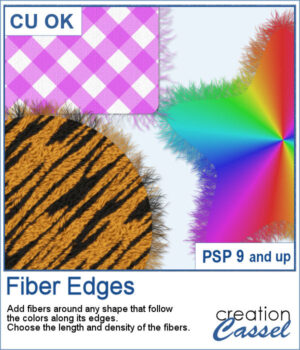
 This script adds realistic frayed fibers around the edges of any shape in PaintShop Pro. The fibers automatically follow the colors along the edge, creating a natural and organic finish every time.
You can control the length and density of the fibers, and since each run introduces subtle variation, no two results will ever look the same.
Get this script: Fiber Edges
In order to win this script, add a comment on this Facebook post telling us what kind of elements would you use fiber edges on (remember, add a comment, not just a Like!) The winner will be announced in the newsletter, next week. Not a subscriber yet? Not a problem. You can register here and it is free (and you only get one email per week).
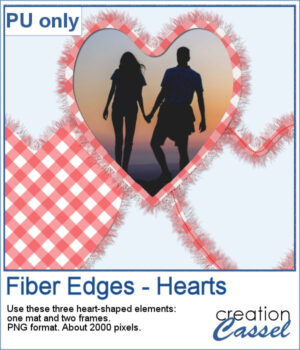 For Valentine Day, I ran the script on a heart filled with gingham. That created a full mat. Then, using the starting shape, I trimmed an inside area to create a frame. Then, I ran the script on the sized down shape, I added some fibers on the inside and included a stitching (from a Styled Line). Three elements you can use in different ways.
You need to be logged in to download this sample. Please log in or register using the links at the top of this page.