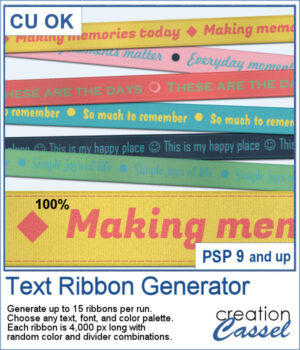
 If you love adding words to your scrapbook pages, you’ll enjoy the new Text Ribbon script for PaintShop Pro. In just one run, you can generate up to 15 coordinated 4000-pixel ribbons using your own text, font, and color palette. Each ribbon is slightly different, with random dividers, subtle shading, and occasional stitching for added dimension.
Create a full matching ribbon set in seconds, keep the ones you love, and discard the rest. It’s a fast and creative way to design custom word ribbons that fit perfectly with your projects.
Get this script: Text Ribbon Generator
In order to win this script, add a comment on this Facebook post telling us what would you want to write on a ribbon (remember, add a comment, not just a Like!) The winner will be announced in the newsletter, next week. Not a subscriber yet? Not a problem. You can register here and it is free (and you only get one email per week).
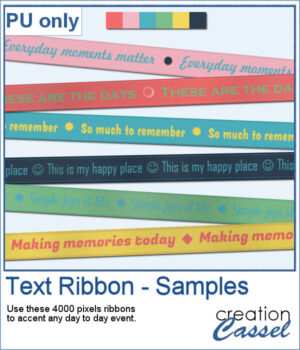 For samplers, I generated various ribbons with different phrases, all using a single color palette that you can reuse too if you want to create matching papers or elements.
You need to be logged in to download this sample. Please log in or register using the links at the top of this page.