Web
Analytics

New script – Fiber Edges

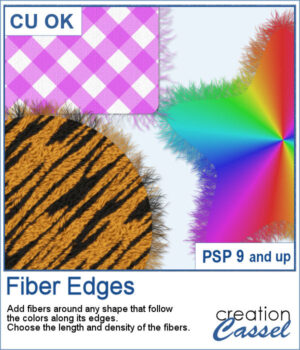
This script adds realistic frayed fibers around the edges of any shape in PaintShop Pro. The fibers automatically follow the colors along the edge, creating a natural and organic finish every time.

You can control the length and density of the fibers, and since each run introduces subtle variation, no two results will ever look the same.

Get this script: Fiber Edges

In order to win this script, add a comment on this Facebook post telling us what kind of elements would you use fiber edges on (remember, add a comment, not just a Like!) The winner will be announced in the newsletter, next week. Not a subscriber yet? Not a problem. You can register here and it is free (and you only get one email per week).
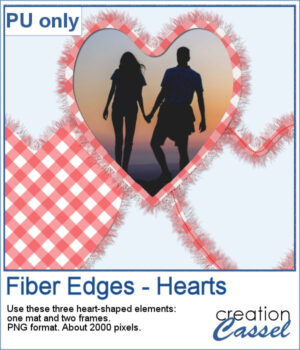
For Valentine Day, I ran the script on a heart filled with gingham. That created a full mat. Then, using the starting shape, I trimmed an inside area to create a frame. Then, I ran the script on the sized down shape, I added some fibers on the inside and included a stitching (from a Styled Line). Three elements you can use in different ways.

You need to be logged in to download this sample. Please log in or register using the links at the top of this page.
New script – Watercolor 3

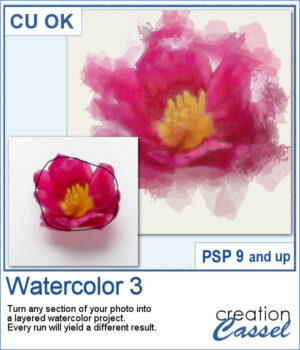
This script creates soft, layered watercolor effects with gentle washes and subtle blending. Each run produces a unique, painterly result from any selected area of your photo.

It will use the colors along the path you draw. Every run will yield a different result with the randomness integrated in the brush imprints.

Get this script in the store: Watercolor 3

In order to win this script, add a comment on this Facebook post telling if you have ever used a watercolor effect on a photo (remember, add a comment, not just a Like!) The winner will be announced in the newsletter, next week. Not a subscriber yet? Not a problem. You can register here and it is free (and you only get one email per week).

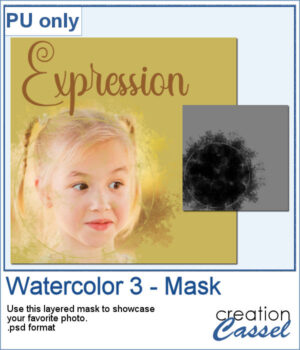
Although the script is meant to create an effect directly from your photos, you can also use the brushes included, to create various effects. I made a mask using some of those brushes. It is a layered mask so you just have to put your favorite photo under the mask and adjust its placement.

You need to be logged in to download this sample. Please log in or register using the links at the top of this page.
New script – Cartoon Text

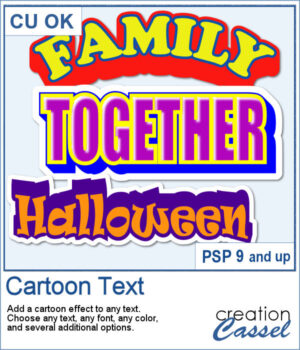
If you love bold, playful titles, this new Cartoon Text script will quickly become a favorite. It takes any text object and instantly turns it into bright, layered word art with that classic cartoon feel. You can play with outlines, colors, extrusion angles, highlights, and even a sticker-style background to get exactly the look you want. Whether you’re working on a fun scrapbook page, a themed project, or just want a title that really pops, this script makes it fast and easy.

Get this script: Cartoon Text

Want a chance to win this script? Add a comment on this Facebook post telling us what would be one word you would love to turn into a cartoon-style title? (Remember, comments count — not Likes!). A winner will be announced in next week’s newsletter. Not subscribed yet? Sign up here — it’s free, and we only send one email per week.

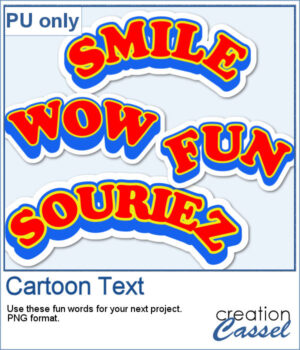
For samplers, I created 4 words in cartoon style (two that are bilingual, one in French and one in English). They are bold in colors and can make your project pop.

You need to be logged in to download this sample. Please log in or register using the links at the top of this page.
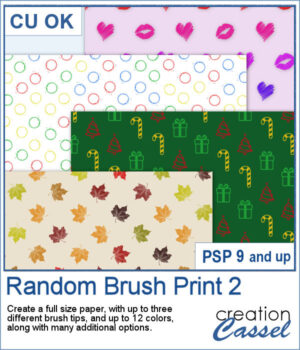
New script – Random Brush Print 2

Turn your favorite brushes into fun patterned papers without having to stamp them one by one. With this script, you can now fill a full-size page automatically using any brush tips you choose — up to three different ones at a time.

You decide how large each brush will be, how many colors you want to use, and whether those colors are applied by row, etc.
Add a bit of rotation, some size variation, or adjust the line spacing to get the perfect balance between order and spontaneity.

Every combination gives a completely different look — from neat and elegant to lively and playful. It’s a fun and easy way to create unique digital papers right inside PaintShop Pro, perfect for scrapbook pages, greeting cards, and backgrounds for any project.

Get this script: Random Brush Print 2

Want a chance to win this script? Add a comment on this Facebook post telling us what brush prints you would like to use to create your papers (Remember, comments count — not Likes!). A winner will be announced in next week’s newsletter. Not subscribed yet? Sign up here — it’s free, and we only send one email per week.

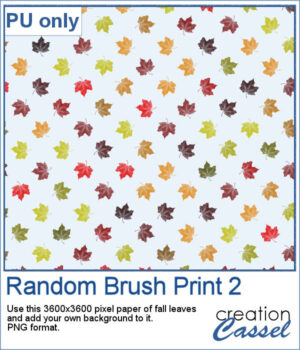
For a sample, I give you a png version of the fall leaves that you can use with any background color you want. Perfect for those cozy themed photos.

You need to be logged in to download this sample. Please log in or register using the links at the top of this page.
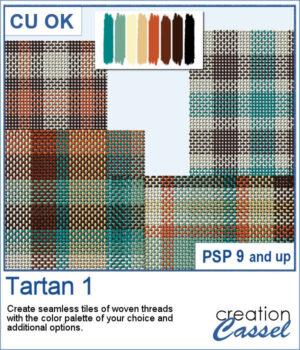
New script – Tartan #1

Tartan 1 brings the cozy feel of classic plaids to your projects, turning any color palette into a seamless, woven tile in seconds. The thread texture gives a realistic plain-weave look—perfect for papers, backgrounds, borders, and photo mats—so your layouts can swing from heritage tartan to modern plaid with just a couple of clicks.

You’re in control of the vibe: choose thin or bold stripes, go traditional 3-color or wilder multicolor, and pick thin & subtle or thick & dense threads for the finish you like. Generate 1–10 tiles at a time, then click to make more with the same settings if you want extra variations without re-picking options.

Get this script in the store: Tartan #1

Want a chance to win this script? Add a comment on this Facebook post telling us  what colors you would likely need for a tartan for your next project (Remember, comments count — not Likes!). A winner will be announced in next week’s newsletter. Not subscribed yet? Sign up here — it’s free, and we only send one email per week.

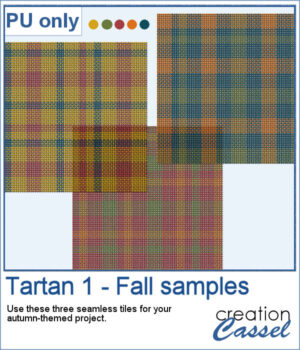
For a sampler, I used a fall-themed color palette and generated three seamless tiles. Use them for larger surface with whatever scale and angle you want for your project.

You need to be logged in to download this sample. Please log in or register using the links at the top of this page.
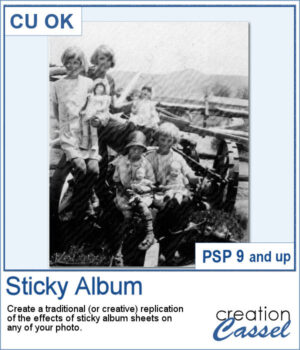
New script – Sticky Album

This Sticky Album effect brings back the look of classic adhesive photo albums, complete with realistic ridges and subtle imperfections. It’s a fun way to add a nostalgic touch to your photos, or to create a unique textured overlay that feels instantly vintage.

You can keep the traditional diagonal ridges or go for creative horizontal or vertical variations. For even more impact, try using colored ridges to add a playful twist, or adjust opacity and blend modes to make the effect as subtle or bold as you like.

Get this script: Sticky Album

Want a chance to win this script? Add a comment on this Facebook post telling us if you ever had photos damaged by those sticky albums (Remember, comments count — not Likes!). A winner will be announced in next week’s newsletter. Not subscribed yet? Sign up here — it’s free, and we only send one email per week.

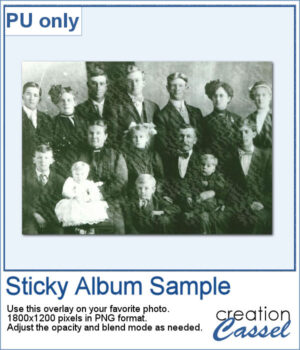
For this week's sample, I am sharing a basic 6x4 overlay. You can adjust the opacity and the blend mode to get the result you want based on your own photo (different colors can require different blend modes).

You need to be logged in to download this sample. Please log in or register using the links at the top of this page.
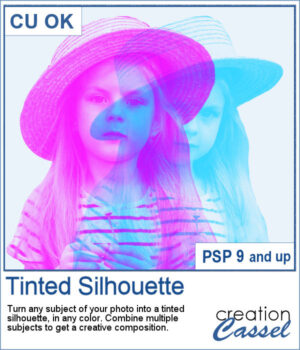
New script – Tinted Silhouette

This tinted silhouette effect is perfect to create striking accents from any photo, whether you want to highlight a single subject or layer several for a more dynamic composition. You can apply a solid tint, use gradients for colorful variations, or repeat the script with multiple colors to build creative overlays.

Choose a version optimized for light or dark backgrounds, or generate both and pick the one that fits your project best. Combine different silhouettes, adjust blend modes, and experiment with endless effects.

Get this script: Tinted Silhouette

Want a chance to win this script? Add a comment on this Facebook post telling us what subject you would consider using to create such effect (Remember, comments count — not Likes!). A winner will be announced in next week’s newsletter. Not subscribed yet? Sign up here — it’s free, and we only send one email per week.

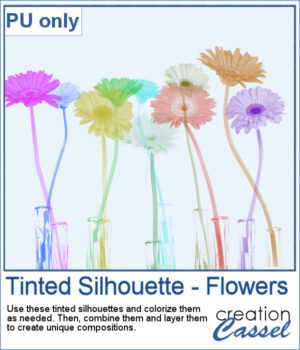
This week, as a sampler, I'm offering you these flower silhouettes in PNG format. They come in pink but you can easily recolor them as needed for your project.

Try layering them together, adjusting blend modes, or filling them with gradients to create unique bouquets or borders on your scrapbook pages.

You need to be logged in to download this sample. Please log in or register using the links at the top of this page.
New script – Text Portrait

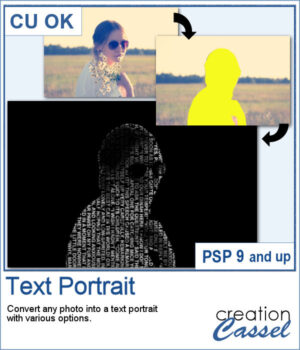
This text portrait effect is great if you have a specific subject you want to showcase, and even better if the original image has odd colors since this effect can be applied to a black and white version. But you can still keep the original color, choose a monochrome effect, or even a gradient. So many possibilities.

Some text overlays are included in the zip file, but you can also choose your own for an even more custom effect.

Get this script: Text Portrait

Want a chance to win this script? Add a comment on this Facebook post telling us if you have ever tried to turn a subject into a text portrait (Remember, comments count — not Likes!). A winner will be announced in next week’s newsletter. Not subscribed yet? Sign up here — it’s free, and we only send one email per week.

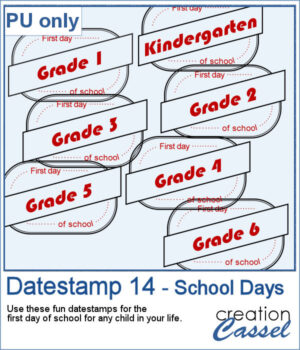
Since I cannot make a sampler from this scripts because it would be based on your own photo, I figured you might be able to showcase something for this time of year: first day of school. Do you have photos of your children, grandchildren or other children in your life? You can use one of those datestamp for all those elementary grades.

You need to be logged in to download this sample. Please log in or register using the links at the top of this page.
New script – Simple Stripes

Looking for a fast way to create colorful striped backgrounds for your projects? The Simple Stripes script will generate up to 25 seamless striped tiles in just a few clicks. Pick up to 10 colors from your palette and let the script create a variety of stripe arrangements for you. Each tile is produced with a transparent background, so you can easily add your own textures, colors, or designs behind the stripes. Use them at any scale or angle as fill patterns, and you’ll have endless possibilities for papers, accents, or decorative elements.

Get this script in the store: Simple Stripes

Want a chance to win this script? Add a comment on this Facebook post telling us how often you use stripes (Remember, comments count — not Likes!). A winner will be announced in next week’s newsletter. Not subscribed yet? Sign up here — it’s free, and we only send one email per week.

As a free sample, you can download a set of 10 striped tiles created with the August 2025 Blog Train palette. These PNG tiles are seamless and ready to use for your own papers. Simply scale, rotate, or layer them to create your own striped backgrounds.

You need to be logged in to download this sample. Please log in or register using the links at the top of this page.
New script – Cluster Template Maker 4

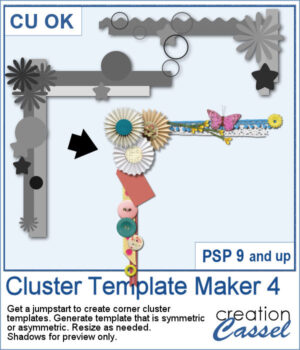
Looking for a quick way to design unique corner clusters for your scrapbook pages? The Cluster Template Maker 4 script will generate corner cluster templates for you in just a few clicks. You can choose between a symmetric or asymmetric L-shaped design, then customize the result by replacing the placeholders with your favorite flowers, buttons, ribbons, or any other elements. Resize or rotate as needed, and you’ll have an instant decorative corner ready to go.

Get this script in the store: Cluster Template Maker 4

Want a chance to win this script? Add a comment on this Facebook post telling us how often you use clusters (Remember, comments count — not Likes!) A winner will be announced in next week’s newsletter. Not subscribed yet? Sign up here — it’s free, and we only send one email per week.

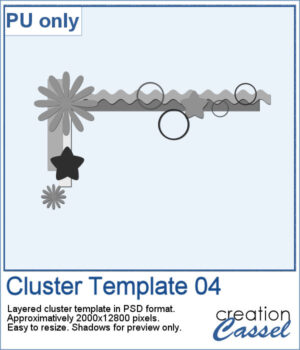
As a free sample, you can download Cluster Template 04, a ready-to-use layered PSD file. It’s approximately 2000x12800 pixels, easy to resize, and ready for you to fill with your own supplies. Use it to test out how a corner cluster can instantly bring focus and balance to your layout.

You need to be logged in to download this sample. Please log in or register using the links at the top of this page.