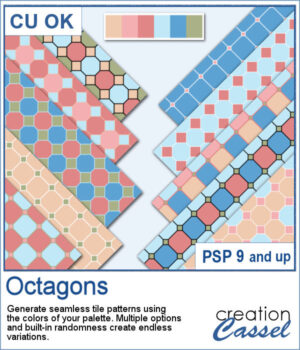
 The Octagons script for PaintShop Pro lets you generate seamless geometric tiles using the colors from your own palette. Each tile combines octagon shapes with small diamond connectors to create bold, repeating patterns perfect for scrapbook backgrounds and digital papers. The script randomly varies the grout thickness, diamond size, and color arrangements, so every run produces a fresh set of coordinated designs.
Get this script: Octagons
In order to win this script, add a comment on this Facebook post telling us if you have this kind of pattern in your stash (remember, add a comment, not just a Like!) The winner will be announced in the newsletter, next week. Not a subscriber yet? Not a problem. You can register here and it is free (and you only get one email per week).
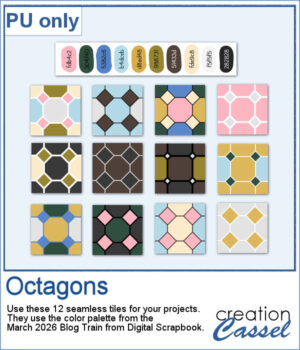 For a free sample, I used the 10-color palette from the March 2026 Blog Train from Digital Scrapbook and generated 12 different seamless tiles. You can use any of them along with that palette to expand your stash.
You need to be logged in to download this sample. Please log in or register using the links at the top of this page.