|
February 7th
2010
Slip
It in!
|
|
Another way to hold your photos
on your layout!
|
Do
you ever insert photos into paper slits?
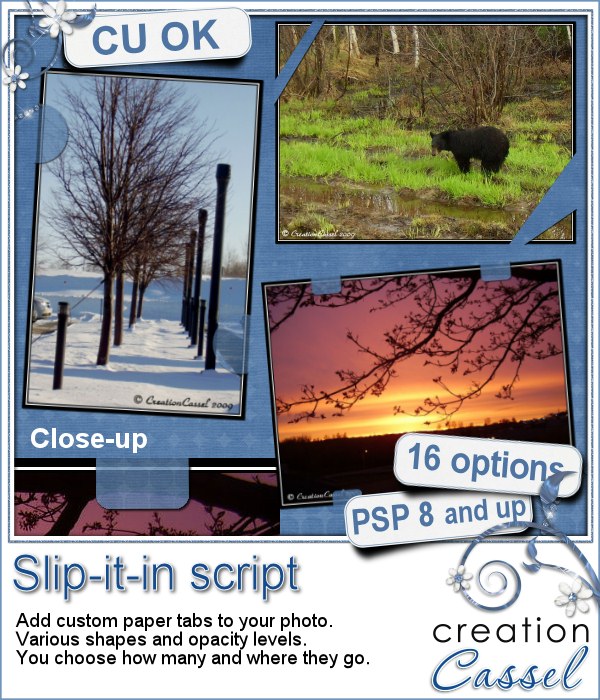
Well, this script will give you the
possibility to simulate that same effect.
In fact, it will modify a copy of your
image in such a way that, when you place
the result on ANY paper, and it will
give the illusion that the paper has
tabs holding your picture. Isn`t that
neat. And you don't have to cut any
of the paper. You want to move the picture
somewhere else on the layout? the "tabs"
will follow. You want to change the
paper? no problem. You want to have
your photo overlap two papers? again,
no problem.
The
script will give you the option to create
the paper "tabs" of a different
opacity if you want, of different shape
and you decide where you want them around
the picture (so you don't hide aunt
May's face) and how many you want. Use
the freehand option to create other
shapes too.
You can get this script
here.
|
|
|
|
Do
you want a chance to win this script?
As usual, I have this
thread in the Happy Place of DST
where you can simply add your name and
tell me how you usually hold your pics
on layouts. I will draw a winner on
Monday
night.
|
|
|
Are
you following the ADSR5?
Diosa
and I teamed up for our first participation
to that event. The first challenge was
given today, and guess what? we both
finished it already. It was fun. For
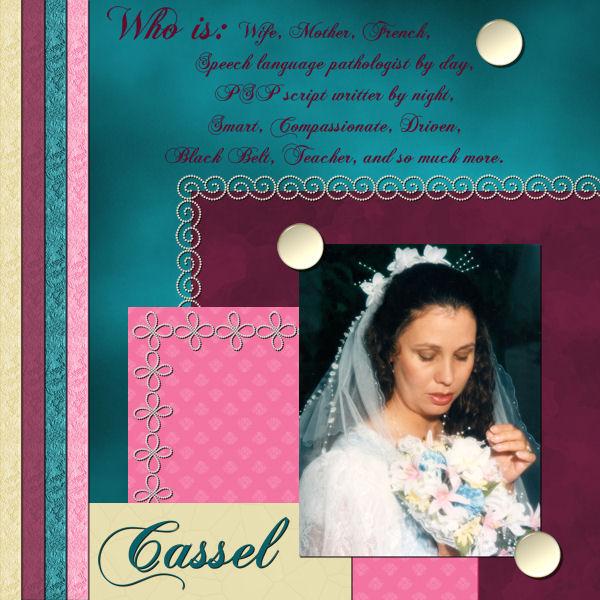
this first challenge, we had to scrap
about our teammate, following a scraplift
of THEIR gallery. Here are the two layouts
we made to introduce our partner to
the rest of the world.

Click
on the previews to see them in the gallery
and don't hesitate to add some comments!
|
|
|
|
|
PSP users: Tip of
the week - Batch rename
Do you, sometimes, download a kit
or another set of files that are not named properly
for sorting? maybe you got an alpha that has only
the name of the kit but not the name of the designer?
If this alpha has all the upper case, lower case
and numbers, you might be there all night renaming
them one by one. But there is a faster way. Check
out File - Batch - Rename. From there, follow the
prompts to choose how you want to rename the files,
browse to choose the files to rename (yes, working
in batch means you can run this on all your files
in ONE operation). Then, sit down and enjoy. But
you wont enjoy the peace and quiet very long because
it will be done in no time! Talk about a time saver!
Did you ever use that? Now, will you?
Comments on this newsletter or on
the store?
http://creationcassel.com/store/
|