Web
Analytics

New Script – FLower Power

cass-FlowerPower

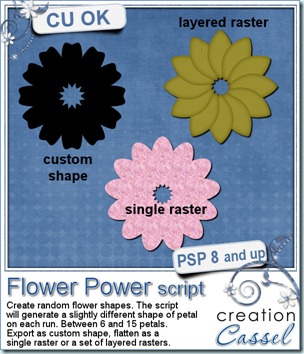
This little script for Paintshop Pro might not seem like much but how often did you want to get a flower shape and had to do all the duplicating and rotating manually? This script will do just that for you. With a random feature integrated, you might get between 6 and 15 petals, and each petal will be slightly different in size and shape, so you will always get a new shape.

In addition to creating a different shape, you can generate it as a vector shape to be exported as a custom shape, so you can use it at any time, later on. You can choose to have it in layered raster with your choice of color, gradient or pattern, or you can ask for a plain basic flat sample, again in the color of your choice (perfect for layering).

Once the script is run, you can keep adding details, modify the individual petals, add glitters on the edge, re-arrange the petal order, remove one petal, etc. So many things you could do!

You can get this script in my stores: CreationCassel and DigiScrapWarehouse.

If you want a chance to win this script, simply go over to the DST forum, and add your name to this thread. I will be back on Monday with the name of a winner.
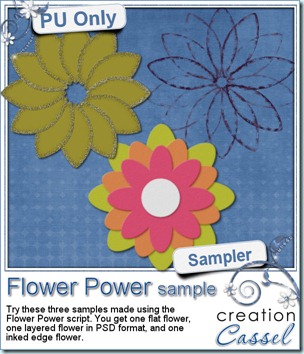
cass-FlowerPower-sample I am sure you are also looking for a freebie sample for this script. That is exactly what i did. I ran the script and got a few random shapes and i played with them. On one layered shape, i added a glittered edge with the Glittered Edge script on each individual petal, then i slipped the last petal under the first one for the  gold color flower. Then, i played with the Felt script to add a felt texture on 3 coloured copies of the same flower, and layered them. You get one PNG sample and the matching PSD format flower. Finally, i ran the Inked Edge script on a purple flower, petal by petal, and then, i removed the petals themselves, leaving only the inked border. I think it does give a really fun result that i didn’t even expect! What can you do with that script?

You want to play with those? You need to be logged in to download this sample. You can either login, or register on the top of this page.


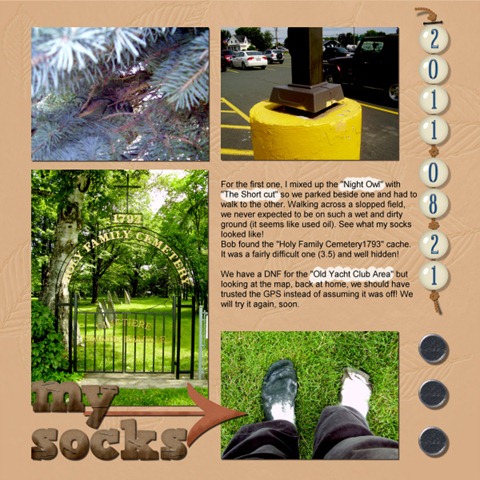
For the fun of it, this week i took the time to create a scrap page about one day of geogaching with my husband. It was a fun day, and since i have been meaning to make a whole album on our geocaching adventures, which started 3 years ago with my sons, i think i just found a style that might work for this. What do you think? I might just post the other pages as i create them. Do you do geocaching? Tell me about it!
2011-08-21-600


From the Campus:

This is getting more and more exciting. Several people emailed me saying they would like to learn how to create this and that element with their Paintshop Pro, and i kept smiling because that is exactly what i am preparing! Many tutorials are in the making to create papers, elements, textures, fasteners, text effects, and more. So keep an eye on the Element Creation Tutorials of the Campus, subscribe to the mailing list if you want to be first to learn when registrations open so you can take advantage of the special price.
New Font – Cross-Stitches

cass-CrossStitches

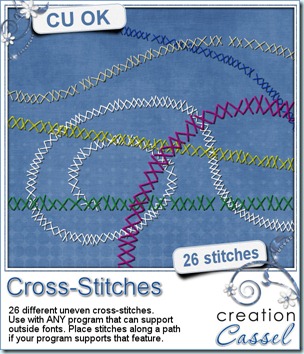
This week, i am bringing you a different kind of product. Instead of a script, like i usually do, i created a font. This font includes 26 different X-stitches that are uneven. If you wanted even X-stitching, you probably could use the letter X multiple times, but here, these stitching could be associated with messy work, beginner’s work, etc. To use it, simply randomly type letters (a to z) and you will get different stitches.

Does your program allow text on path? If so, you can also do “stitch on path” in the exact same way since, as you remember, these are fonts, so they will behave like text. And you can treat them like fonts too, by changing the color, the size, the kerning, etc. Since this is a font, it also means it is a vector, so you can enlarge it if you want, without loosing the quality.

Use those stitches to hold photos, ribbons, etc. or you can “write” with them (remember you can draw a vector path and add the stitches along that path). What else can you think? And most important: since it is a FONT, it will work with ANY graphic program that can use fonts, so whether you are using Paintshop Pro, Photoshop, Photoshop Element, Gimp, or any other, this font would work.

You can grab this font in my store exclusively: CreationCassel.cass-StitchedDigits

And you have a chance to win this font, by adding your name to the RAK thread i put in the Happy Place. Simply tell me what program you are using and i will be back Monday with a winner.

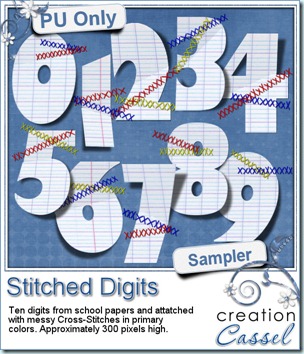
For a free sample, i thought of the back to school, and decided to make something kind of fun with these stitched ruled paper digits. The stitching is made from primary colors so hopefully, it will match some back to school or kids theme layout. The lifted paper is accented with the included shadows.

You need to be logged in to download this sample. You can either login, or register on the top of this page.

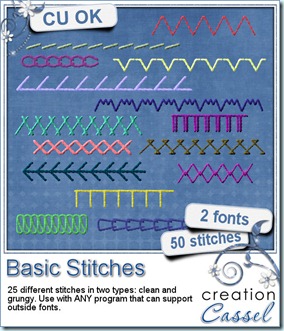
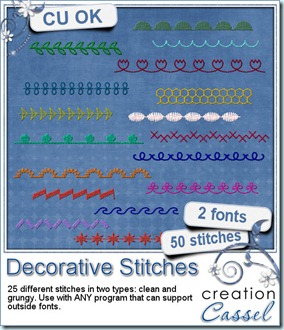
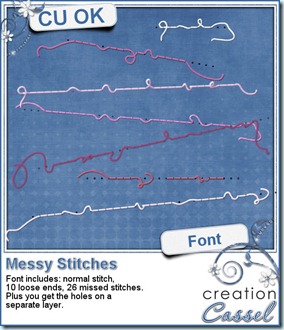
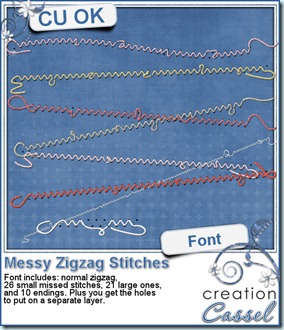
If you like stitching, did you know that i have several other stitching FONTS? Check them out:

cass-basic-stitches-font  cass-deco-stitches-font

cass-messy-stitch1  cass-messy-zigzag

And remember that all these fonts are NOT software specific. If your software can use fonts, it can use those!

Unlike the usual commercial pitch in this blog, today, i would also like to tell you about a FANTASTIC customer service i experienced yesterday. A couple of years ago, i purchased Acronis True Image Home, a backup software. I set it up to create my regular full backups, on weekly basis and a daily incremental backup. A few months ago, i get an error message saying that there was not enough room for the backup and when i checked, sure enough my EHD (which is exclusively dedicated to backups) was just about full. Of course, i needed to make some room so i deleted the older backups and only kept those from the previous month or so. I thought it was a smart move. I found out yesterday that it was not!

True_Image_Home_2011_ATI_2011_250x250In the past few months, i would often get up in the morning (the backup was scheduled overnight) and when i checked my computer, i would regularly have an error message from Acronis saying the backup failed, and i had to do something within the next 10 minutes or the backup would stop for the day. When trying to do what it was asking me to do, it would freeze my program. Upon checking, i still had SOME backups so i was in no hurry to fix that problem.

This week, i am on holidays, so i am home and thought it would be a good time to address this. I checked the Acronis site for support and found chat support. Some of you might know, i LOVE chat support. It is faster than emailing back and forth for a week or so! I get this agent named Jijo and after asking me a few questions to check on the Acronis software, i could only say that it would give me a popup window that i could not close. So he asked me permission for a remote session where he would work on my computer while i would be able to watch everything (that is so cool to see!). He tried the same thing he had asked me to do and sure enough, the program would behave exactly the same way. After a lot of other trials, he found out i had deleted one key backup in the backup chain (meaning, the incremental backups have to rely on a “base” full backup and that one was gone) and that the only way to get Acronis to work again, was to uninstall it and reinstall it. No other option so i said ok. He proceeded to uninstall and it was taking a long time “thinking”. I could see he was trying to click on something but it was not working so i took control and clicked the same thing, and sure enough, it was frozen. Everything was frozen, and the chat window could not even be brought up either so he could not tell me what to do. I had to turn the computer off “cold turkey” and restart it. Of course, i had lost that chat support conversation by that time. 🙁

Just within minutes, the phone rang. Yes, it was Jijo calling back, apologizing for the problem (which was NOT his fault at all if my computer froze!) and asked me to log back in the chat support and ask for him. So, a few minutes later, Jijo was there again, helping me. Once uninstalled, he redownloaded a fresh version of Acronis 2011 (i had a full 2010 version and a 2011 upgrade), installed it and registered it. That took quite a while. Then, he proceeded to reset the backup tasks as i wanted them (schedule and location), and set a few more things for optimal use.

All in all, this might sound like normal customer service, right? Probably so, except for one thing: this whole “session” (which included a few re-logging in when the un-installation and re-installation prompted me to reboot) took a whole FOUR HOURS!!!! That is service at its best! I just hope he didn’t start the session only 10 minutes before the end of his working day!!! Although i had an affiliate link for Acronis before, and i LOVED their software, well, i now love the customer service even more!!!!! So if you are still looking for a backup software, why not give this one a try? You can try it for 30 days. Don’t just take my word for it, check it out yourself.

New Script – torn Edge

cass-TornEdge

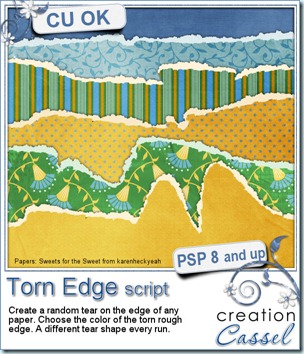
Do you ever want to have a look of a torn piece of paper on your layout? Maybe for a freestyle look or a wilder look. I am sure you could achieve the same look by manually trimming the edge randomly, then adding an edge, also randomly. I have done the same and it is not too hard, but, after a while, I find it is hard to be “original” in the line design. All my edges looked kind of the same. With this script, this will never happen again. The line design is created with a random feature integrated so no matter how often you run this script, you will always get a different edge. And if you don’t like the edge you got, easy: undo and run the script again. It will only take a few seconds!

As you can see on the preview, you can get a torn edge that is fairly straight, but you can also get a wildly torn paper.

You will get the actual edge on a separate layer than the paper itself so you can add your favourite texture, or just add some noise to it. And you can have it any color you want, whether it is matching the paper or contrasting, or just plan white. Once you have the torn edge, it is perfect to make tags, frames, journaling pieces, etc.

You can find this script in my stores: Creation Cassel and DigiScrapWarehouse.

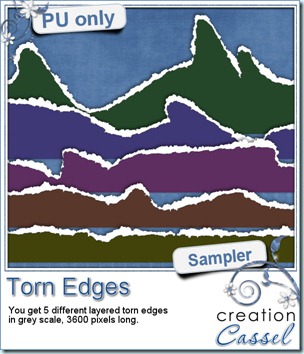
cass-TornEdge-SamplersI am sure you would like to win this script, so just go over this thread in the DST forum and add your name telling me how you do torn edge look. I will be back on Monday night with a winner.

As a sampler, this week, i made 5 torn edges in PSD layered formats. I ran the script once with each of the “amplitude” option.  They are in greyscale and you can use them as templates to create a torn edge on your own papers.

You need to be logged in to download this sample. You can either login, or register on the top of this page.


New script – Palette Maker

cass-PaletteMaker

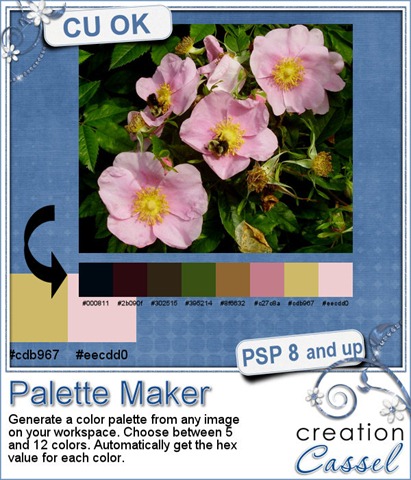
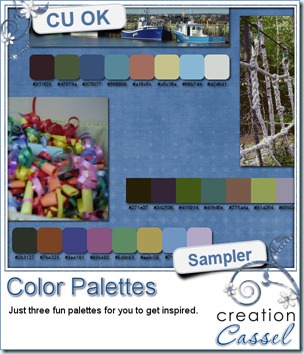
This script will create a color palette based on any photo you have. This will be a quick process: open an image on your Paintshop Pro workspace, and run the script. How much easier can it be? You do not have to download any program, you do not have to host any image online or upload it anywhere.

You can generate 5 to 12 colors, which will be picked depending on the frequency of that color in the image. If you have a photo with a large “plain” area (like a sky), you can crop the image and get a better sample. The initial image will be left untouched, so no worry. Also, all the hex values for each swatch will be automatically displayed underneath.

And just for the fun of it, you can have each swatch as a perfect square, or a rounded square.

You can get this script at my stores: CreationCassel and DigiScrapWarehouse.

cass-PaletteMaker-samplesIf you want a chance to win this script, go add your name to the RAK thread here. I will be back on Monday with the name of a winner.

How about a few samples? I ran the script on three photos of mine, to generate three color palettes. You can use them to create a kit, or a mini-kit, or even just a page from scratch if you want.

You need to be logged in to download this sample. You can either login, or register on the top of this page.


Now, i have some more news this week. I was looking for one more CT member and i found Bren. She is a CT member for other designers who will see their products used, but also, Bren creates her own products so at times, she might just create a layout from scratch. You will see her stuff in the newsletter. Keep an eye out for it.

FREE script for Paintshop – Punched

cass-Punched

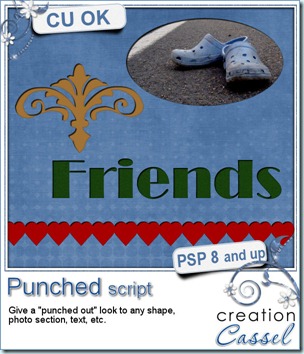
As i was looking at some paper scrap pages, i noticed that several of them used punched designs and it was giving that 3D look since the top paper was cut and you could see the other paper underneath through the hole. I figured i could replicate it in digital form using Paintshop Pro. It was easy. It might be something you can do manually, but i coded this script simply to make the process faster.

It is available exclusively in my personal store here.

As i was playing with the script, i used it on a single pattern, on a series of patterns to simulate a border, on a section of a photo, and on a word. I think it would look cool as a big title or even if you use it only on the first letter of the title. And what about using it on concentric circles (a smaller circle inside a larger one)?

The way the script is coded, it is somewhat of a “cheat” since the paper is not really punched as it looks. In fact, the punched look is attached to the shape itself, meaning that you can move the “hole” wherever you want. That means that you can change your mind as you are working on a layout, move the “hole” or even remove it completely and start over with a different shape or design. How neat is that?

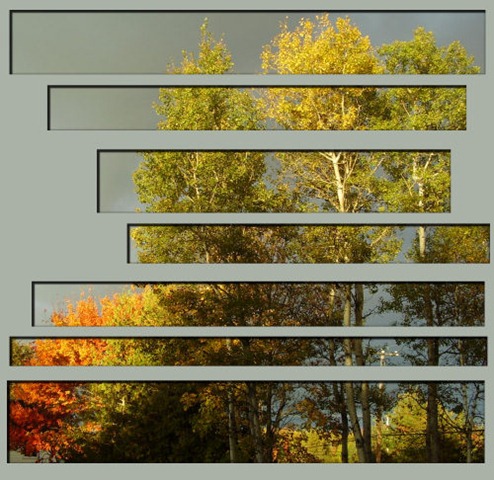
Image10 I also tried it on a photo and simply selected various rectangular shapes, and deleted the rest. I ran the script and it looked fun. I just added a plain color under the holes (yeah, as if you could do that in paper scrapping!) and i really like the effect. This was just me playing around, without any particular plan to use that on an actual layout, but i might do that on my next scrap page. What do you think?

Remember, this script is FREE, so go grab it in the store and tell your friends to come and grab it too!