Web
Analytics

New Script – Stack’n Cluster

cass-StacknCluster

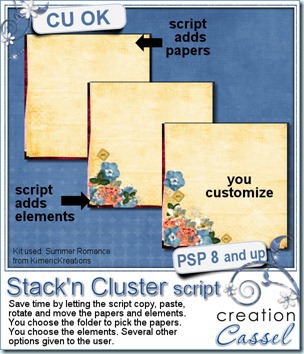
If you like the result of stacked papers and clustered elements but do not like the time involved in the copying, pasting, resizing, rotating, moving, in addition to the opening and closing of the files, you will LOVE this script. Created for Paintshop Pro scrappers and designers, you can use this script to save you a lot of time. The script is coded to go grab the papers directly into the folder you will indicate; no need to open all those papers and slow down your program. You choose the different options (how many papers you want, how much rotation you want, where you want the stack to be visibly overlapping, etc.) And the script goes with that. If you are not happy, the script will redo it, as often as you want. With a random command integrated in the script, you will never get the same result twice, even if you run it 50 times. Then, if you want to add elements to create a cluster, you just have to open the individual files, tell the script how many copies of each you want and where you want them, and the rest is like watching a movie: sit and enjoy. The script will NOT replace your creativity as it will only do the tedious part, the “technical” repetitive part, but it will NOT know how to place the papers and elements harmoniously. That is YOUR task as a designer or a scrapper. YOU have the final word. You can delete some of the elements, move them, resize them again, add other elements, etc. But it will take you much less time than doing it all manually, i promise!

You can grab this script in either of my stores: Creation Cassel and DigiScrapWarehouse (always on special until Sunday night).

And if you want a chance to win it, go add your name to the Happy Place thread at DST here. I will announce a winner on Monday night.

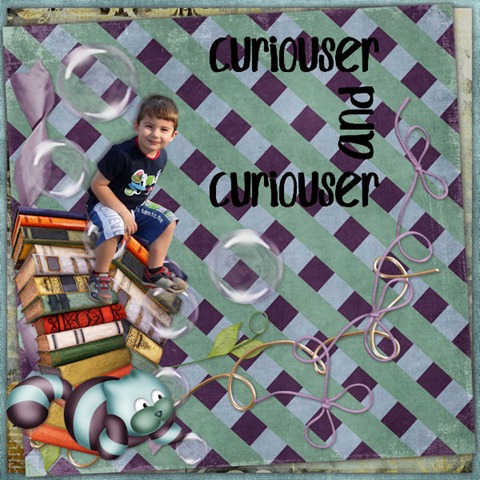
Bernadette Hunt tried this script and here is what she did with it:
cass-StacknCluster_05  cass-StacknCluster_06

She said it took her a whole 17 minutes to do them instead of an hour or more to get all those papers and elements ready into the layouts. Talk about a time saver!
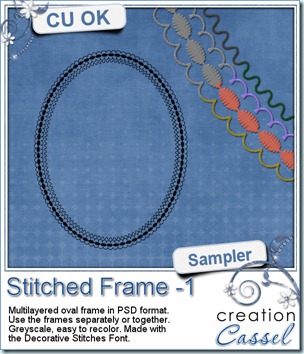
cass-DecoStitch-Frame01 And now, as usual, you want to see my products in action. Since this week’s script is a tool and i cannot really give you a sample, i thought you might want to play with some frames. This is a layered frame (because it includes 4 individual layers) in PSD format. You can use each frame separately, or in combination. They were made using the Decorative Stitches FONT. Yes, they are made using a FONT, not a brush (although i have them in brush format). This font (and all the others in my store) can be used with most graphic programs, as long as they can use outside fonts. And if your program can do text along a path, it can do stitching along a path too. Isn’t that great? Anyhow, start playing with this frame and since it is in greyscale, you can color it as you wish.

You need to be logged in to download this sample. You can either login, or register on the top of this page.
 

New script – Dimension

cass-Dimension

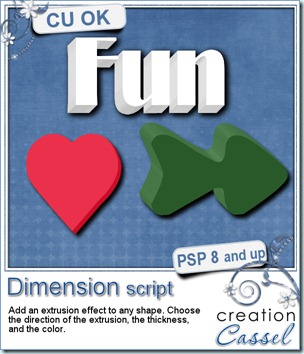
How would you like to add some depth to any shape you want with Paintshop Pro? No need for a filter or outside tool: this script will give you many options so you can create a 3D element starting with any shape. You can use any shape, drawing, letter, words, in just about any size although tiny shapes will not work well. You will get 5 options for the edge color: the same color as the top, a lighter shade, a darker shade, a greyscale version or a totally different color. One particularity of this script is that it will give a “shaded” look on the edges, changing them slightly depending on how they face an imaginary light on the top left of the element (if your layout implies a light coming from a different source, just mirror or flip the element to match).

You can add a thickness as small as 10 pixels or as large as 100 pixels, and you can also have the extrusion in 8 different directions.

You can use this script to create many different elements, alphas, wordarts, and probably more.

Grab this script in either one of my stores: Creation Cassel and DigiScrapWarehouse.

Try running the script several times on the same shape, with different colors or different thickness. It can look like a layered jello or an ice cream sandwich! Or how about running it several times with different directions or alternating left and right and left and right!

If you want to give other suggestions for using this script, you will get a chance to win it. Just post in this thread at the DST forum.cass-Dimension-Digits


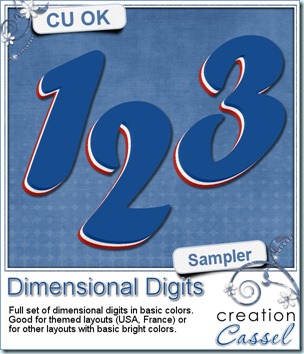
And how about this layered set of digits made using this script? With the blue, white and red, it can certainly match any American celebrations (July 4th) or our French cousins (July 14th) or Acadian friends (August 15th). This script will give you so many possibilities!

You need to be logged in to download this sample. You can either login, or register on the top of this page.
 

New script – Alpha Layer Stacker

cass-AlphaFileStacker

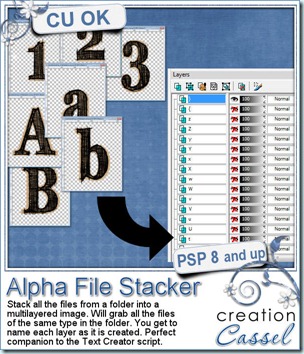
Last week, I released a script that would take layered alpha and create title or text in just a few seconds, but creating a layered alpha was still a tedious task you had to do by hand, especially if you had an alpha in individual files. Now, this script will do that tedious work for you. This script will retrieve all the similar files in a folder you will indicate and all the files will be layered. Since you will be asked to name each layer as it is created (either with a lowercase, an uppercase, a digit or a symbol), you will be certain that the Text Creator script will now work in just a few seconds. Once you have your layered alpha, simply save it in psp or psd format.

Designers, you might want to offer your alphas in single sheet, individual files, and now, in layered format. The PSP users will thank you for that!

You can get this script in either one of my stores: Creation Cassel and DigiScrapWarehouse.

As usual, there is one way you can enter a draw to win this script. Check out the RAK thread here, in the DST forum and simply add your name there, and answer the little question.

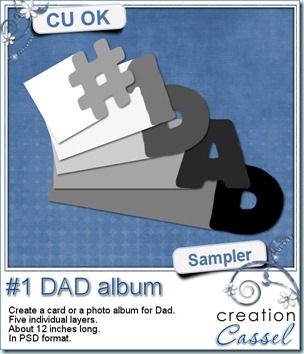
cass-WordAlbum-DAD This weekend, it is Father’s Day on this side of the Atlantic. I dont know about other countries, in Europe or in Australia. But if it is not the time to celebrate Father’s Day, you can still get ready for next time you want to thank a man in your life for what he brought. This layered “album” can be used to create a hybrid photo album, or, if only printed, cut out and glued on cardboard, it can make a great card where all the children or other people touched by that special man can write good wishes, kids can stamp their hand or doodle for a great memorabilia. The album is about 12 inches long on separate layers (you surely can resize if you want a smaller version).


You need to be logged in to download this sample. You can either login, or register on the top of this page.


As i am developing more and more content in the Campus for scrapbookers and PSP users, i want YOUR opinion on what you feel is really important for a “course” or a Campus. Please, go over this survey and answer the 3 short questions. I already got some great suggestions that i will implement so maybe your idea will be done too, who knows? If you have any PSP friends, share the link with them. More answers and suggestions will help get a better Campus for you.

New script – Text Creator

First of all, i am glad to be back online full force. Some of you might know that i had computer issues that started a couple of weeks ago. Although i thought it might be malware related, my computer was tested and found to be free of “unwanted visitors”. More testing indicated that i had a failing hard drive. Before it failed completely, i was able to get it replaced, so now, i am ready to go on. Although i didn’t loose any data, everything was already backed up so i didn’t feel like panicking!


cass-TextCreator

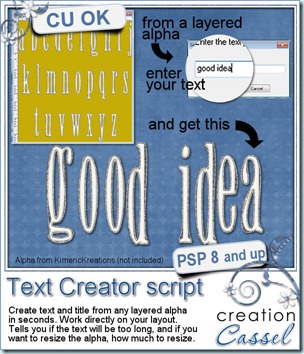
Someone emailed me a couple of months ago with a suggestion for a script. She asked “I would love to see a script that will place all the letters from an alpha into a title. Do you think it would be a good idea?” I had to answer “Yes, it is such a good idea that someone already made something just like that… for Photoshop.” and i refered her to Anna Forrest’s script for Photoshop, but of course, my customer wanted something for Paintshop! Since programs cannot READ alphas per say, i had to use a different approach, which took a bit longer than i thought, but now, it is here.

This script will create your title or text using any alpha you want to use. The only prerequisite is that the alpha has to be on a layered image with each layer identified for what they contain. You will simply have to enter the text you want, and the script will retrieve each letter, in order, copy it, paste it onto your work, and move it so all the letter are more or less spaced evenly. The script will take into considerations if you have a space between words. If you enter a character in the text that is not in the file (for example, a “.” or a bracket), the script will skip over it, replace it by a space, and let you know, at the end that you have one character missing (if you have more than one, it will tell you exactly how many). Also, the script will differentiate between lowercase and uppercase letters.

You think this is cool so far? But there is more! If you have a large alpha and you want to create a long title, it is possible that your text would end up being too long for the width of the work canvas you. Did this ever happen to you? This script will help you avoid this frustration because it will give you two options: you can use a shorter text (and run the script twice), or resize the alpha, and here is the smart part of it: the script will tell you what percent to resize your alpha. So, if you want to resize it, you will KNOW that you will then be able to use the same text and it WILL fit on your page!

You want to see this script in action? check this out:


You can get this script in my stores: Creation Cassel and DigiScrapWarehouse.
And how about a chance to win this script? Easy. Just add your name to the RAK thread in the Happy Place here, and tell me why you like (or dislike) using alphas. I will draw a winner on Monday night.
If you do not have layered alphas, you can make your own version using any single sheet alpha in png format, using the Element Stacker script. This will help with the process. If you are a scrapper, use the single sheet alphas that you already have. If you are a designer, you might want to offer layered alphas as one option for your customers.

How about a freebie this week? Where is it? Well, it is going to be a special freebie since i will distribute it in the newsletter, this Sunday (June 12th). It will be a FREE script, called Quick Tab. Can you guess what it will be? It is not in the store yet, and will only be there AFTER the newsletter is issued. And you will have a limited time to grab it from the newsletter too. So, if you have already subscribed to the newsletter, just keep an eye on it Sunday. If you have not yet subscribed to it, you still have time. The newsletter usually goes out in the morning, at 8 am Eastern time. You need to register? you can do it HERE. Do you have friends who use Paintshop Pro too? Send them to register too!