Web
Analytics

New Tubes – Spiral Binding

cass-SpiralBinding1

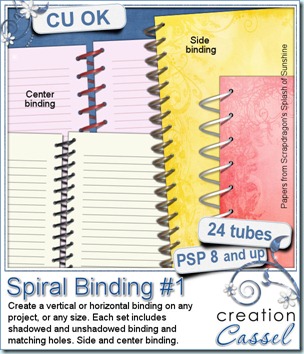
This week, I am proposing you a brand new set of tubes for PaintShop Pro. These tubes allow you to create any kind of spiral bound books. They are detailed extractions of actual plastic spiral bindings in different colors (not colorized), and then cut specifically to be placed perfectly along the edge of a book. This week, you can get 4 complete sets of bindings: white, black, red and gold. You also get a tube for side binding, and a tube for central binding. Since shading a spiral binding is a little tricky, you get one set shadowed, and one set unshadowed. And what is a spiral binding without matching holes? That is why you also get a hole template tube, for side binding and for central binding. Basically, you get everything you need to place a custom binding on your work. To make sure that your spiral is perfectly straight, just click on the start, hold the SHIFT key, and click at the end of the line, guiding yourself on the ruler to be sure you are getting a vertical alignment and not angled. These tubes should be very useful in your digiscrap layout, to create some interesting layers, maybe for journaling, maybe to display some pictures!

You can find this set of spiral binding tubes in either one of my stores: Creation Cassel and DigiScrapWarehouse.

If you want a chance to win this set of tubes, you can check this thread in the Happy Place of the DST forum. Tell me which one of the four colors you prefer and i will announce a winner on Monday. If you are not a Paintshop Pro user, obviously, you cannot use those tubes as is, but i will let you participate anyways; if you win, i will create a png image of spirals for you to use.
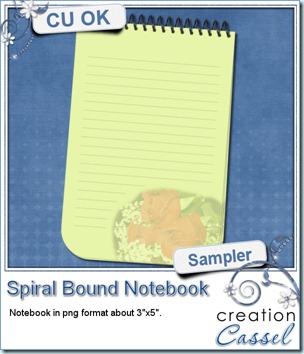
cass-SpiralBinding-notebook

I am sure you are just waiting for the free sample of the week too! So here it is. I created this notebook using the black plastic spirals. It is approximately 3”x5” and in PNG format so anyone can use it. Maybe you can write a little love note on it?

You need to be logged in to download this sample. You can either login, or register on the top of this page.
 

8 Secrets to quick photo fixes with Paintshop Pro

front-page-3D-250

Do you have some photos you would like to use in scrapbook projects, but you feel they are just… bleh. Maybe the colors are faded, maybe some of them include unwanted elements, too much noise, etc.

If you like those photos and you still want to use them, you can fix them quickly. And when i say quickly, i mean in less than 30 seconds, using Paintshop Pro.

You want to know more? simple. Just visit the Campus and add your name to the mailing list. That’s it. Nothing more. The ebook will then be yours, FREE. No strings attached.

If you want to display your favorite photos, why not make them the best they can be.

Click HERE to go to the Campus. (excuse the dust as it is still in the building stage).


While you are visiting the Campus, have a look at the beginner tutorials, in the Quick Scrap section. And you can also visit the contributing designers’ blogs! Stay tuned as the Campus will have more and more as the videos and equipment are unpacked. Adding your name to the mailing list will assure you to get the news as fresh as can be!

New script – Twister

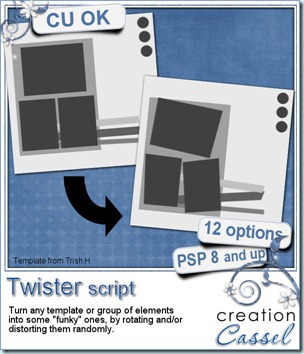
cass-Twister

Do you sometimes find a template and would like to give it a funky look? Or have the various letters in a title placed not exactly even? Then you are in luck. This script for Paintshop Pro will let you do just that. You will be able to look at any template and add a “funky” version to your digital scrapbooking supplies.

If you want to keep some layers untouched, you simply have to hide that layer and the script will skip it. You get to choose if you want a little bit of rotation or more, and if you want a little distortion or more.

You can find this script in my stores: Creation Cassel and DigiScapWarehouse.

And if you want a chance to win this script, check this thread at the DST forum. Tell me if you ever used a “funky” looking template or if you would like to use one some day. I will come back on Monday to announce the winner.

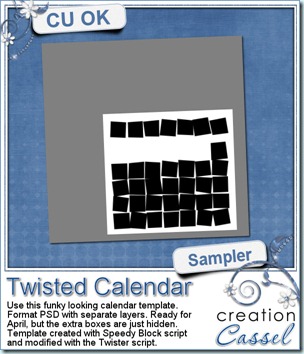
cass-Twisted-calendar And as a sample of what this script can do, you can grab this free layered template. It is a funky looking template for the month of April. All the boxes are still there (some are hidden so you can use the template for other months). The boxes on the top row, that would be used for the days initial, are linked together so you can move them separately from the others, and all the 35 other boxes are also linked so you can move the whole set of boxes somewhere else on the page.

You need to be logged in to download this sample. You can either login, or register on the top of this page.
 

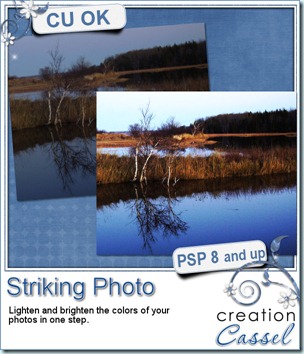
Free script – Striking Photo

cass-StrikingPhoto

I decided to create a quick simple script to give away this month. As i was working on some of my own pictures, i realized that i was fixing the photos with the same kind of settings, so why not make a script out of it?

This script will work on PaintShop Pro versions 8 and up. It will lighten and brighten the colors of dark and faded photos.

And best of all, it is FREE. So check it out in my store and grab it! It is like adding sunshine on a cloudy photo!

Available here.

New script – Noted

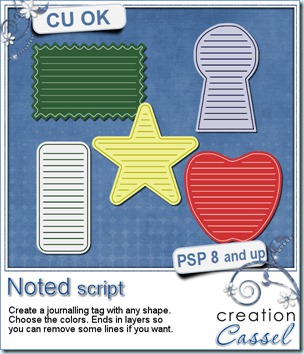
cass-Noted

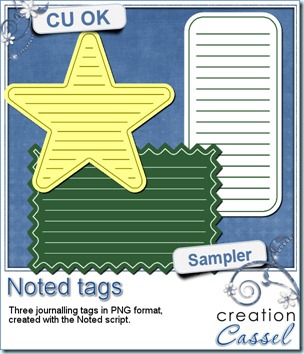
This script for PaintShop Pro will let you create fun journaling tags for just about any occasion, layout or kit. You choose the size and the base color, and run the script. That is it. Oh, wait. You have options. You can choose the colors of the lines, and the number of lines you want to show. In the end, you have unmerged layers so you can remove the outline if you want, remove some lines, change the color of some, etc. You can also create tags to print. Great for hybrid use.


You can get this script at either one of my stores: Creation Cassel, DigiScrapWarehouse.


And as usual, if you want to have a chance to win this script, hop over the DST forum in this thread and tell me what is the oddest shape tag you ever used.


cass-Noted-tags What about a free sample of what this script can do? Here are three fun tags you can use in your layouts or kits (remember that you cannot use these AS IS, commercially, but you can if you modify them). What do you think?

You need to be logged in to download this sample. You can either login, or register on the top of this page.
 

New script – Worn Edge

cass-WornEdge

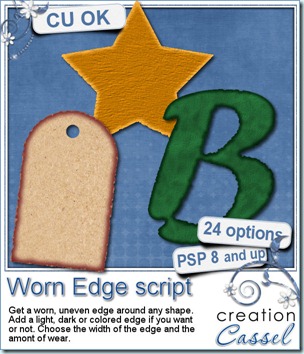
The idea for this script is an old one. In fact, i had a similar script in a grab bag about 2 years ago, but this time it is much more advanced, and has more options. It also works with Paintshop Pro 8 now.

This script will “chew up” all around the edges of any element or shape you want. You can have a little wear, or more. Then, you can decide if you want to add a light, dark, colored or no border all around. This is already giving a lot of flexibility to match any kit or layout. But wait, you can also choose to have a thin, medium or thick edge, so that is even better!

You can get this script in my stores: Creation Cassel and DigiScrapWarehouse.

Would you like a chance to win this script? Check out this thread in the DST forum and just go add your name. A winner will be announced on Monday night.

cass-WornEdge-sample

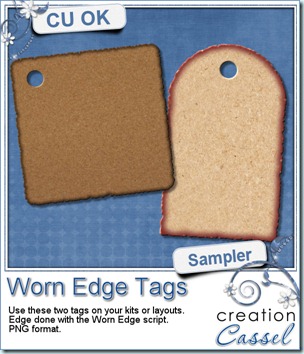
How about a little sample of what this script can do? You can get these free tags in png format for you to use in kits or layouts.

You need to be logged in to download this sample. You can either login, or register on the top of this page.
Now, are you anxious to hear about the February promotion winners? The draw has been made, and was recorded. The official announcement will be made tomorrow, in the newsletter, and then, i will post on this blog. But of course, if you are more curious, and want to know the result the earliest you can, just make sure you are subscribed to my newsletter. If not, you can still subscribe here.


And the CHAT? Did you remember our monthly chat? It will be held tomorrow at 3pm ET in the DST chatroom. (that makes if for around noon on the west coast, and evening for Europe) Tomorrow’s topic: Brushes. See you there!