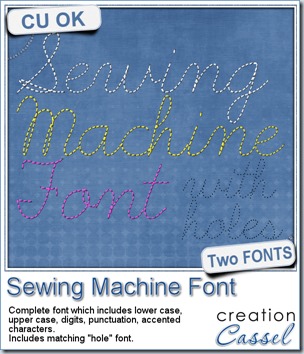
Last week, i released a sewing machine font and i got a request to have a matching “hole” font. I didn’t think, initially, that anyone would want the holes too but i was obviously wrong. So, thanks to Wendy’s request, i am now offering the matching “hole” font with the “stitching” font. You get two fonts in one zip.
You can use the “hole” font on its own if you want, or add it to the “stitching”. They are perfectly matching. Use black or grey holes, or use a blending mode to make them fade in the background. Do whatever you need to make it as realistic as possible.
You can get this Sewing Machine Font in the store.
(if you already purchased the Sewing Machine Font, go back and download the newer zip file which will contain the “hole” font).
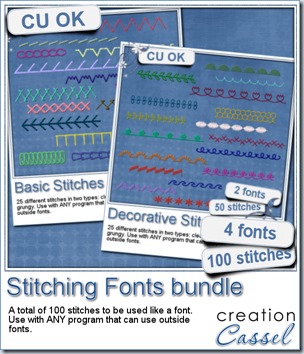 While we are in a stitching mood, i bundled up the most popular fonts of my store: the Stitching fonts. Those are the first font i created and they were (and still are) extremely popular especially since they can be used by most graphic programs. There is the basic stitches font and the decorative stitches font. You can use them in so many different ways, i cannot name them all. Use them on a straight line to stitch something, or use them on a path to simulate various types of decorative stitching.
Since they are fonts, you have the opportunity to combine 2 or more characters/stitches to make fun combinations. You can choose the colors, size, kerning, and more, depending on your program.
Although you can get them separately (the Basic and the Decorative), i have bundled them together for you for a discounted price AND it is also on special this weekend. Go grab this Stitching Fonts bundle as soon as you can.
This week, you have the chance to win this bundle of 100 stitches by adding your name to this thread in the DST forum.
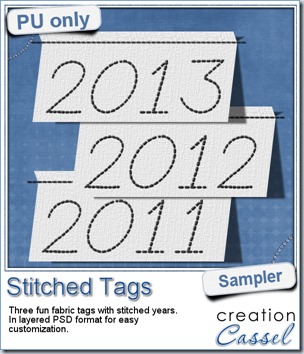 As a sample, this week, i created a set of simple fabric tags with the years. They are in layered PSD format so the tag, the stitching on top and the shadow are on different layers. This should allow you to colorize the tags and the stitching without affecting the shadow and you can also add your own shadow if you need to rotate the tags.
What would you do with those tags? They would be great to add a fun date to your layouts.
To create those tags, i obviously used the Sewing Machine font, but also the Clothes Tag script. Those two are a fantastic combo!
You need to be logged in to download this sample. You can either login, or register on the top of this page.
Enjoy.