Web
Analytics

New script – Textured Papers

cass-TexturedPapers

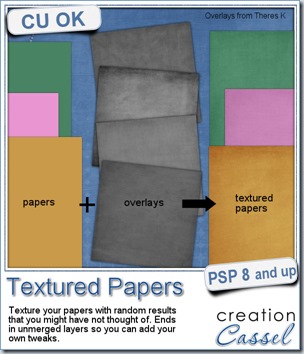
We all know how adding texture to a plain paper can make the difference between a set of boring papers and a lively realistic result. Although most scrappers and designers know the importance of adding texture, it seems so easy to rely on our few favorite overlays and use them over and over and over again, leading to less creative results.

This script will add that variety by randomly picking overlays (between 2 and 4 per paper), rotating them randomly, layering them randomly, adding a random blend mode, and adjusting the opacity, also randomly.

Will it always give a pleasing result? Maybe not, since Paintshop Pro cannot see the result and surely, does not know your own taste, but that is not a problem since everything is left unmerged, so you can tweak all the layers, deleting some if you want, changing the blend mode, varying the opacity or even adding more overlays to the stack. One thing for sure, you will be playing with some different combinations that you might not have thought of.

The script will also rename each overlay layer to the overlay file name so you can easily refer to them if you need to reuse one or credit the source.

You can get this script in my store, at Creation Cassel.

There is a thread in the DST forum (that was added late) where you can win this script simply by telling me how many overlays you tend to use on a paper when you want to texture it. And by Monday night, i will pick a winner.
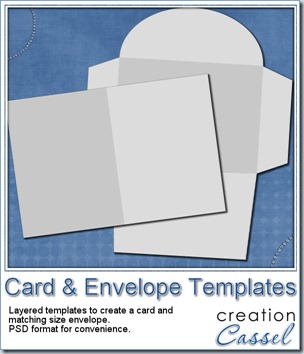
cass-Card&EnvelopeTemplates


This week, as a sampler, I am offering you a simple layered template for a card and envelope. You can use these templates for our Father’s Day contest.

The template, in PSD format, will create a card, 1200x900 pixels (so 4x3 inches), with an envelope that will match.

Use your favorite kit, designs, or supplies. Add the text you want, in the language you want.

You can use the card template to create a card in either orientation: portrait or landscape.

Sorry, the download link expired. However, you can get this set for free once you join the mailing list to get our weekly newsletter.
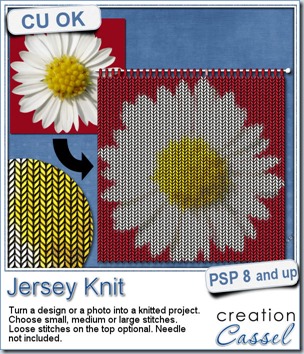
New script – Jersey Knit

cass-JerseyKnit

Did you ever follow a pattern to create an intricate design while knitting? It is time consuming, requires a lot of attention to details to not miss one stitch and a lot of yarn too!

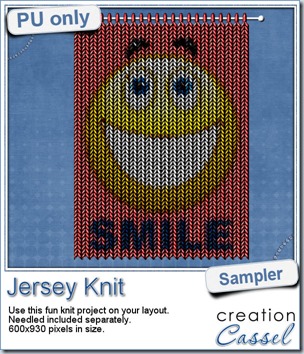
This script will let you turn an image or a photo into a knitted project without effort, without yarn and without any knowledge of knitting!

The process is simple: open the image, run the script, choose the size of the stitches (small, medium or large) and watch it go. Then, you get the option of adding the stitches on top to put on a needle or not. That’s it! The whole thing is pretty quick, although, it takes a while to go the whole width of the project, especially if it is pretty wide. But it is effortless, i can promise that!

You can grab this fun photo script in my store: Creation Cassel

Do you knit? Do you know how to knit? Tell me in this thread and you will be entered in a random draw to win this fun script. I will be back on Monday night with the name of a winner.

cass-JerseyKnit-sampleSince this script is used to add something to photos, i am sure giving you a sample made with one of my photos would not have meant much to you! But i figured it might be fun to have a generic design to make you smile so i used a smiley.

You can probably make various inspirational knitted projects with this script and add them to your layouts. How about a “one little word” you might be working on this year?

This project is actually 2 files: one is the knitted image and one is the needle so you can use something else than the needle if you want to hand this a different way.

You need to be logged in to download this sample. You can either login, or register on the top of this page.

Have fun!

New script – Adhesive Tapes

cass-AdhesiveTapes

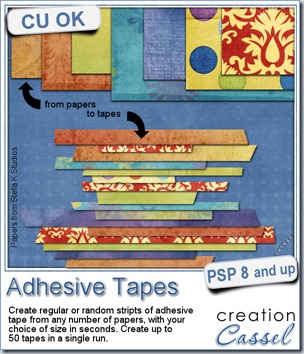
Washi tapes are pretty popular lately but maybe you are looking for something that matches your current project and can’t find the perfect one. No more problem. This script will create some for you quickly and effortlessly based on any papers you want.

The script will generate a variety of tapes based on your choice of thickness, whether you want them to all be the same thickness or varied, and within the minimum and maximum length that you will determine.

You can choose any number of papers to have the tapes cut from.

All the ends will be cut at an angle, just randomly. There is also a discrete shading added to each tape to make everyone of them unique.

Finally, all the tapes will be grouped in one single file, in individual layers for your convenience. It will be up to you to delete those you don’t care for, and keep the others. You can then separate them and save them individually or simply save the file with up to 50 tapes in it.

Although it is meant to look like adhesive tapes, you can also use the end results as ribbons too. The possibilities are endless.

You can grab this time saving script in the store at Creation Cassel.

Do you want a chance to win this script? Check out this thread in the DST forum and add your name along with a suggestion on how you would use those tapes. I will be back on Monday night with the name of a winner.

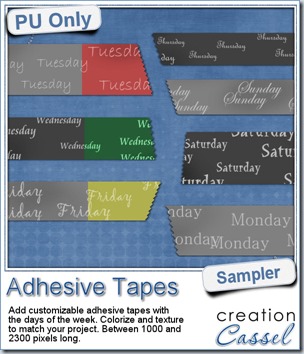
cass-AdhesiveTape-samplesTo give you an idea of what this script can do, i created a set of solid grey tapes, and just added some brushwork on them. See, instead of using actual papers, you can simply use solid colors and then generate plain tapes that you can also use as templates for painting on, adding text, etc.

The tapes in this sampler are stamped with the days of the week so you can use them to embellish your daily layouts. Since they are all in greyscale, you can colorize them to match your project, add texture to them, even rip some of them and crinkle them.

What would you do with them? Remember to show off!

You need to be logged in to download this sample. You can either login, or register on the top of this page.

New Font – Leaves

cass-Leaves1

How do you add leaves to a stem or a vine? One by one? That is long and tedious. Using Vector shapes? That is still long and requires placement one at the time to match the stem. Brushes? But that wont allow to place different ones all along.

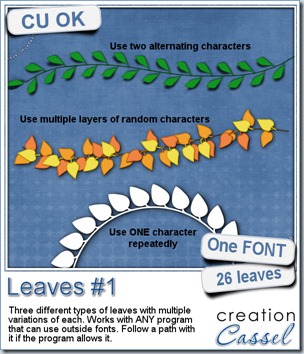
This is a FONT, meaning that you can place them along a path (which will be the stem). You can choose the colors, as if they were brushes. You can choose how close they are together by adjusting the kerning. They are always placed perfectly along the stem as they are made to match the path. You can use a single shape repeatedly, you can choose a few shapes and repeat the sequence or alternate, or you can randomly hit keys on your keyboard for a more random look.

And since you are creating those leaves from a font, they will be in vector format, allowing you to resize them as you wish, without losing quality.

Best of all, this FONT can be used in most graphic program that allow outside fonts, or you can simply install it if you feel you will use it often. So, whether you are using Paintshop Pro, Photoshop, Photoshop Element, GIMP, you can use this font.

You can get this font in my store, Creation Cassel.

As usual, i have a little draw for you to win this font. Just check out this thread in the DST forum and tell me what program you are using. If you also have some ideas on how to use this font, go ahead and share those ideas! I will be back on Monday with the name of a winner.

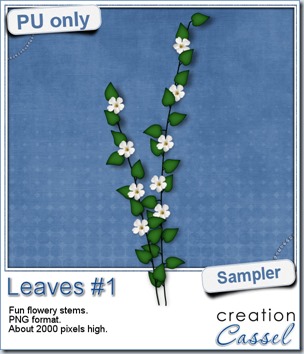
cass-Leaves1-sampleFor a sample of how this font can be used, i created a little flowery branch that you can use on your layouts. It is about 2000 pixels high and in PNG format so you can use it no matter what program you are using.

To create this effect, i simply started with a vector path (the stem), and randomly added characters from the lower row of my keyboard (z,x,c,v,b,n,m) so all the leaves would match. Using a simply feathered selection, i darkened the edges of the leaves, then added a standard flower from the Picture tubes available in my PSP.

It is a very simple process and i could have done the same thing with a vine going all around a page, or create a fun frame with it.

You need to be logged in to download this sample. You can either login, or register on the top of this page.

New script – Threaded Ribbon

cass-ThreadedRibbon1

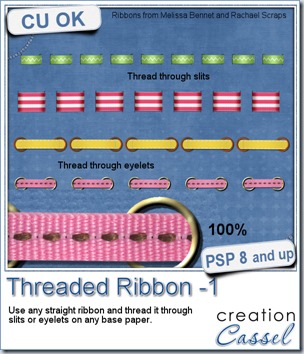
Threading a digital ribbon on a digital paper, might not be something too hard to do, but it is tedious. If you want to accomplish this task faster and more accurately, you can do so with this script.

Choose to thread your own ribbon through slits or eyelets. You choose the number of slits or eyelets to create along with a few other options to give you a very customizable result.

You can use this script to thread ribbons to match your folded ribbons, your knot or your bow. You can use it to put a threaded ribbon on a page, to create a frame, on a photo, on the edge of a card or envelope, and more.

What would you create with this script?

You can get this time saving script in my store : Creation Cassel.

There is also a thread in the forum where you can add your name and get a chance to win this script. Check out this thread and don’t be shy!

cass-ThreadedRibbon1-sampler

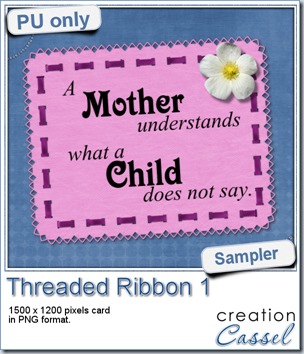
For this week’s sample, I created this fun card for Mother’s Day. You can use it in one layout about your mom or another important mother in your life.

The ribbon was threaded using the script. The vertical threading was made by first rotating the whole project by 90 degrees since the script will only work on a horizontal ribbon.

The detailed edge was made using the Edge font along a vector path. Isn’t that neat?

This card is in PNG format so just about anyone can use it.

You need to be logged in to download this sample. You can either login, or register on the top of this page.


News from the Campus


Congratulations to the winners of the BIG Show Off contest:

Filter Forge 3.0 - Mizfit Mania
PSPX5 - Giovina Rosignoli
PSPX5 - Mireille Fratini (mimi13)
5 Master Classes - Karon Day


Texting123-400

  • what are all those settings for?
  • how do you get text on a path?
  • how do you get the text at the bottom of the circle to read upward?
  • how do you type a text INSIDE a shape?
  • what else can you do with the text tool?
  • the text tool can be used for other purpose than text; like what?
  • a few neat tricks to use with the text tool

Date: Sunday, May 5th, 2013
Time: 5pm Eastern Time
Cost: FREE!
Register now and send us your "text challenges"