Web
Analytics

New script – Distribute Rasters

cass-DistributeRasters

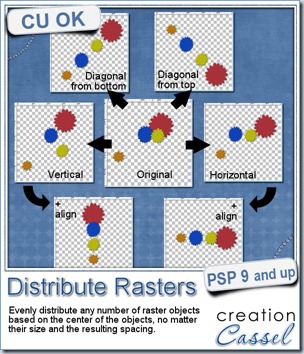
Do you sometimes have various elements, like flowers, beads, or even frames that you would like to have evenly distributed? In PSPX4 and X5, there is a function like that but if you are using an older version, the only way you can do it is using the guidelines and measuring the spacing yourself and then finding the center of each object to move them accurately.

That is a bit of work that you can avoid with this script. In fact it will take it just a few seconds to accomplish what might take you a few minutes.

In addition, this script can also distribute elements evenly on a diagonal line, based on the width and the height of the image. Even PSPX4 and X5 don’t do that!

If your elements are the same size, the spacing will probably be pretty even, but if the elements are of different size, don’t count on the spacing as the script measures by the center of each element.

Unfortunately, it is only compatible with PSP9 and up (sorry for the PSP8 users out there).

You can get this script in my store: Creation Cassel.

I also have a giveaway in the DST forum. Simply tell me, in this thread, what PSP version you are using and your name will be entered in the random draw for Monday night.
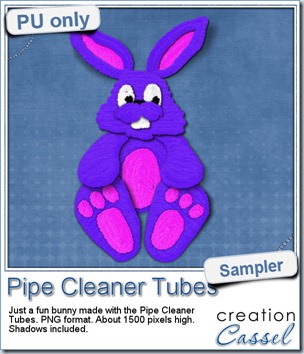
cass-PipeCleaner-sample-bunnyJust like last week, it is kind of hard to give you a sample of a tool script, so i opted for giving you a spring element (or Easter theme, if you prefer). I made this bunny out of the pipe cleaner picture tubes from the store. This is a PNG format element about 1500 pixels high. I added some fun shadows to give it some volume and the shadows are part of the element.

Those pipe cleaners are so much fun to play with. Just like the real 3D ones you can bend and twist, you can do just the same thing with your mouse. You even have the advantage of being able to make them much longer than the real ones!

They were Mendy’s idea and here is what she said about them:

“This one [product] is so much fun. Makes you feel like you are a kid again. They are so real looking that you just want to reach out and touch them. Love it!”

You need to be logged in to download this sample. You can either login, or register on the top of this page.


April is near

Yes, yes, i told you that last week, didn’t i? And i am sure you know it is only a couple of days away. But did you figure out what it will be about? Did you guess from the hints? Let’s add a bit to the list:

Hint #1: get your wishlist ready (i really mean it!)

Hint #2: check the Master Classes in the Campus (watch the video for the free one or any other you might have purchased)

Hint #3: get ready to scrap

Hint #4: FF often stands for Firefox, but for something else too!

Hint #5: something will happen on “school ground” too

See you soon! I think there might be something more in the Newsletter, Sunday morning.
Subscribe now

New script – Align Rasters

cass-AlignRasters

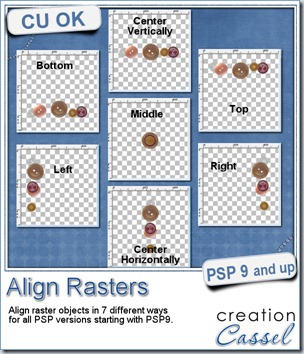
If you are using an older version of Paintshop Pro, you surely have noticed that you can align vector objects, but what do you do if your objects are NOT vectors? You have to rely on the guidelines, and snap the objects to the guidelines.

In newer versions of PSP (X4 and up), since you can select several layers, the ability to align raster objects is added, but if you are using an older version, it was not possible, until now.

This script will allow you to align raster objects in 7 different ways: top (aligning with the top of the highest top), bottom (aligning with the bottom of the lowest bottom), right (aligning with the right edge of the furthest object to the right), left (aligning with the left edge of the furthest object to the left), middle (aligning all the objects based on the center of the canvas), center vertically (align with the vertical center of the canvas), center horizontally (align with the horizontal center of the canvas).

Only one script includes all the seven alignment options. Bind the script and add it to your menus for a two click process: one click to run it, one click to choose the alignment. No other message window is added to create the fastest process.

You can get this script in my store: Creation Cassel.

There is a random draw available in the DST forum where you can win this script. Just add your name to the thread and tell me what version of PSP you are using. I will announce the winner on Monday night. Check this thread HERE.

cass-Banner-sample-Spring

This week, your free sample was made using the Banner FONT. You get a SPRING set in PNG format, and a blank set in PSD format.

You can add any letter or design to the blank banners to suit your own layout or project.

Remember that those banners are made from a FONT. That means that it can be used in most programs, and if your program allows you to add text to path, you can hang the various flags along the “vector string” for a perfect positioning.

In addition, the font includes no less than 50 different shapes that you can combine, and use in any size without losing quality, and you can have an outline and a fill material that will suit your theme or project. This is much more versatile than simple PNG banners!

You need to be logged in to download this sample. You can either login, or register on the top of this page.


April is coming

Yeah, what’s new about it? Something big, i tell you! You have to stay tuned to learn more about it but i can give you some hints:

Hint #1: get your wishlist ready

Hint #2: check the Master Classes in the Campus (watch the video for the free one or any other you might have purchased)

Hint #3: get ready for a BIG event!

New script – Loop #1

cass-Loop1

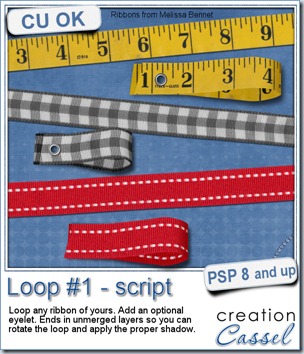
You can now create a simple loop from any ribbon that you already have. Use these loops as an accent, fasten them with a staple, a brad, stitching, or an eyelet. The script can actually create an eyelet for you  that will be proportional to the size of the ribbon.

You can tuck the loop under a photo or an element, you can use a particular ribbon with text message or shapes to match your project.

The script has a random feature integrated which means that even using the same ribbon, each run will yield a slightly different result. The length will differ and the segment of the ribbon used will be different.

The script will end in unmerged layers with NO shadows on the ribbon pieces. Why not add a shadow with the script? Because you might want to mirror the loop or have it vertical, or at an angle, and if the script was to add shadows, then they would become very odd looking after rotating the whole thing. You know how it is with shadows: if they are in the wrong direction, it can make your layout look totally weird, and you surely dont want that, do you?

This script is available in my store: Creation Cassel.

And if you want a chance to win this script for free, just post in this thread, in the forum and tell me what you could use this kind of loops for. Be creative. Think a bit outside the box so to speak and share some  great ideas. The winner will be announced on Monday night.

cass-Loop1-samples


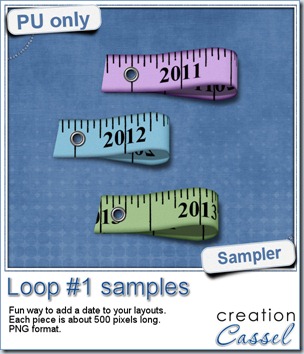
As a free sample today, i thought of creating a ribbon with a date (in fact it is a year) and making a loop out of it. I repeated the process for 3 years. If you are patient, you might be able to create a ribbon for each month, or each day of the week or if you are REALLY brave, one for each date of a whole year! Why not?

You need to be logged in to download this sample. You can either login, or register on the top of this page.

What will  you do with those? Show us how creative you are.

New tubes – Zippers set#4

cass-ZipperSet4

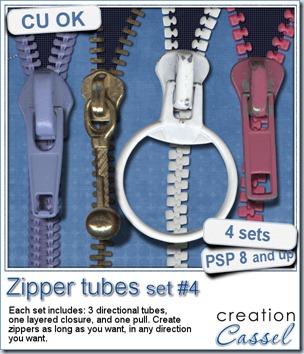
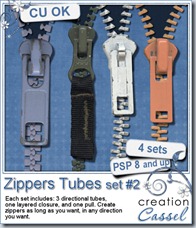
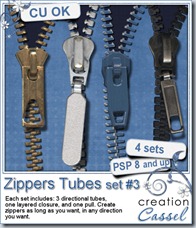
Zippers, zippers, zippers. We use zippers everywhere now. Of course, we see zippers on clothing, like coats, jackets, pants, dresses, but we also use zippers in upholstery (to wash those cushion covers), in purses, luggage, and more. Now, you can even add them to your scrapbook pages too.

These zippers are the 4th set. They are made of 3 directional tubes: one for the closed teeth, one for the left open teeth and one for the right open teeth. This means that you can “draw” your zipper as long as you want, and in any direction or shape you want. You can have it mostly open, or mostly closed, you can join two different “fabrics”, you can have a photo peek through, etc.

And the pulls are made in two files too: one is the layered base so you can slip a pull as realistically as you can. And of course, each zipper as its original pull to match. But you can surely mix and match, especially if you can recolor them. Play with the shadowing to get great looks. Add decorative elements to the pull, just like we can see in real zippers, whether it is a monogram, a string of beads, or other creative add-on. What would you do with those?

You can grab this set of zippers in my store: Creation Cassel.

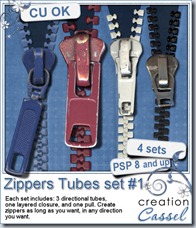
Have a look at the other three sets of zippers you can also grab.

cass-ZipperSet1 cass-ZippersSet2 cass-ZipperSet3

I have a giveaway in the DST forum where you can win the latest zipper set. Check out this thread, and tell me if you ever used a directional tube before, and if so, which one. I will be back on Monday night with the name of a winner.

cass-Zipper4-sample

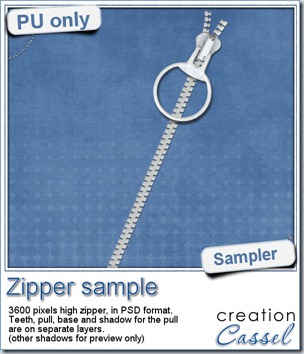
This week,  i just created a simple zipper for you using the white set. The various elements are in layered format so you can change the pull, move it, even shadow the elements differently. There is a separate shadow layer for the pull shadow, but you can surely modify it, or even replace it if you want.

With the hollow pull, you can surely add a design in the middle, fill in the hole and draw something, or attach a bunch of decorative elements, like beads, strings or ribbons. What will YOU do?

This is offered in PSD format so most non-PSP users can still use it. It is pretty large (3600 pixels high) so you can size it down to meet your need.

You need to be logged in to download this sample. You can either login, or register on the top of this page.

New script – Letter Tiles

cass-LetterTiles

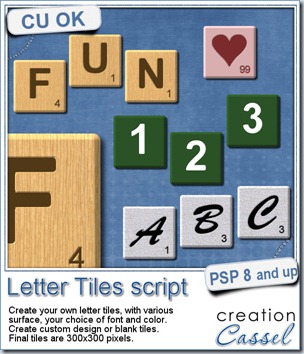
Do you like a game of Scrabble®? This script will let you create letter tiles as if you were playing the game, but with more variety than what you would get by scanning and extracting the actual letter tiles.

You can create wooden tiles, in 5 different types of wood, but you can also use other support, whether it is a solid color, or a pattern.

The script is coded to offer you the option of creating the letter tiles with values based on the French, English, Spanish or German version of the Scrabble® game, since the values are slightly different from one version to the other.

You can also choose any font you want, and any color you want too. Unlike the traditional Scrabble® game, you can also have numbers, punctuation symbols or any other design by choosing the custom option. In that option, you can decide yourself the value of the tile. Of course, you can also create blank tiles if you want.

The script is coded in a way to generate slightly different background for every tile (except for the solid color ones), so it is more realistic. You can create one letter at the time, or type in a word, a phrase or the whole alphabet and the script will generate one tile per letter, including any blank for spaces.

You can grab this fun script in the store: Creation Cassel.

In addition, there is a thread in the Happy Place where you can tell me what language you would use to base the value of the tiles. And i will be back on Monday night with the name of a winner.


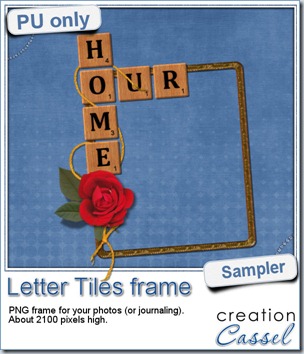
cass-LetterTiles-sampleOf course, you can use those letter tiles to create a title on a layout, or maybe a wordart too, but for a sample, i created a frame for you. It is a PNG format so you don’t have to have PSP as a graphic program. It is about 2100 pixels high. Of course, you can always resize it down if needed. the shadows are already placed on the whole montage.

You need to be logged in to download this sample. You can either login, or register on the top of this page.

What will you do with this frame? Will you show us your masterpiece?


News from the Campus

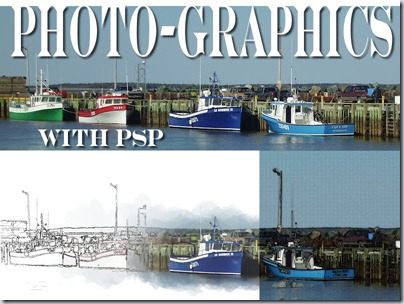
Did you get a chance to view the video from the last presentation on Photo-graphics with PSP? It is available in the Campus for free for one more week. Check it out:


PhotoGraphicsWithPSP


This Sunday we will have another FREE live presentation on Photo-graphics with PSP – Part 2. Did you register yet?