Web
Analytics

New products – Lined Papers

cass-LinedPapers

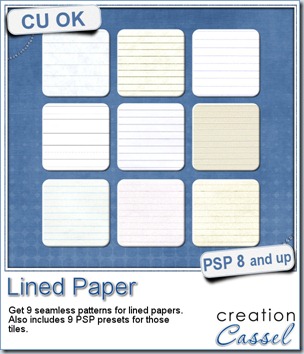
Do you see those Photoshop styles everywhere and wish you could use them in Paintshop Pro? This time, I created a set of 9 lined paper seamless tiles that you can use as you wish from the Material palette, but it also has 9 sculpture presets that you can use to apply to a solid color shape (any shape) with predetermined settings (that is why they are preset, right?)

Since the tiles are seamless, you can use them to floodfill any shape of any size. Of course, you can manipulate them further by adding some writing, doodling, stains, creases, tears, and more. You can colorize them to tint them in a color to match your photo, your layout or your kit.

The patterns and the presets are inside folders and if you save the whole folders (instead of the individual files), you will have them all neatly sorted and available inside a Category you can pick in the Presets or the Material. No more need to scroll endlessly, especially if you have lots of those in your resources.

Although they are not in .asl format, Photoshop users can easily convert the patterns which are simply in jpg format.

You can get this set of 9 patterns and presets in my store: Creation Cassel.

If you want a chance to get this set for free, hop over to the Happy Place in this thread and tell me what else than writing on, would you use lined papers in a layout. I will pick a winner on Monday night.
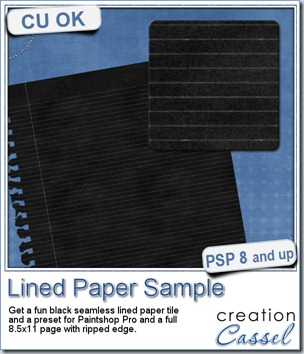
cass-LinedPaper-SampleThis week, as a sample for this product, i am offering you one tile with one preset (for PSP) and one full size page for everyone else (of course, PSP users can still use it). Do you remember that time when dark papers were popular and kids would use gel pens in neon colors to write on them? Now you can do the same. The tile and the presets work exactly as the lined paper tiles above.

Jennifer had fun playing with this paper sample and added some doodling.

If you are curious to know how the ripped edge was made, i can tell you my secret: it is a font. I used the RippedEdge font that you can use to create any paper edge that will look ripped from a spiral binding, whether it is from the top or the side. You can find that font in my store HERE.

Do you want to do the same? Simply click on the preview to start downloading the tile, the preset and the full page.

You need to be logged in to download this sample. You can either login, or register on the top of this page.
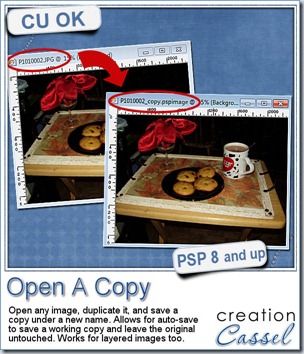
 

cass-OpenACopyDid you miss my post last week? Probably, because i skipped last week. Why? Because i felt bad not to have a freebie for you to download. Last week, i released a tool-script that will open, duplicate, save the duplicate with a new name (adding –copy to its name) and closing the original. All that, so that the Auto-save function can actually save your work and spare your original from accidental auto-save. It is still available in the store and it is FREE.

Of course, you can do the same steps manually, but you want to do something else than those tedious technical tasks, don’t you? In addition, if you bind the script and add the icon on your menu bar, you can get the whole process in ONE click. That beats doing it manually doesn’t it?
New script – Lined Border

cass-LinedBorder

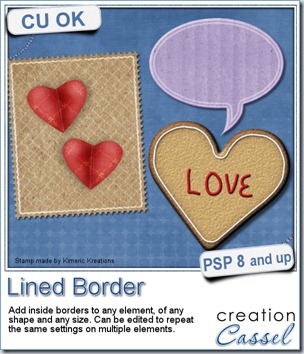
A lined border around the edge or slightly inside the edge of an element can add a touch of definition or elegance. It is fairly easy to do manually if you have only one or two to do, but if you are in love with borders, or if you want to create an outline on several elements of your layout or kit, you will want to get this script to speed up the process and let you play around more.

This script for Paintshop Pro allows you to add a variety of outlines, with different thickness, with different spacing from the edge, with sharp or rounded corners, in single and double too.

Each line is added based on the size of the element, so you dont have to calculate anything. But of course, if you need a precise measure, you can always use the custom value.

Even better, if you plan on using this script on a series of elements, like an alpha, or a set of tags, cards, strips, and more, you can edit the script itself and run it while skipping most of the dialogue windows. That makes the whole process so much faster.

Each line is left on a separate layer, so you can play with the end result even more. Add a bevel and shadow and you can turn that outline into icing on a cookie. Change the blend mode and you get a subtle outline on an element. Run the script several times on the same shape with different settings and move the outlines slightly off center for a dynamic look. The sky is the limit.

You can get this script in my store: Creation Cassel.

As usual, there is a random draw in the DST forum where you can add your name, tell me what elements you could use this script with and i will pick a winner on Monday night. Check out this thread now and post. Even if you already bought the script, you can still win! And if you already bought it, tell us how you like it and even better, show us something you did. We always love to see how creatively different people can use the same script.

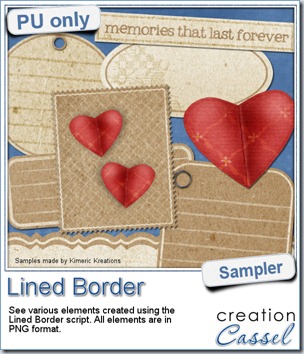
cass-LinedBorder-samplesThis script was a suggestion from Kimeric Kreations. Kim often uses borders on her elements. It adds a great finishing touch and sometimes, that border is barely visible, yet it is there! Since she was the one who suggested this script idea, she also was the first one to “play” with it. She ended up creating several fun elements using various options of the script and customized the end result for a great look.

This set of samples includes various elements and trust me, they ALL have a lined border (even the hearts!). All the elements are in PNG format and range in size from 400 pixels (for the heart) to a 3600 pixels wide border.

You need to be logged in to download this sample. You can either login, or register on the top of this page.

Thanks Kim for this great freebie.

(shh… this freebie will match a future kit from Kimeric Kreations. Keep an eye on her store in the next weeks).

new script – Paper Cutout 2

cass-PaperCutout2

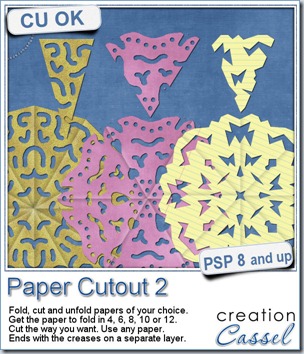
When i was a kid, i used to take papers of different size and fold them to then cut out along the folds. I was making “snowflakes”, even though they were usually not folded in 6. We had that activity in arts and crafts class pretty well every year. I learned that regular writing papers were not square so i always had to cut off a piece to make my craft (what a waste).

Whether you want to use lined paper to simulate those school projects (not done in art classes) or really plain colored construction papers, or using a patterned paper from a kit, there is no limit.

Start with any paper, and run the script It will take care of the not-so-square papers, it will fold it (or pretend) according to what you ask, and you will have the chance to cut out any design you want, with any tool you like. Use the eraser tool or the selection tool. That is up to you.

Cut sections along the “folds” or the outer edge, or snip the center (you surely did that when you made your “snowflakes”). Once you are done, the script will unfold your piece and reveal the whole design (you might be surprised too). And furthermore, it will add creases to your masterpiece exactly where it WAS folded for a more realistic look. The creases are on a separate layer so you can tweak their opacity depending on the color or pattern of your paper.

You can get this script in my store: Creation Cassel.

cass-PaperCutout2-sampleAnd if you want a chance to win it, check out this thread, and tell me what theme would work well with this script. I will be back on Monday to announce a winner.


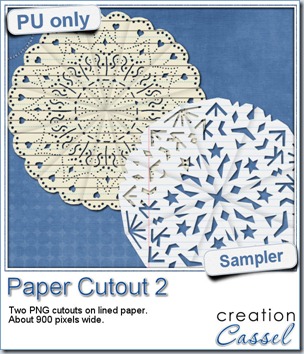
I used a couple of “school” papers to cut some more “snowflakes”. But in fact, they dont look like snowflakes at all. If you are crafty, you can surely create some very intricate designs and turn those “snowflakes” into doilies! These two elements are about 900 pixels wide in png format. They don’t match only “kid” kits!


You need to be logged in to download this sample. You can either login, or register on the top of this page.

News from the Campus


scraphappierWe had the draw on Sunday night for a free registration to LOAD213. Andrea was our winner, and she already started her month-long challenge. She said she loved the idea of a challenge as it will give her a little more incentive to scrap. Even more, i asked her to keep us updated on her activities and she already did her first layout, and we are the first of the month! I guess she is right on track!

Did you register for LOAD213? How are you doing with it?


Photo-Graphic with PSP

We will have our monthly live presentation on Sunday (it should be right before the SuperBowl for those of you who are fans). There is still time to register. We will look at how we can turn a regular photo into something else: a watercolor piece, a cartoon, a sketch, and maybe more (time permitting).

Sunday, Feb 3rd, at 5pm Eastern Time zone.