Did you register to for the Advanced Shadowing with PSP presentation yet? It will be held next week. You dont want to miss that!
Date: October 7th
Time: 5pm Eastern time
While you are looking at the various Master Classes in the Campus, remember that the Basic Extraction video is still available for FREE in the Campus, but that is only for a limited time as it will no longer be free after the new video is uploaded.
Did you see the latest tutorials in the Campus?
These and many others are available if you register for the Element Creation tutorials. Are you interested in joining the Campus but are still hesitant? Stay tuned for a special offer in the next few days.
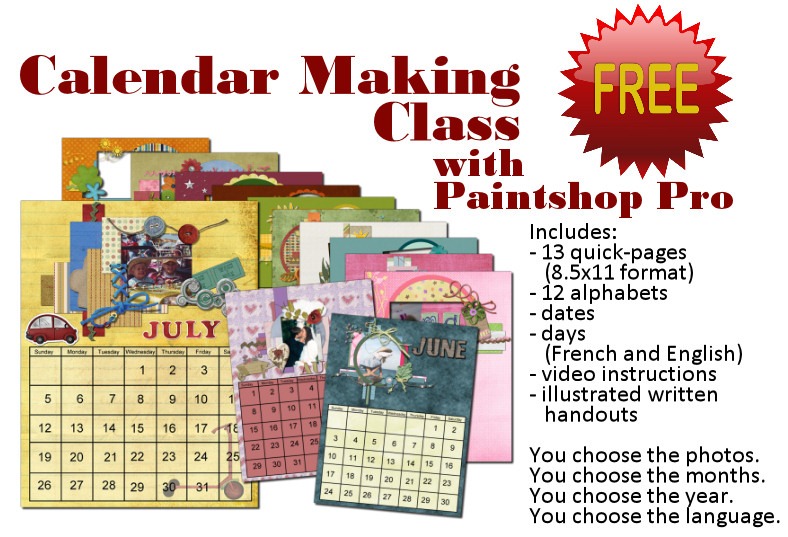
Finally, remember that the holiday season is coming (always faster than we want). Get yourself a custom calendar to print with our FREE Calendar Making Class. Are you new to digital scrapbooking? Or new to using Paintshop Pro? Or do you just want a cool present to offer to your friends or relatives? Check out the Calendar Making Class. Everything is free. FREE instructions. FREE supplies (but you have to pay to get it printed).
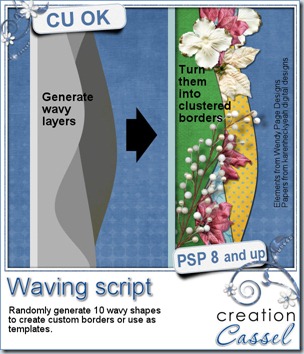
Have you seen those fun clustered borders that designers now offer in their kits or as add-ons or even freebies? Do you want to do something similar but you struggle making those nice waves? The script will help you by creating multiple wave patterns that you can pick and choose from.
The script will create 10 wavy patterns on the open image you have. You can start with a blank image or work on your current project. You can have the wavy designs match either the height or the width of your project (in case you are not working on a square shape).
Each wave is randomly created initially as a vector shape so the edges are smooth. You can choose to have slighter or more important waves. Mix and match if you want. Run the script more than once for more designs to pick from.
Of course, this script will not give you the clusters (wouldn’t it be nice though?), but only the basic shapes. Use the shapes to create clusters, frames, or maybe merge them to create a complete flat background. Colorize each design or clip papers to them. The possibilities are endless.
As usual, you have a chance to win this script by entering your name in the Happy Place thread here. Using this script to create clusters is an obvious use, but can you think of other ways to use those? Let us know in the thread and on Monday night, we will draw for a winner.
This week, Suzy has used the script to create a frame. I thought it was a very creative way to use the waves from this script. I had not thought of that. Suzy has offered that frame as a freebie for you. It is in PNG format so anyone can use it. She used the Waving script to create the wavy design, and then the Mitered Frame script.
You need to be logged in to download this sample. You can either login, or register on the top of this page.
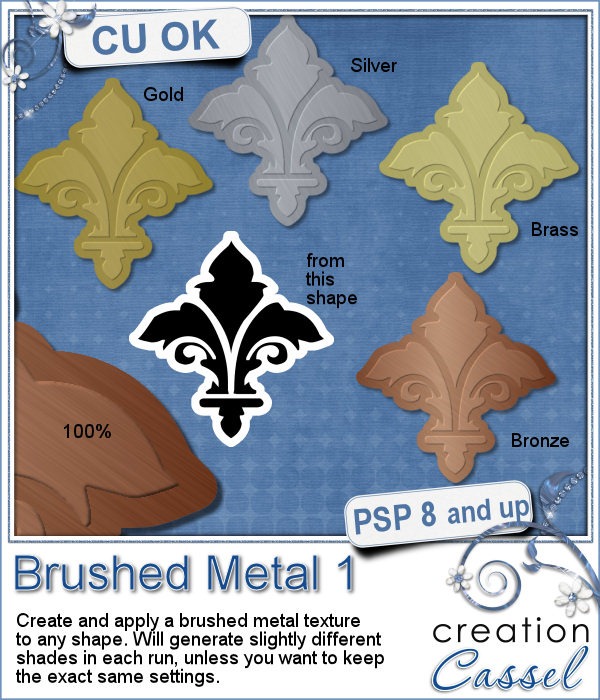
Do you like the look of brushed metal on elements? Do you want to create your OWN elements with a brushed metal texture? Do you want that texture to be totally unique? This is for you.
This script for Paintshop Pro, will create a brushed metal texture. No tile. No pattern. It will CREATE one in every run. You can get a gold, silver, brass or bronze metal effect. And you can get it embossed also by using a black and white design to start with.
Each run will be slightly different. The color will be slightly different. The brushed effect will be slightly different. So it will look like custom made element instead of something mass-produced.
Use this script to create alphas, wordart, frames, plates, or maybe turn a photo into a black and white (not grey) image and make it a bronze picture!
Once the script is finished, you can still tweak it to your liking, with a brightness/contrast adjustment, adding your own bevel around or some engraving.
What is your favorite metal from this set? Tell me in this thread in the Happy Place and you get a chance to win it. That is simple!
For the weekly freebie, i created this set of frames using the Gold option of the script. I made one frame pretty plain, and one with added gemstones. They are both in png format and are 1000x1000 pixels in size.
You can use the plain frame and add any other decorative element to it, whether it is gemstones, glitters, or a ribbon around one of the edge. Make it YOURS by customizing it. There are so many options.
You need to be logged in to download this sample. You can either login, or register on the top of this page.
When you use this frame, add a link in the comment below so we can admire your work. You can also post an image on our Facebook page where more people will see it!
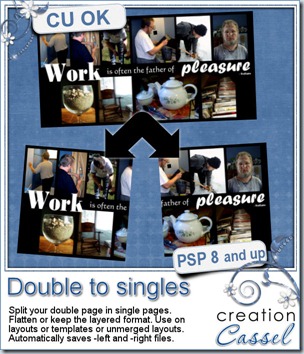
I like the idea of working on double pages as it gives more room to work, more room to add multiple photos, and lots of journaling if i want to, but when get to print my work, i have to manually cut my double layout in two single layouts. That is tedious, especially when i have more than one to prepare!
I coded this script for that purpose. It can save individual single pages in jpg format (perfect if you want to print) but it can also keep the layered version of your work. That means that if you need to tweak something, correct a typo, and so on, you don’t have to work on the large layout and split the pages once more.
The script can also be used if you are doing layered templates and want to offer a double page version AND two matching single pages, still in layered format. And if you need to, it can save in both format also.
If you think this is a time saver, did you know you can also run this script in batch mode, and split dozens of double page layouts or templates in seconds? No typing needed to rename the files, no browsing to find the path. Everything is done automatically for you.
And as usual, I have one copy of this script to give away to a lucky winner. Check out this thread in the Happy Place and add your name to it. Not too hard is it? I will be back Monday night with the name of a winner.
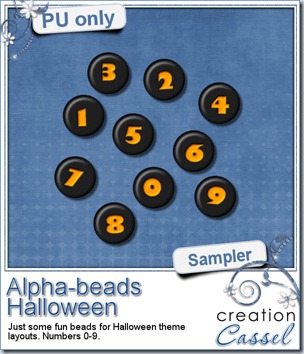
Usually, i do create a sampler based on the new released product, but really, it is pretty hard to make a sampler out of this one, so i decided to create some plastic beads out of the Alpha-Beads script. That is a very popular script and i think you might see a lot of those in kits in the future. Don’t worry, with all the options available, they will not all look the same.
So, here is my set of digits for you in the Halloween colors. I decided on those colors for obvious reasons. I also chose to create the beads with very uneven characters to be a little different.
Will you be using this set? Remember to show me what you make with them. I love to see how creative you can be. I often see layouts where my products are used in a way i never thought of. That is great to see!
You need to be logged in to download this sample. You can either login, or register on the top of this page.
News from the Campus
Do you know how to extract a fuzzy object from its background?
Do you know how to select very smooth curved edges on an object?
Do you know how to remove the sky from between the branches of a tree?
The FREE recording of the presentation on Basic Extractions is now available on the Campus. You can view it HERE. It is free. You just have to be logged in. (and remember to LIKE it if you … like it!)
The Calendar Making Class has seen many new members this week! I think the printer will be flooded with orders (especially since you get a discount when you register for the class). Did you start on your own calendar? Do you want to share a page?
There are many things in the making in the background. You will surely be pleased when they are ready for you. It is so exciting for me, and it will be fantastic for you too! Stay tuned.
Do you like glitters? Do you like all those “styles” available for Photoshop and wonder if you could ever find something like that for Paintshop Pro? Now you have your answer.
A while ago, i released a script that made a glitter tile, but i have to admit, it needed some upgrade: the tile was small, it used the seamless function in PSP which gave that diagonal fading effect. All in all, it was outdated. So i decided to create a totally new script to make seamless tiles (REALLY seamless, as there is no fading, no blending).
With more advanced coding, you even have options of colors and color combinations too. You can get a monochrome colored tile, which will varie between the chosen color and white. You can have a bicolored tile where you choose the two colors that the script will blend together, and finally, you can get a multicolored tile where you choose one color and the script will vary the hue to the point of creating many colors, all around that base one you picked.
As if getting a seamless tile is not enough, you also get the brush presets to create the matching glitters, in a scattered format. Use it to draw lines, doodles, frames, edges, fill in shapes, etc. You get one preset for each type of glitters.
Do you want to win this set? You can just add your name to the Happy Place thread HERE and tell me if you would more likely use the script to create seamless tiles, or the presets to create scattered glitters. And on Monday night, i will draw for a winner who will get this amazing set.
Do you want to see these glitters up close? I created 3 seamless tiles using basic colors and also some elements made out of scattered glitters with the brush presets. They are Christmas-y colors, and of course, the tree might be pretty seasonal but the heart and the star can be used as frames if you want to place them on, or around a photo, or even some journaling.
You need to be logged in to download this sample. You can either login, or register on the top of this page.
What will you do with those? Show us and we might post it in here or in the newsletter.
News from the Campus
The recording for last week’s presentation on basic extraction techniques should be available later today. Those who purchased the Master Class should get the whole package ready today or tomorrow at the latest. Did you see what we did in that presentation?
Check out the Campus, later today, to view everything.
Did you start the Calendar Making Class yet? We have had many new members in the Campus who registered for that class. After all, it is free, so why not start on your Christmas presents?