New script–Alpha-beads

31st August 2012

cass-Alpha-beads

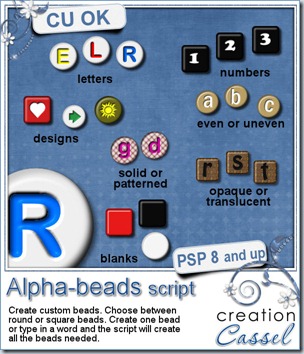
Did you ever play with those little plastic beads with letters, making bracelets with your name or your friend’s name?

Now, you can create your own set of beads, in any color, using any font, and adding any character, digit, symbol, etc. And not only you can create individual beads, but you can get a whole word, phrase, or even the alphabet. This is a script that Paintshop Pro users will love; it is so versatile and easy to use.

With this script, you can always have the perfectly matched beads: use the colors from your photo, your kit, or your palette. If you want to be a little wild, you can choose more than one color for the letters (you can pick them from your palette) and the script will randomly use them. This is cool if you want to write a word or a phrase and want some variety in the colors used: you don’t even need to create 3 alphabets to use 3 colors. You don’t even need to run the script 3 times either! All done in one run.

cass-Alpha-Beads-extraAnother great advantage of this script is that you can use any font, and also any character. If you want math symbols you can create them (honestly, how many alphas include those?), you can add accented characters in your language (providing that the font supports those characters), and you can even create some beads with designs that are not in fonts: just draw them by hand or use a preset shape.

What can you do with those beads? Just about anything you want. Use them for dates, for names, for fun phrases, even for titles. Attach them to a string, a ring, a ribbon, a staple, a pin and more. Place them side by side, or vertically. After all, there is no hole in those so you can pretend they are in any direction.

If you want to create your own thin string, check out the Rope Tubes here and here. Use them at a small scale and you can have a string as long or as short as you want, in any shape you want.

Now is the time to go grab this superb script and start adding unique alpha elements on your projects. You can get it in my store: Creation Cassel.

This week, not only i will have a random draw for someone to win this script, like i do every week, but you are asked to “place your order” for a complete alpha. Check out this thread, tell me what shape, and colors you would want for a bead alpha and after drawing for one person to win the script, i will draw a second time and this person’s order will be filled AND EVERYONE who posted will get it. This means that you don’t even have to have a copy of PSP: just post and you are sure to get a free alpha, and if you are lucky, it will be made from YOUR specifications.
cass-AlphaBeads-sample


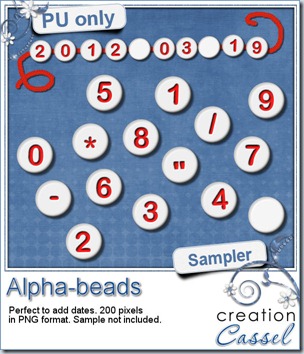
Do you want to play with some of the beads created with this script? Here. I made a set of digits with various symbols so you can create dates in various format. Attach them any way you want, vertically, horizontally, on a string, a pin, or maybe just “glued” on something. Simply click on the preview to start the direct download.


If you use these beads in a layout, i would love to see it. With your permission, i can even post it in here or in the newsletter. Show us your creativity! Don’t be shy!


The rest of the alpha will be made available in the newsletter, this Sunday. If you are not yet subscribed, just fill out your name and email address on the left of this page.


News in the Campus


BasicExtractionOur next workshop will be held this coming Sunday, and we will look at the basic, most common tools and techniques to do extraction. Someone asked me what an “extraction” is. Extraction is removing a particular element from its background using different methods. Once the element is “extracted”, it can be used on a different background, or used in totally different ways.

We will look at the basic techniques this time. Another workshop will address more advanced techniques, later on.

There is still time to register. If you are new to those online workshops, you will not just hear me, but you will see me work directly on my Paintshop Pro at the same time. If i make a mistake (and it does happen), you will see it live (and you can laugh).

RegisterNow-01-200


Workshop-DVD-Case-Shadows

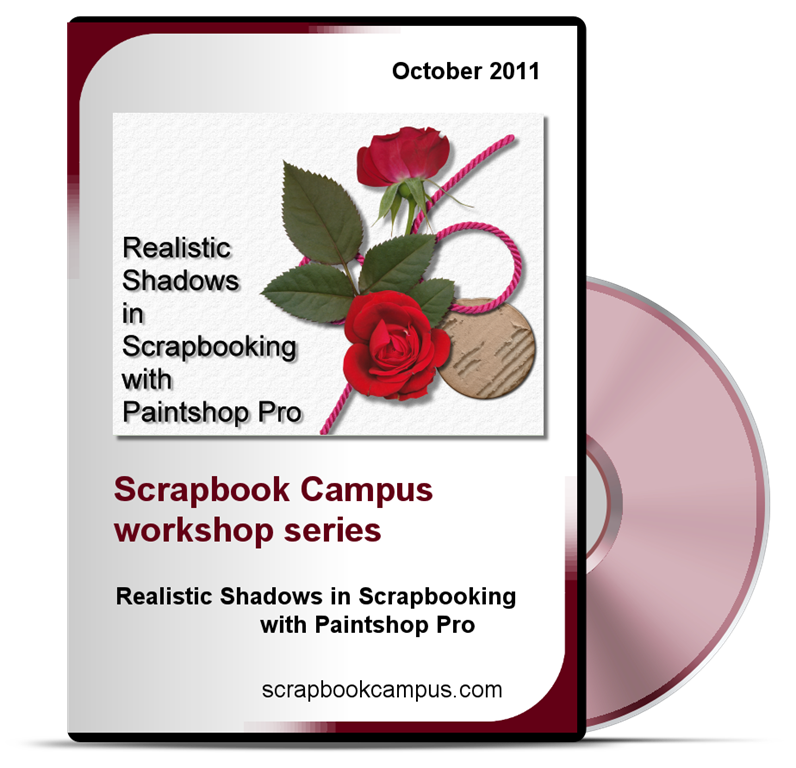
Today, August 31st is the last day to get the most popular Master Class of the Campus, “Realistic Shadows in Scrapbooking with Paintshop Pro”. You can get it for $8 instead of $19.99.

You need to use this code:

GRAB-0824-492

You can checkout directly from this page, but if you want to read more about shadows, you can check THIS PAGE. But the code will self destruct on Sept 1st so you better hurry!

Our new special offer will go live tomorrow (September 1st) in the Campus.
CalendarPreview-600

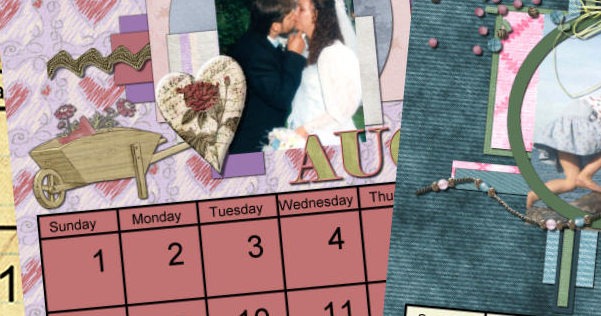
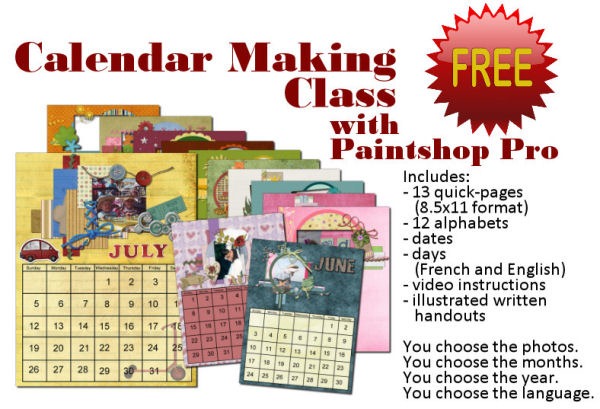
Yes. TOTALLY FREE. EVERYTHING is included (except the graphic program and your photos!). Supplies are included. Video instructions are included. Written handouts are included. Even a discount coupon to get it printed. And here is what Teejay has to say about this class:

I put 2 hours aside to view and play with this class… Now it is 4 hours later… lol. Your videos are really really good, easy to follow, even the hard stuff like separating the dates was made VERY easy to understand… the selection and cutting was made easy too. I think its because you ‘speak ‘ what you are doing when you do it, and you have given lots of stuff do make these calendars so special. That’s why it’s taken more hours of playing,… no cooking, cleaning or shopping!

So, check back in the Campus tomorrow (or later today, depending on your part of the world).
New script–Clothes Labels

23rd August 2012

cass-ClothesLabels

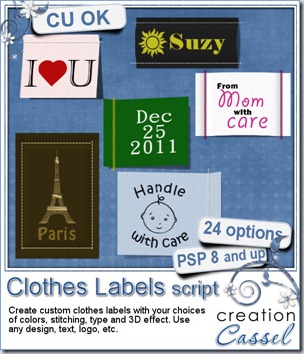
Have you ever seen some original kinds of labels? Although you would usually expect washing instructions, you can also get company logos on them. You can also buy, custom labels to put on kids clothes with their name (I used that when my three kids were in daycare) or some special labels to place on sewing projects that were handmade that read “Made by Mom”.

These kinds of custom labels can also be used in digital scrapbooking with just about any design, shape or text you want. How about using these to create a date element? Or a special phrase? or a name? or even a particular event with a symbol for it? Just about anything is possible with this script.

The way the script is coded, you just have to start with a design of any kind, of any size. From that, the script will measure a proportionally sized “excess” of fabric for the stitching, depending on the type of stitching you want and will prompt you for various custom details, like the color of the fabric, the color of the thread, the straight/zigzag stitching, and if you want to add a 3D effect with either bevel or lifting of the label. And if you want to add a shadow, it will be left on its own layer so you can tweak it more if you want.

You can get this very creative script in my store: Creation Cassel.

And as usual, there is a thread in the Happy Place of DST forum where you can add your name for a chance to win. But even better, suggest something you would like to see on a clothes label, and after the draw (Monday night), i will create a set of labels with all the suggestions given, and everyone who posted will get the set, even if you don’t use PSP. What are you waiting for?

cass-ClothesLabels-samples

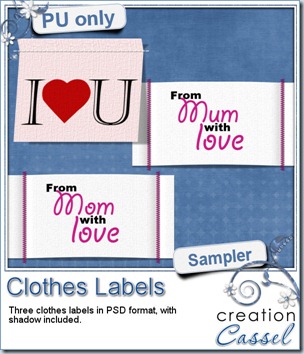
I created 3 labels with this script (2 of them have different spelling for our Mom/Mum). They are in PSD layered format so you can still tweak them. The shadow is separate and so is the stitching (although the shadow of the stitching is attached).

Where will you use those label?

To download, just click on the preview to start the direct download. No waiting.

And if you like this why not tell your friends on Facebook and on Twitter. Send them over so they can also download them.

.

.

.

.

News from the Campus

BasicExtraction

This is the last week to register for our next workshop on Basic Extraction techniques. Did you sign up? the workshop will be held on September 2nd, at 5pm Eastern.

Sign up now

.

.

.

.

Workshop-DVD-Case-ShadowsLast week, the Realistic Shadows in Digital Scrapbooking Master Class was offered at a really great deal through Digigrab. But that deal ended Thursday and i got emails asking me if i could extend the deal. Unfortunately, that deal was outside of the Campus site so it could not be extended just with the snap of a finger. BUT, i managed to make it available directly ON THE CAMPUS SITE until August 31st. To take advantage of the 60% off deal and get this master class for only $8, you need to use this code:

GRAB-0824-492

You can checkout directly from this page, but if you want to read more about shadows, you can check THIS PAGE. But the code will self destruct on Sept 1st so you better hurry!

Do you like the idea of creating a “scrapbooking” present for Christmas for relatives? Do you like the idea of a totally FREE digiscrap project? Do you want to get started in digital scrapbooking but you feel you need very basic and step by step instructions? If you answered “yes” to even ONE of those questions, stay tuned as there will be a great new offer in the Campus. But best of all, it will be available to all current and future members. Even better than that, it will be FREE. How can you beat that?

SneakPeak

Here is just a little sneak peak of what it will be. Although it might give you a general idea, you don’t know how BIG it is!

If you have not yet joined the Campus, just register. It is free too! And bring in your friends too!

New script–Simple tags

17th August 2012

cass-SimpleTags

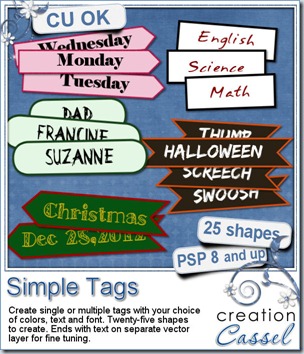
Suzy was asking me if there was a way to create multiple tags with her choice of text and still have them personalized. She is doing genealogy work and needed such “tags”. That is what led me to code this script.

The process for you is simple: you type in the words or phrases you want, in the script, set your font, and run the script, following the prompts that will ask you to choose various options:

- the tag shape: you can combine the end shape to create up to 25 different look

- the color of the outline and the center of the tags

- the color of the text

- you can have all the tags the same length, matching the longest word, or have each tag proportional to the length of the word

- you can also choose how high you want the tags to be, and the script will match everything, like the length and the font size to match that size.

And in the end, you get a fun set of matching tags. You can use them as date elements (perfect if you do P365 project, but also for everyday layouts), names, places, and more.

So what will you use this script for?

You can grab this script in my store: Creation Cassel

And if you want to have a chance to win this fun script, just add your name to this thread and i will be back on Monday night to announce the winner.

cass-SimpletTags-samples

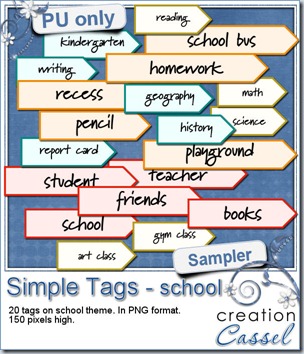
Since the time is close to back to school for most, I am sure you will have some photos of your little one (or not so little) going back to school or going for the first time. You will definitely need to create layouts for that special occasion, right? These 20 tags are yours to use in those layouts. They were all made using the script, 5 words at the time.

They are all 150 pixels high so you can resize them if you need. And they are in PNG format, so everyone can use them, even if you don’t have Paintshop Pro

Simply click on the preview to start the direct download.

And remember to show us  how you use them!


News from the Campus


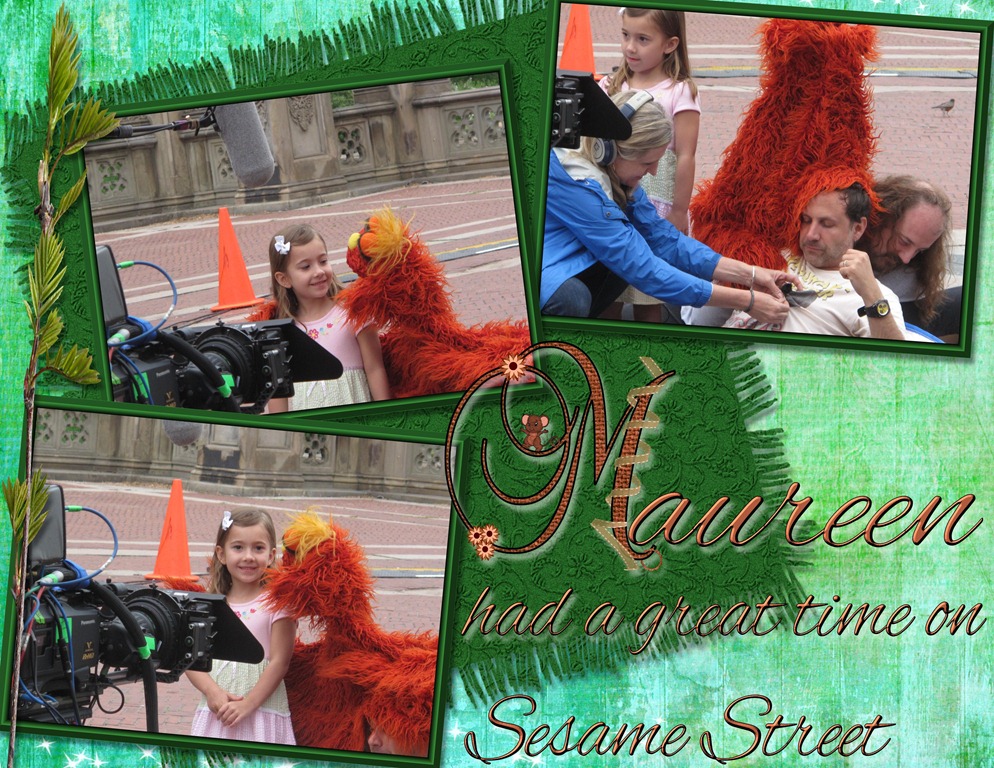
Did you follow our Monogram series? We already shared 12 monograms made by members of the Campus during one of our speed scrap (that was not really a speed scrap). There are still 14 to go. Mary had fun with those and sent me this lovely layout she did using one of the monograms.

May 14, 2012 P

Lovely layout, don’t you think? Some people have asked me how monograms could be used, since they were more familiar with alphas where you can use all the letters to create words and titles. Of course, monograms are only meant to enhance the initial letter of a word.

If you want to get the rest of the monograms, join the Campus. Another set of letters will be sent this weekend, so you still have time to join the fun! (it is FREE too!)

Join the campus


BasicExtractionOur next workshop will be on Basic Extraction techniques. This will be so much fun and might encourage you to start using your photos in different ways from now on. Again, it is free. It will be held on Sept 2nd. Will you be there?

RegisterNow-01-200


Finally, did you notice the DigiGrab special deal this week? It features one of our most popular Master Class: SHADOWS! You can get this complete Master Class for ONLY $8. This is a wonderful opportunity for scrappers and CT members to learn how to tweak the shadows on their layouts to make them look as real as can be. It is also perfect for designers who want to turn their previews from flat and boring to eye catching for their visitors. Click to view it!digigrab

Even thought the illustration is done using Paintshop Pro, it is likely easy to replicate using other graphic softwares.

Post tags:

cass-WordFrame2Round

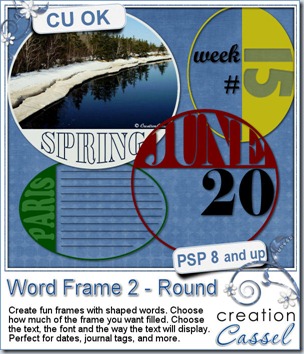
Last week, I brought you a script to create a square or rectangular frame around a photo, an element, or on its own. However, i thought it would be great to have some round (or oval) ones, so you could simulate postmarks but create your own. Of course, this required some shaping of the text in the area since it was no longer a simple rectangular area. This is done with the Warp Mesh.

Although this script will work with a photo, I find that you might be loosing a bit more of the photo with a round frame, so if you use that option, just be careful what photo you are using.

Unlike the previous script, this time, you are able to choose whether you want to have 25%, 40% or 50% of the space filled with the material you choose. This allows you even more flexibility and creativity.

Use this script on any size image so you can create a journaling area, or make it small to create a date stamp. Add your own word, date, name, to the frame to make something truly unique.

And as a bonus, you can still use the Warp Mesh on your own, maybe to add another shaped word on the “open” side? Why not. The Warp Mesh is included in the zip file and you can surely reuse it.

You can grab this script in my store: Creation Cassel.

cass-WordFrame2Round-samplersAnd as usual, i have a giveaway for you. Just go add your name to this thread in the forum, and i will pick a winner on Monday night. It is that easy.


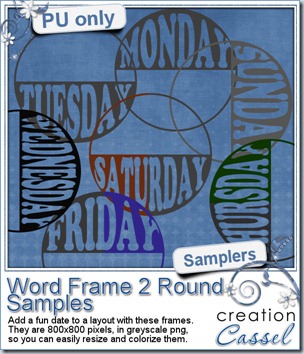
If you want to have a closer look at these frames, i created a set of round ones with the days of the week. They are 800×800 pixels in greyscale png format. This allows you to resize them if you want, and colorize them to match whatever project you are making.

Simply click on the preview to start the direct download.


News from the Campus

Last week was our workshop on Masks. This surely was a topic a lot of people wanted to learn more about because we had the largest attendance EVER! The recording should be available this weekend, probably Sunday.

Our next workshop, scheduled on September 2nd, will be on Basic Extraction Techniques. Do you want to join?

RegisterNow-01-200

New script – Word Frame 2

3rd August 2012

cass-WordFrame2

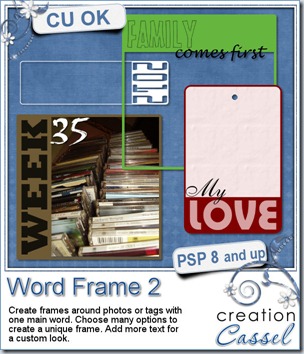
A while ago, i released a script that made an inside frame, with text. It was a delicate result, using the Word Frame script. However, at times, one might want something a bit more obvious or something that can be turned into a wordart. This script will do just that.

You can start with a photo from your P365 stash, and add a border OUTSIDE the photo. You can add the word WEEK in plain view and add the number in a contrasting color and font. Depending on whether your photo format is portrait or landscape, you can choose to have the word on top or on the bottom, or on one side.

You can choose any word you want. However, be careful as longer words will be made to fit in the space so if you are trying to write BEAUTIFULLY in a small space, the text will be kind of squished!

The font will be whatever you choose and unlike many other scripts, you will NOT have to type the name and risk a typo; the script will stop and let you choose the font from the text tool toolbar so you will have no problem with typing.

Once the word and the font are chosen, you will get four options to display that word: colored, outlined, cutout, or translucent. Except for the cutout (obviously), the word is on a separate layer so you can still apply your own personal touch.

What can you do with this script? Whatever you want. With all the options available, you are sure to get a frame that will be perfectly matching your layout or your kit.

You can find this script in my store: Creation Cassel.

cass-WordFrame2-samplers And as usual, i am giving you the chance to win this script by posting in this thread. And as usual, if you choose to purchase the script this weekend to take advantage of the new release price, you can still participate: if you win, you will get a coupon for a future new release of your choice! So go for it. What do you have to loose?

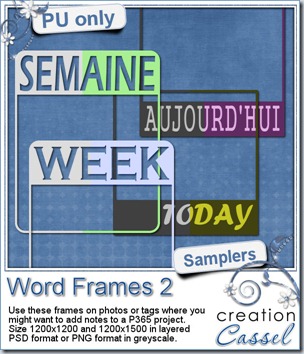
This week, i created four frames for you. Two in French and two in English. They would be perfect for a P365, or any “ordinary” photo (is any photo really ordinary?). You can add a date or a number in another font. Each frame is in greyscale so you can colorize them to match your project. Two frames are in PNG format, as they have only one layer, but two are in PSD format so you can actually move the words if you want, add a shadow, some brushwork, and also colorize them too.

Just click on the image to start the direct download.

News from the Campus

Our July Anniversary Celebration ended, well… on July 31st! But although the big noisy promotions are over, some quiet ones will still take place. For example, you can still get some of our monograms, if you are receiving our newsletter. You are not getting it? No problem, it is free to join, and as a member, you can get some goodies, once in a while and this week, another part of the monogram alphabet will be given.

RegisterNow-01-200

And this Sunday, August 5th, we will have our monthly workshop, this time, on Masks. Are you registered yet? That is free too! You still have time to join. And don’t hesitate to post on your FB or tweet about it. Any PSP user can find some use in masks, whether they are scrapbookers, card makers or even photographers! How many people can you bring?

RegisterNow-03-200

Write Finally, whether you are a member of the Campus or not, i posted a little survey about scrapbooking (and it is not specific to PSP). Can you go an have a peak at it? It only has 5 questions so it will only take you one minute or so. Click HERE to go.