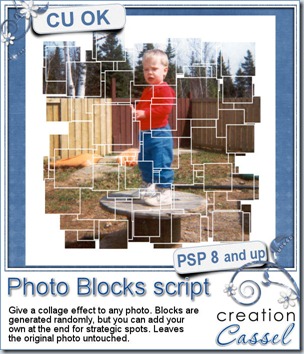
cass-PhotoBlocks

Last week, someone told me she wanted to find scripts to add some photo effects. She had seen all those fancy actions for Photoshop, but she was using Paintshop Pro. She asked me if i could do some. Without a specific effect in mind, i just browsed the net for interesting photo effects, photo frames, and such. I ended up on a collage effect, and sure enough, there was a tutorial for achieving it in Photoshop. I started reading the instructions, trying to see if it could be done in Paintshop Pro too, but i got discouraged with the amount of work it involved. I had no intention of working on 60 individual layers, even in PSP, so i thought of a different way to achieve it and it was also easy to turn into a script. Although doing it manually is not hard, it still takes time, so the script will allow you to  get a great result in no time.

The script will generate small, medium or large squares, depending on what you choose. It will generate many blocks. Maybe you will find that some spots are not covered, or maybe you won’t like the arrangement. No problem. Ask the script to add more blocks. In fact, they are “full” blocks with an outline, so even if you were to add 200 blocks, you will not see a ton of outlines.

If you end up with something that is almost perfect, but you still want to tweak it, no problem: you can add more blocks with the tool that will be already set for you. And you can also add a rectangular block for a real focus on a part of the photo.

This script is available in the store: Creation Cassel
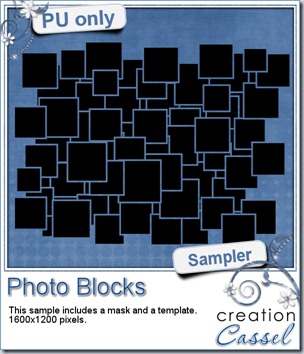
cass-PhotoBlocks-samplesAs usual, you can add your name to the RAK thread in the DST forum for a chance to win this script. Just tell me how you would do this manually. I will be back on Monday night to draw for a winner.

As a freebie, this week, i created a mask and a matching png template. You can use either one, depending on your program or the technique you want to use. It is suitable for a 6×4 photo, but as a mask, you can use it with a larger image. Not only you can use it on a photo, but maybe you can also use it with a paper. That would make a fun background, don’t you think? And it will be great to use with the upcoming workshop on Masks!

Just click on the preview to start the direct download.

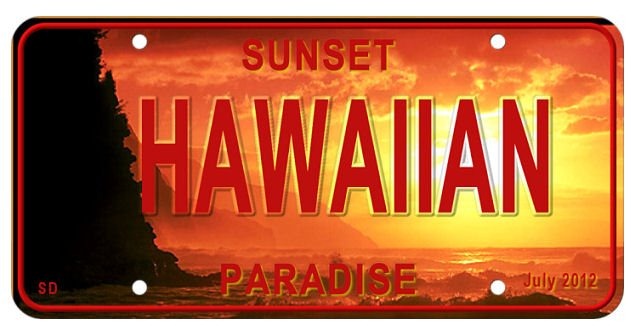
Sarah had fun with the License Plate script last week. She posted her dream plate. Isn’t that gorgeous?
Sarah-dream-plate 

I would love this as a dream plate too, since i have never been in Hawaii. That would be great!


New from the Campus
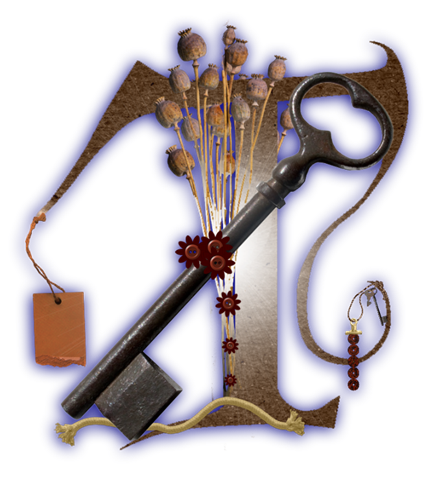
T-Teejay Last week, we held two totally new activities. They were both called Video Speed Scrap, but really, they should be renamed. One was on templates and one was on monograms. It was really fun to all work on our own project yet be able to see what others were doing. That is the beauty of the set up we had. The participants all created templates and monograms. You can see one monogram that Teejay did. They will be distributed to all the Campus members as soon as i get all the pieces together. Here are some comments sent by the participants:

“Amazing” – Rachel

“I really liked being able to see your screen” – Susie

“It was fun. Lets do it again.” – Elaine

“i thought it was fantastic… what a great way this would be ..to learn of each other..this was what the net is meant for” – Teejay

Are we going to have another one of those? Probably. When? That, i don’t know. I am thinking of repeating the event with similar themes but i also have other ones in mind. When that will be scheduled, i will post it for you.

Finally, both the Basic Scrap course and the Element Creation tutorials course are still on sale. This will only be available for a few more days as it will end at midnight on July 31st. Check them out.

slashed79

 for

$49

Basic Scrap Course        Element Creation Tutorials
MaskingInPSP

On August 5th, we will have our next live workshop. The theme will be Masking in PSP. We often see masks as individual products in stores, but how do you use them? Can they have other purpose than just making a nice shape around a photo?

We’ll be looking into that. Of course, if you have any particular question you would like us to address during the workshop, just drop us an email, or include the question in your registration form.
 

cass-BeadCurtain

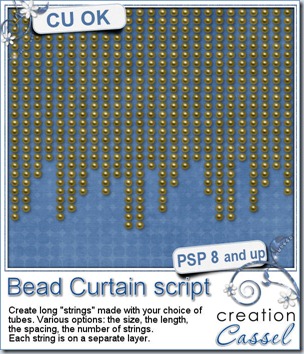
A while ago, i saw some of those old fashioned curtains made of glass beads. I thought i could make a script to create those but i ran into various problems with it and decided to put it on the back burner for a while. Last week, Connie posted on our Facebook page the suggestion to create this exact same element, so i brought it back to the front burner and kept working at it. It must have worked because i figured out how to get all i wanted into it.

This is how this Bead curtain script for Paintshop Pro was born. This script will allow you to use ANY picture tube and make vertical lines of it. Obviously, the most comment tubes you will be using are going to be beads, right? Well, probably, but you can also use chains, drops, flowers, gems, and more. For a fun Halloween curtain, you can even use strings of bugs! I am sure it would make a fantastic background for some Halloween theme layouts!

The script offers many options. The length of the strings and the width of the “curtain” will be determined by the size of your image, so you can work directly onto your current project, or make a smaller one on the side. You can have all the strings of the same length, or in random length, or even in a triangular pattern (check the sampler, below). You determine how many strings you want, how spaced the elements will be, and you can also have individual elements all of the same size or randomly sized. You can use directional tubes (like chains and ropes), but also tubes that need to be used in sequence (like always 5 small ones and 1 big one), or totally randomly.

You can grab this script in my store at Creation Cassel.

You can also add your name to this thread for a chance to win it, as usual. So what are you waiting for?

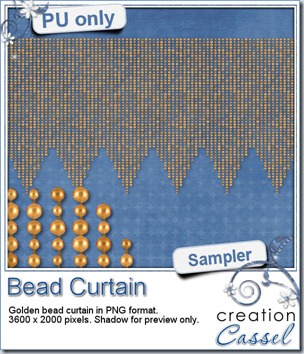
cass-BeadCurtain-sample I am sure you will LOVE this free sample i made for you. I used one of my bead tubes and ran it on a 600×2000 pixels image asking for a triangular shape bottom. Then, i used that tile to flood fill a 3600×2000 image to get that chevron effect at the bottom. Isn’t that lovely? You can use it as a background for something fancy, or formal, or maybe a wedding page, or Christmas layout. What will you use it for? This is a png format, so anyone can use it.

The beads are slightly uneven to give it more depth and life.

Simply click on the image to start the direct download.  >>>>>>>>>

No waiting.

>>>  New in the store

As you know, i specialize in Paintshop Pro scripts. However, i regularly get requests from Adobe users asking if i could convert my scripts so they could use them in Photoshop or Photoshop Element. Well, i decided to take the plunge and get a few chosen scripts to be made into actions (or scripts) so that more people could enjoy creating custom elements for their kits, layouts or other projects.

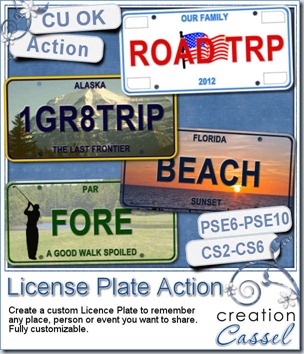
Cassel-LicensePlate-action

Today, i am making this action available to you. It is a first. I do not have a set schedule of how often Adobe-compatible products will be released in the store. When it happens, i will tell you in here, and in my newsletter.


This action will let you create a custom license plate that you can match to any kit, layout, theme that you want. Aren’t the samples in the preview lovely? Thanks to Michelle and Jenn for those! If you want to get this action, simply head over to my store HERE to buy it. Just like my regular PSP products, it is on sale for 25% off over the weekend, so hurry!

Get it HERE.


News from the Campus


CustomizingPSPDid you have a look at the latest workshop recording in the campus? It is about Customizing your PSP workspace. It is free to watch it, so go have a look over there.

Watch it


This weekend, we will also have a fun brand new activity. I am all excited about it and the more people join, the more fun it will be, and the more everyone will bring home afterward.

Because of the annoying “time zones issues”, there are 2 meetings planned, so it is more than likely that one of them will be accessible for you, in YOUR time zone.

Those meetings are called VIDEO SPEED SCRAP. It is probably not the best name for it, and it is surely going to change, but i didn’t find anything better for now. It will be a VIDEO meeting. Nothing to do with a webcam, so don’t worry about your hairdo or makeup. You can come in your pyjama if you want, nobody will see. The VIDEO part is about sharing your screen. As we meet and work (yes, YOU will work too), we will share screen of what everyone is doing. Sharing screen is NOT mandatory, if you prefer not to, but it will be available to all.

The VIDEO SPEED SCRAPS will take place on Sunday, July 22nd. (and they are NOT software specific so everyone can join in)

  • The first one is on ALPHA. We will be making MONOGRAMS based on one single kit that you will get to download just before the meeting. Everyone will work on different monograms, but using the same palette, the same theme and maybe the same base material, but i can promise you that everyone will be doing something VERY different! The meeting for the ALPHA will be at 10 am Eastern time zone. Register here.


  • The second one will be on TEMPLATES. We will all create a different template based on some identical elements, and some specific instructions. At the end, everyone will be able to get a set of templates from what each participant created. As you see, the more people who join, the more templates we’ll get. It is a bit like a template exchange, but with a twist. And again, we will allow everyone to share their screen during the meeting. This meeting will be held at 9 pm Eastern time zone. Register here.


Finally, as the month of July nears the end, our Anniversary celebration also will be closing soon. As a last offer to you, both the Basic Scrap course and the Element Creation tutorials course are currently on sale. This is a great offer, and it will last until July 31st. Check them out.

slashed79 for

$49

Basic Scrap Course       Element Creation Tutorials


See you in the Campus!

cass-LeatherTag

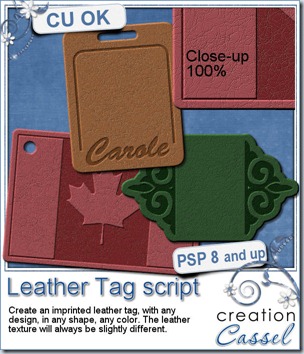
There is always a way to use a leather tag, whether it is attached to a key chain, as a label on a jeans pocket or a travel tag on a luggage. This script will let you create your own custom tags, of any shape, with any kind of imprint on it.

Write a name, a date, a place, an event. Make it into a frame. Attach it to a chain, a string or a ribbon. Make an alpha if you want.

The leather texture is not the same for every run of the script since there is a little random feature included in the code so even if you run the script twice on the same shape, using the same colors, you will not get exactly identical tags.

The possibilities are endless.

You can grab this script in my store at Creation Cassel.


As usual, there is a thread in the DST forum where you can add your name and be entered into a draw to win this script. Go check it out HERE and remember that if you want to take advantage of the weekend sale price ($4.50 until Sunday night), and you win the draw, then, you can win a coupon for a future release. So don’t delay.


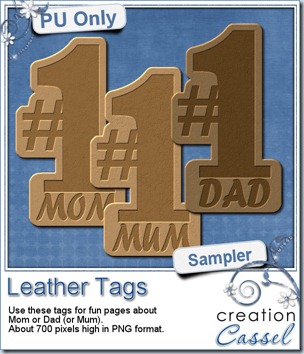
cass-LeatherTag-samples I am sure you want to have a look at these tags, before purchasing them, right? Of course. So i created a few free samples for you. You get 3 instead of 2 because i know that our UK friends are using a different spelling than the commonly seen “Mom”, so to give them an opportunity to use this freebie, i made one with “Mum” too.

This is a direct download so you can just click on the preview to start the download. No wait.


If you use this freebie in a layout, i would LOVE to see it, so don’t be shy. Show off your masterpiece!


News from the Campus

Ballon-300 We had a great participation in our Anniversary draw. Our winners are as follow:

1st prize: Eileen Deliot – the complete set of Workshops

2nd prize: Bernice Byrd – a copy of PSPX4 Ultimate

3rd prize: Joanne Bockelkamp – one course of her choice in the Campus

4th prize: Yobeth – $25 gift certificate from Persnickety Print

Congratulations to the winners!


Workshop-DVD-Case-BrushWork Did you think that the celebrations are done? No way. We also have also an Anniversary Workshop Bundle for you. This is perfect for you to learn a lot of tricks you can do with your photos, your scrapbook layouts, your card making projects. You might even find out some things you never knew Paintshop Pro could do!

- What is the Brush variances palette about and how can it make your life easier when using Brushes?

- how can you create your own seamless designs for scrapbook papers, cards, or even website background?

- What the big deal is about Picture tubes?

- How can you tame those wild Vectors?

- Can you change your wardrobe without a shopping trip? Sure! With the colorization tricks!

And much more! Check out the Anniversary Workshop Bundle and see how you can save almost 60% of the price AND you also get the convenience of a downloadable version if you want AND the detailed handouts you can print or read on your computer.

But you better hurry because the offer is only valid until July 10th!

Check out the Anniversary Workshop Bundle

NOW


And finally, it is time to register to our July Workshop on Customizing your PSP. It will take place this Sunday, July 8th, at 5pm Eastern time (GMT-5)