Newsletter
User comments
by Constance Contreras
Other
Categories
- ADSR5
- Blog Train
- Call
- Campus
- Challenges
- chat
- Contest
- Freebies
- Grab bag
- My products
- My stores
- New release
- News
- NSBD
- Presentation
- Promotion
- RAK
- Sales
- Tutorials
- Uncategorized
Archives
- May 2013
- April 2013
- March 2013
- February 2013
- January 2013
- December 2012
- November 2012
- October 2012
- September 2012
- August 2012
- July 2012
- June 2012
- May 2012
- April 2012
- March 2012
- February 2012
- January 2012
- December 2011
- November 2011
- October 2011
- September 2011
- August 2011
- July 2011
- June 2011
- May 2011
- April 2011
- March 2011
- February 2011
- January 2011
- December 2010
- November 2010
- October 2010
- September 2010
- August 2010
- July 2010
- June 2010
- May 2010
- April 2010
- March 2010
- February 2010
- January 2010
- December 2009
- November 2009
- October 2009
- September 2009
- August 2009
- July 2009
- June 2009
- May 2009
- April 2009
- March 2009
- February 2009
- January 2009
- December 2008
- November 2008
- October 2008
My stores
New Script Seamless Tiling
29th June 2012
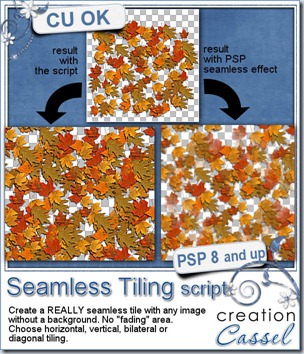
Do you sometimes want to create a seamless background out of a smaller element? Do you find yourself unhappy with the Seamless Tiling available in your program? That command creates a seamless effect by fading in the designs, on the edges or the corners. Yes, it is seamless, but it does not look realistic at all. This script creates a seamless tiling the same way you would do if you did it manually: by overlapping the design, instead of fading it in.
You possibly found out about this technique if you watched or attended the workshop on Seamless Designs, but although you knew how to do it, you still found it was tedious, and required precise calculations to make the end result REALLY seamless. That is why Suzy asked me to convert that technique into a script that would do the exact same steps, faster and more precisely.
Do you want to see a close comparison between the seamless effect and the script? Check this out:
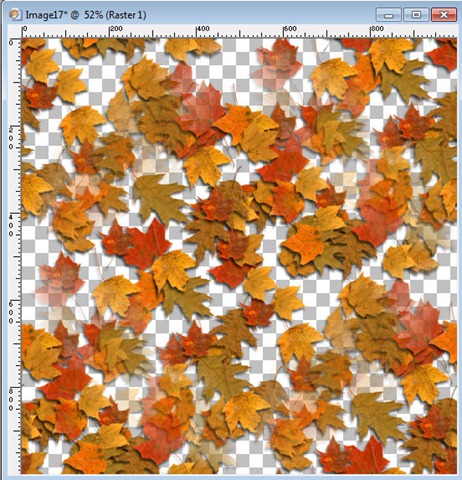
Seamless pattern made with the PSP effect Seamless pattern made with the script
Do you see those fading leaves on the left example? That is the way PSP creates the seamlessness while on the right example (done with the script), you really cannot see where the design starts or ends. Which one do you think would look better to create a background?
You can get this script in my store: Creation Cassel
You can also enter your name in the thread HERE for a chance to win this script. Don’t worry. If you bought the script to take advantage of the special weekend price, and you win the draw, you get a coupon for a future release. It has happened, and it gave a chance to someone to actually pick which new product they wanted! So hurry and post in this thread. I will be back on Monday with the name of a winner.
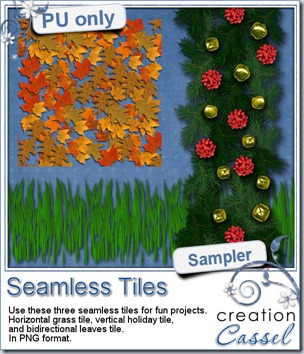
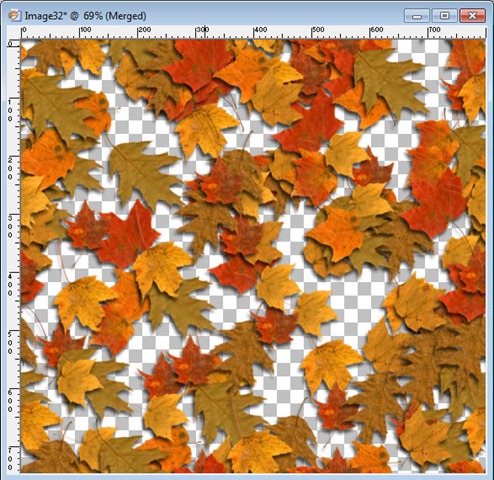
As a free sample, i chose to create three seamless tiles for you with the script. First, i used the Grass blades tube from PSP, and created a horizontal seamless tile. This would be great to add to any project with a nature or vacation theme. Second, i use a combination of spruce branches, bows and bells to make a vertical tile. You can use this tile to embellish some stationary or cards with a holiday theme (i know, it might be ahead of time, but you can start early). Then, i made a diagonally seamless tile with the fall leaves tubes from PSP too.
How will you use these samples? Show me!
Just click on the image to start the direct download.
News from the Campus
Almost $400 in prizes to be won in the Campus 1st anniversary promotion. You can enter just by posting in this thread HERE.
- no purchase necessary
- no registration necessary
- up to 4 entries per person
What are you waiting for?
The winners will be picked on July 4th, 2012.
>>>>>> Go Comment NOW <<<<<<
Our next workshop will be held on July 8th instead of July 1st, which would have been the regular first Sunday of the month. So it is giving you an extra week to register.
Customizing your PSP
- changing colors
- preferences
- toolbars and menus
- saving all that work
Remember, it is FREE to join and attend.

New Script – Colored Pebbles
22nd June 2012
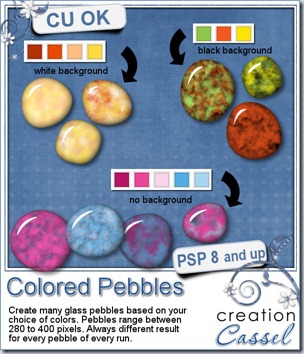
A couple of weeks ago, i released a script to create rock pebbles. During a recent shopping trip, i had noticed some colored glass pebbles and thought it would be great to simulate them digitally. And there it is.
This script will allow you to choose any base colors (from 1 to 6 colors), so you can have perfectly matching pebbles to use in a kit, on a layout or to around a particular photo. Choose a white or black background, or any other color. Even better, you can have translucent glass pebbles. How fun is that?
Each run of the script can generate up to 20 pebbles that will always be different since there is a random feature coded in several places in the script: so you get random shape, random color choice, random texture, even random brightness as the colors will be slightly modified, just to make everything perfectly… different!
What would you use these for? Just think of what you would use colored pebbles in real life. You can make a mosaic from them, you can scatter them around or make a border out of them, you can fill a glass jar, and more. If you are a PSP user, you can also combine them into a tube and “paint” with them.
This script is available in my store: Creation Cassel
And this week, although i have a regular RAK thread at DST, everyone will be a winner. Yes, you read correctly. EVERYONE who will post 2 colors they would like to see combined in glass pebbles, will get a set, even if they are not a PSP user (since they will be in PNG format). And of course, one winner will be drawn on Monday to win the script itself (among PSP users, or anyone willing to buy PSP). So check out the thread here, and add your color choices. Tell your friends about that draw since they will get something out of it anyways!!
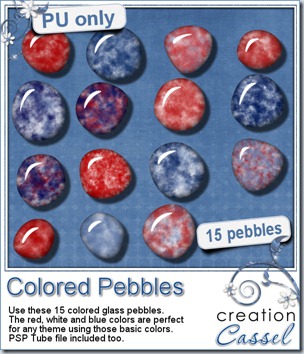
This week, i created a set of glass pebbles for you based on red, white and blue colors. I know the 4th of July is coming soon, and we also have our French scrapper friends celebrating their national day on July 14th using the same colors. Canada Day is on July 1st, and it uses red and white (you can drop the blue ones). Of course, you dont have to use those colors only for national holidays: many other themes or events can use those pebbles for embellishments, even if it is only for a basic kids layout!
Just click on the preview to start the direct download.
Although it is NOT a requirement, how about you tweet about it or post on your Facebook wall? Maybe some of your distant digiscrapper friends would like to see those?
If you tweet about it, add the @creationcassel tag to it, and if you post on Facebook, remember to tag me too. I am curious to know how many of you will do it! Com’on, just do it!
News from the Campus
You better stay tuned because all the details of the big Anniversary promotion will be posted soon. Register to our mailing list if you want to get everything before i post it on this blog, or on Facebook. The Newsletter will have all the details FIRST.
It is coming! SOOOOOOOOOOON
New script – Layered Text
14th June 2012
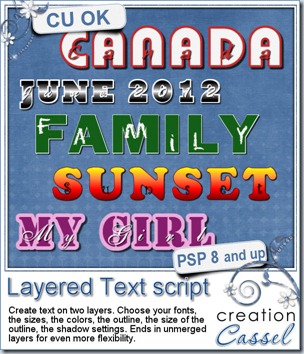
Some Paintshop Pro users like to make signatures tags, cards in addition to digital scrapbooking. This script was requested by Sarah who wanted to make those signature tags with two layers of letters, but found it was quite a task to do manually. So this is how this script came to be.
With this script, the most complicated task you will have to complete, is choosing the options! You can start with any text, but you have to choose the font, the size, the color, for both layers, then, you add an outline (you choose the size and the color) then, you can add shadows to YOUR liking. What is so tedious about this kind of text? Each letter has to be on a separate layer so you will end up with a ton of layers. What does the script do for you? It renames all the layers so you can easily find which layer you might want to edit, change, or move once you want to personalize it even more.
You can do a lot of creative work with this script: create a date, a title, add a name or a wish to a card, make a door sign, place cards, and much more!
You can get this script in my store on special this weekend: Creation Cassel.
As for every new release, i have a give away in the DST Happy Place section. Check this thread, and add your name to it. I will be back on Monday night with the name of a winner. It might just be you!
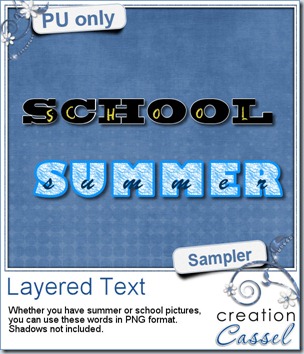
Did you want to use one of those layered words? Here is a free sample. Whether you have summer or winter photos, you probably have either a vacation photo or a school photo. Choose which one you want to use. These samplers are in png format (not layered) and the shadows are not included so you can add your own to match your project. Will you show me what you do with it?
Simply click on the preview to start the direct download.
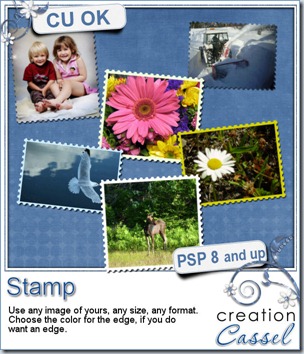
And by the way, did you notice the other ‘new’ script? In fact, it is a pretty old script, to create a postage stamp. It was among the first scripts i coded, and it was a challenging one. For some unknown reasons, i had it in my older stores but never had it in my personal store. Either that, or it vanished at one point or another. In any case, i decided to find the old copy, dust it and update it to the newer PSP versions. And it is now available in the store. Check it for yourself.
New script – Rocks and Pebbles
8th June 2012
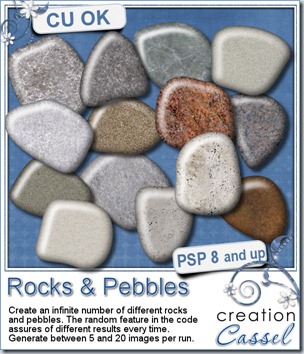
Sheila showed me a picture of pebbles and wanted to know if it was possible to create a script to make similar elements. This immediately challenged me into finding a way to recreate the random shapes for pebbles, since we all know that no two rocks are exactly the same. I didn’t want to use preset shapes, because i felt it would still be limiting, so i coded the script to create a random shape, by itself (you can see it run, right in front of your eyes!).
Although the zip file includes 15 rock textures that are used randomly, you also have the option to add your own patterns, and as many as you want too. Take photos of rocks in your own backyard and use them instead of the textures already listed in the script and you have the most custom rocks for your projects.
This script is among the easiest ones to run as you don’t have anything to do, other than tell it how many pebbles you want. The rest is absolutely automated from start to finish!
You can get this script in my store, Creation Cassel
And if you want to have a chance to win this script, head over to the Happy Place section of the DST forum and add your name to the thread here. I will be back on Monday with the name of a winner.
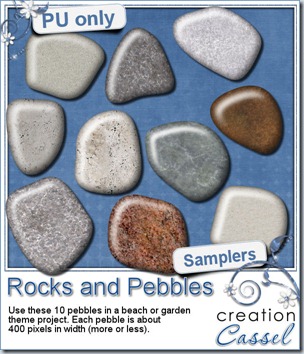
Do you want to play with these rocks? I have a set of 10 for you. They are obviously in png format, and about 400 pixels wide. They are small, but hey, they are pebbles after all! If you REALLY need larger ones, just let me know and i can see about editing the code of the script. In the mean time, have fun with these.
Simply click on the image to start the direct download.
News from the Campus
You have only a few days left to view the workshop on Brush Work in PSP. On Sunday, it will be removed from free access.
On Sunday, i am expecting to upload the edited version of the workshop on Picture tubes in PSP.
Were you attending the workshop last Sunday? Did you notice the “technical problem” that happened in the first 10 minutes when you had all the sound and no picture? I hope you didn’t leave because once the issue was noted, it was fixed and the workshop was great. But i know a few participants got a good laugh (i read the chat log afterward; it was hilarious!)
The Campus will soon celebrate the first year of the arrival of its first students. Several activities and promotions will take place. You want to see ALL of it, so get ready:
Join our mailing list to get all the details as soon as they are available.
Like our Fan page and follow our Twitter.
See you around the Campus! (and bring a friend along, it is even more fun!)
New font – Hinges for all
1st June 2012
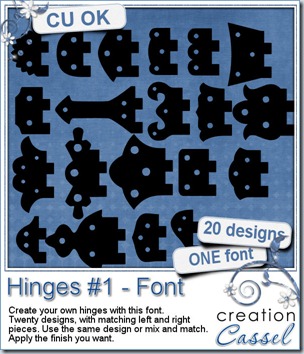
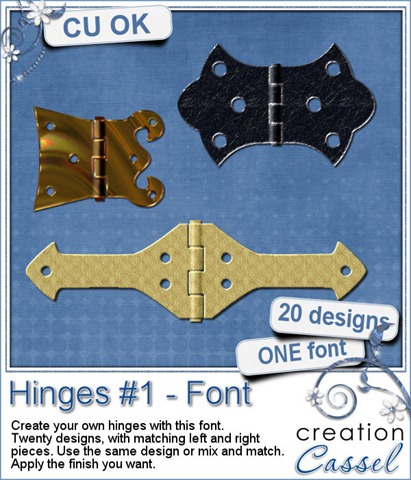
Who is the handiest person in the family? Do you have carpentry projects you want to create layouts about? Or maybe you want to attach two frames together? Now you can do just that with this FONT. Yes, it is a font and not just vector shapes. Why? Because fonts are not program specific so any program able to handle outside fonts can use these. Also, if you use the same font size, you can combine them to create asymmetrical hinges, and they will match perfectly. Another BIG advantage of fonts is that you can use them as large as your program can handle without any loss of quality. Add the color, texture, finish of your choice to match your kit, photo or layout.
With a little tweaking, you can also add that 3D effect that is typical of the central part of the hinge, where you add a “pin” to attach both sides.
Since you have 20 different designs, and you can mix and match them, it means you have up to 400 possible combinations. Look at these examples.
You can grab this FONT in my store: Creation Cassel.
And if you want a chance to win it, head over to the Happy Place in this thread, and add your name to it, telling me what you could use hinges for, in a kit or a layout. I will be back on Monday with the name of a winner. Remember that this font can be used by just about any graphic program, and if you purchase it while it is on sale this weekend, you can still participate in the draw: if you win, you would get a coupon for a future new release.
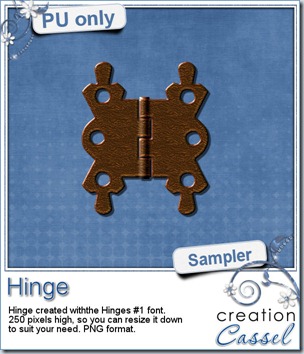
I am sure you would want to check it and play with one of those hinges so i made one just for you. It is a PNG format so you can use it in any program and it is pretty large. This should allow you to size it down to what you need. What will you do with it? Show us! Click on the preview to start the direct download.
News from the Campus
Did you register for our workshop on Picture tubes tomorrow? It is still time to do so. We’ll see what they are, how to use them and how to create them yourself.
.
Corel Paintshop Pro X4
Scrapbook Campus
.