Web
Analytics

New FONT – Banner Shapes

cass-BannerShapesA1

I always welcome suggestions for new products for digital scrappers (and other crafters alike). A few weeks ago, someone asked me if i could create a script to create some “standard” banners, a script that would allow her to have her choice of paper, and get each banner perfectly angled to match the string. I thought about it, starting planning all kinds of complex ways to calculate the perfect angle for a string (that would be provided by the user). It started spinning in my head and i didn’t think i could pull that one off within a reasonable timeframe. I decided to put that idea on the back burner until i either had a better idea, or a Eureka moment.

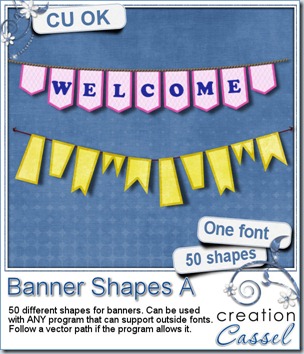
I am not sure what made it click i my mind that basically, what i wanted was a way to follow a path. Yes, a PATH. And what can follow a path? Text! That is when i remembered that i had done special fonts before, for stitching, edges, even ripped paper! From that point on, it was pretty straightforward. I just had to create different shapes and sizes (or length) for flags and make them into a font! And voilà! You now have the perfect way to create your own custom banner set from any color, paper, pattern. You can use only one design and repeat it, or combine two or three or more for an interesting combination. You have 50 shapes to play with. You can add letters to them, or designs, or just leave them as is. These banners can be created in most program that can use outside fonts, and if your program does text on path, you can do banner on string!

Another detail to remember about this font: it generates a VECTOR layer which means you can size the banners as big as you want, even if you want to use them in paper crafting!

You can grab this FONT in my store: Creation Cassel

Did you see the thread in the Happy Place where someone will get this font for free? Check it out HERE, and add your name to the thread. You might be the winner when i come back on Monday night.
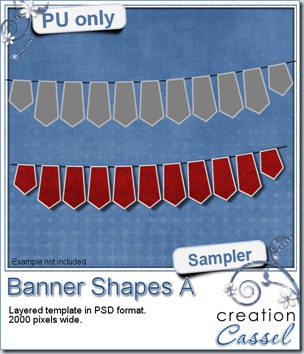
cass-BannerShapeA-sample I created a freebie for you this week using this font. I made it into a layered template so you could use any color or pattern you want, or even use a paper you like (or more than one!). You can use the banner shape with or without the outline, or you can play with the opacity of the banner while using an opaque outline. That would be a fun idea too! If you want to make them slightly uneven, as if the wind was at work, you might want to use a warp brush tool to “move” them a little!

You need to be logged in to download this sample. You can either login, or register on the top of this page.

And remember to show me what you do with it!


And do not forget to check out Facebook page where you can submit the name of one of my products that might go on sale for 24 hours during the next week. Some of you have been able to take advantage of those specials, so keep an eye on the prompt on Sunday. Watch for a post entitled “CHOOSE YOUR SALE”

facebook-logo

Click here to go LIKE that page!
New script – Layout to Desktop

cass-LayoutToDesktop

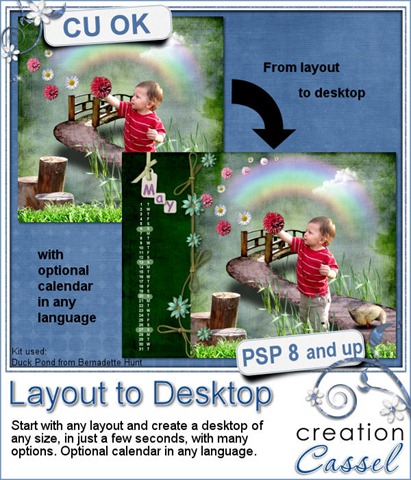
How often did you want to use a layout as a desktop? Of course, the sizes do not match, nor the format. This script will use any layout you have and adjust it for any size desktop you want to create. You will get many options to fill in the empty space with colors or papers from the same kit. You can also add a vertical calendar if you want, and best of all, in ANY language! So if you want to create a nice desktop for Aunt Blanche who lives in France or Uncle Jen who lives in Germany, you can make it in their language (as long as YOU can type in the days of the week in that language!).

You can also start with a QP and make a QP desktop. This is a perfect tool to create monthly freebie for your customers, or participation prizes for challenges.

You can find this super cool script in my store: Creation Cassel

As usual, you can add your name to a draw to win this script. The thread to add your name is HERE in the Happy Place. Tell me if you ever did make a desktop out of a layout and i will be back on Monday with the name of a winner.

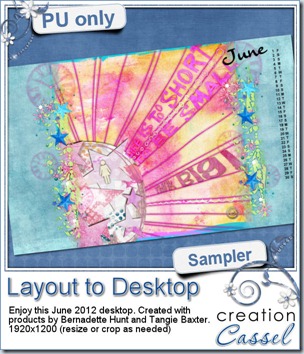
cass-LayoutToDesktop-sample Usually, i create a sampler with the newly released script, but this week, it will be a little different. In fact, Bernadette was “playing” with this script to test some details of it, and ended up creating a desktop and she allowed me to share it with you.

This desktop was created using products from Bernadette Hunt and Tangie Baxter.

You need to be logged in to download this sample. You can either login, or register on the top of this page.


iNSD one week later

LateISBD

Did you enjoy a lot of good sales last week? Did you grab a lot of freebies? Do you want to create wonderful layouts with those newly acquired supplies, but want to make it a little bit more “yours”? Are you still missing some elements and want to create them?

This is perfect.

In the Scrapbook Campus, we have a special “late iNSD promotion”, where you can save $30 on the 6 months membership to the Element Creation Tutorials section.

Your registration will grant you immediate access to 40+ tutorials. Which tutorials are they? Check this list:


Paper Creation

  • Plaid (1)
  • Plaid (2)
  • Polka-dot
  • Gingham
  • Eyelet Fabric

Paper Use

  • Folded corner
  • Decorative Border
  • Decorative Border (2)

Tags and Journaling

  • Bar Code
  • Ticket
  • Leather Tag

Frames

  • Ribbon Frame
  • Postage Stamp

Text and Titles

  • Dymo tape
  • Wet Paint

Fasteners

  • Zipper
  • Scotch Tape
  • Wax Seal
  • Elastic
  • Bobby Pins

Photo Use

  • Simple Photo Border
  • Irregular Photo Border
  • Curved Photo
  • Folded Photo
  • Aged Photo

Edges

  • Frayed Edge
  • Worn Edge

Ribbons and Bows

  • Twill
  • RicRac
  • Bows
  • Nylon Strap
  • Tulle Lace

Textures

  • Sand
  • Denim
  • Felt
  • Quilting
  • Knitting
  • Wrinkled
  • Worn Edge

Miscellaneous

  • Metallic Elements
  • Braid
  • Sticker
  • Wool
  • Glitters
  • Feather

And there is one new tutorial EVERY WEEK!


This promotion is ONLY FOR 2 DAYS.

May 12th-13th ONLY

RegisterNow-01-200

New script – Photo Splitter

cass-PhotoSplitter

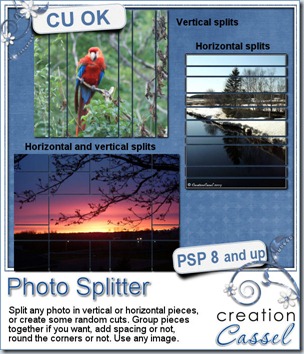
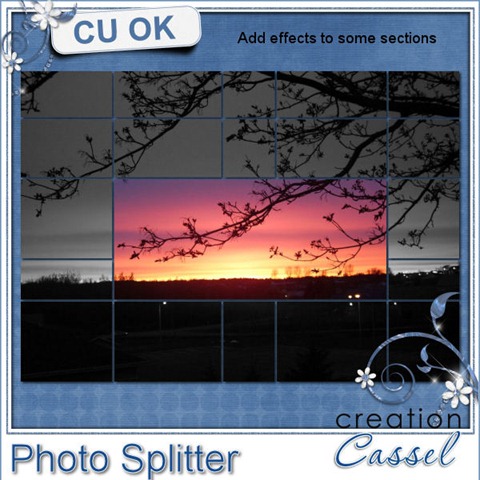
A while ago, i saw a nice layout where a single photo was displayed in three sections. I remember, in the past, trying to find templates that i could use to do something similar but always seemed to end up with a template where the splits were in very annoying spots, like across a face. So that is what led to the creation of this script. You get many options to choose from and the flexibility to customize what the script gives you. You can have horizontal or vertical splits only, or get them in both directions for smaller areas. You can choose to have the pieces with some space in between and even choose how much. You can have square or rounded corners. You can also have the splits evenly distributed or randomly created.

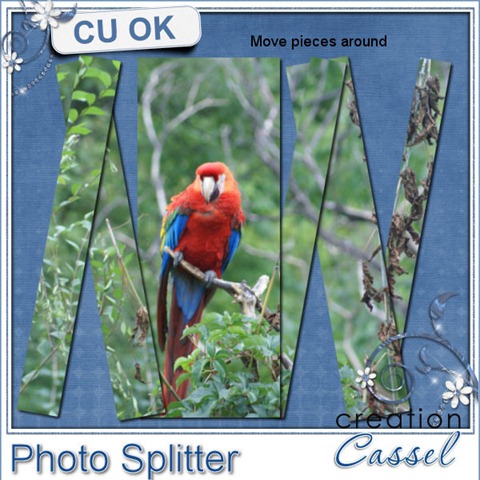
Once the script creates the “grid”, you have the additional option to group some pieces to make sure no face is cut in half or that the focus of the photo is really, the focus. But that is not all. All the pieces will end up on a separate layer so you can further customize the result, by adding effects to some pieces, by moving them, rotating them, even deleting them (in case you want to get rid of Uncle Tom!). See some samples of additional effect you can get with this script:

cass-PhotoSplitter2 cass-PhotoSplitter3


You can grab this script in my store: Creation Cassel

And of course, there is always a chance for you to win this script. Add your name to this thread in the Happy Place and i will be back on Monday night with the name of a lucky winner.

cass-PhotoSplitter-sample

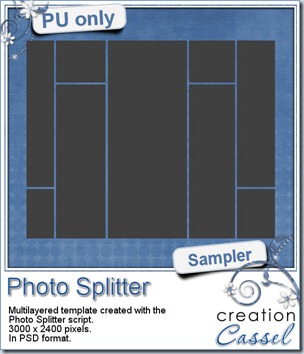
As usual, i have a freebie for you. Since this script runs on an image, i could not run it for you, but i used a blank grey image and created this template for you. It is 3000 x 2400 pixels, so you can resize it to match your own photo. You can use it vertically or horizontally. Each piece is on a separate layer and the whole template is in PSD format. Show me how you will be using it creatively!

You need to be logged in to download this sample. You can either login, or register on the top of this page.


New script – Overlapped

cass-Overlapped

Do you like to have slightly uneven text for titles or wordart? Do you hate the tedious process to realize it? Of course, your graphic program is made to have nicely even characters in a word, so you have to take extra steps: have each letter on its own layer, choose a single font for each letter, choose the color, and move somehow, and repeat for each letter (might be ok for a short word but if it is long, it is tedious). This script for Paintshop Pro will do all the process for you, with a randomness that will be cool in the end. If you don’t like the actual way the letters are, you can change them around since each letter is on a separate layer. And if you don’t like the colors, or the font used, it just takes a few seconds to redo it. Trust me, i have done it a few times!

Are you on the lookout for an original way to show a date? A place? A name? or a full title? This will be perfect for you. You can use the same script in so many ways, with so many options that it will look like you did it all by hand, one word at the time (shh… we won’t tell! you used a script).

If you are a designer, this will be a great way to add a few themed words to your kit, in the matching colors from your palette.

You can find this script in my store: Creation Cassel

I know that some scrappers already bought this script, but whether you bought it or not, you can still go and add your name to the RAK thread in the DST forum HERE for a chance to win this script. If you already purchased it, you would just get a coupon for a future new release. Go post before Monday night!

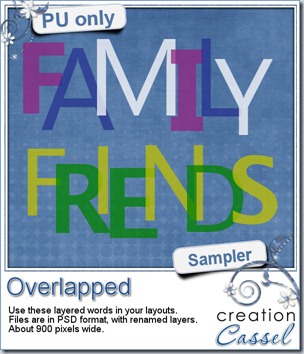
cass-Overlapped Time for a freebie! Here is a sample of two words that might be common enough in layouts. I am sure you have photos of friends or family so there HAS to be a layout where you can use one of these two words. These were made using the script, with two or three colors. They are in PSD format, with each letter being separate. If you want to the letters around, you can do it. If you want to replace a letter with an element, you can do so too.

You need to be logged in to download this sample. You can either login, or register on the top of this page.

I am sure you will use these in a layout, so why not share how you use it? I can post the layout in here and in my newsletter (or even in the product description, who knows?)


April promotion

I think a lot of you had fun shopping in April during our Built your Discount promotion. Of course, you were more numerous than i could count, on my birthday! Thanks for the wishes. By now, i have emailed everyone who made at least $10 purchase during the whole month. This discount coupon is valid for ONE purchase, but it can be as big a purchase as you want. Plan wisely, and use it before the end of May. Fill your wishlist; it might help!

If you didn’t get an email from me with your coupon and you think you should have had one, check your spam folder (sometimes they eat the good stuff), and if you still cannot find it, just let me know and i’ll look into it.