Web
Analytics

New script – Quick Page Photo Cutout

cass-QPPhotoCutter

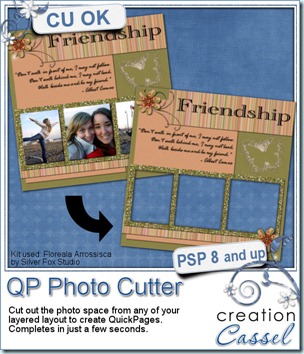
Cut out your photos from layered projects and create quick pages in just a few seconds. I know, cutting out those shape is not that hard, but it can be long if you have many many layers to cut through. The script will cut all the layers below the image, but will leave the ones on top intact. This will allow you to have any decorative element covering the edges or the corners of the photos.

Run the script for every photo you have to cut. It is that simple! It will take less than 10 seconds per photo, i promise!

Do you have CT members who make gorgeous layouts? Do you want to turn those fantastic pages into QP for your newsletter subscribers, Facebook fan freebies, blog freebies, etc.

You can get this script in my store: Creation Cassel.

As usual, there is a chance to win this script if you answer the question in the thread in the Happy Place. Checkthis thread and a winner will be announced on Monday night.

cass-QPPhotoCutout-sample To create the preview, i used a layout made with the kit Floreala Arrossisca by Silver Fox Studio. With her permission, i am making the full size QP available to you. It is a very simple design because it is also the Project #3 in the Beginner Scrap section of the Scrapbook Campus.

Unlike most of my freebies, this one is a larger file so be patient.

You need to be logged in to download this sample. You can either login, or register on the top of this page.


News from the Campus


Did you register for our next webinar yet? It will be held on Sunday February 5th, at 5pm Eastern time. We will look at using Layered templates with Paintshop Pro. Register below.

 

button-register-150

I will have the pleasure to use some really fun templates from different designers. And those designers have also agreed to let YOU have some goodies, so you don’t want to miss that. We will be looking at the common layout templates, but also some element templates, some paper templates, and even another type of templates that i will keep secret. You will have to be there to see!


February is coming, and it means there will be a special promotion. What is it about? I will only give you a single word hint: FRIEND. You will have to wait until next week to find out the whole details about it. You can also subscribe to the mailing list if you want to learn as soon as it comes up (I know you want to be first to know, don’t you?).

 

button-yellow-subscribe


New script – Beads

cass-Beads

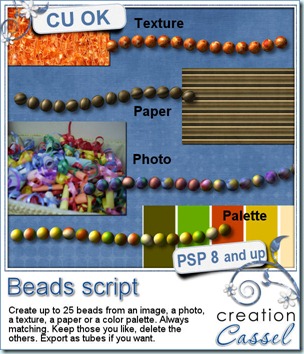
Do you sometimes wish you could have more beads to add to your projects? Maybe you have one or two but you want to have more and you cannot find any more? This script will let you create an infinity of beads based on anything you want. You can start the script with a photo, a paper, a texture, or simply a color palette (with up to 6 colors).  The script will generate up to 25 different beads from that source. And yes, they will be different because of the random feature integrated in the script. The part of the image used will be different every time. You can also choose to have the definite pattern of a paper or a photo show on the bead, or have the colors more blended together for a softer look. And even if you run the script with the same source, and the same settings, you will never get the same result twice. Talk about having resources!

Once the beads are generated, you can delete those you dont want, save the ones you like (and if you have PSP9, you can even export them as a tube with the Auto-Tuber script that is included) so you can place them along a vector path or draw with them.

You can get this creative script in my store: Creation Cassel .

And why not try to win it. I have a draw in the Happy Place of the DST forum. Just check this thread and add your name to it. Everyone will get something, even if you are not a PSP user so do not hesitate.

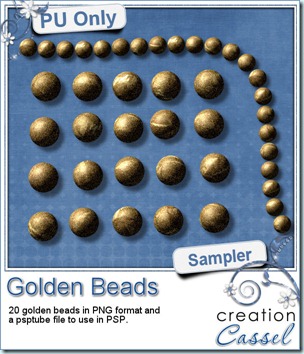
cass-Beads-Gold-Samples How about a little Freebie now? I created these TWENTY beads for you. They are all in PNG format for all to use, but there is also a psptube file for Paintshop Pro users so they can “draw” with it.

You need to be logged in to download this sample. You can either login, or register on the top of this page.

Each bead is 60 pixels wide and you can resize them down. With 20 different beads, it will surely look more “realistic” than the exact same bead repeated over and over again. Place them in the center for a flower, along the edge of a frame, in line to make some kind of “string”. What else could you do with that?


News from the Campus


SeamlessDesign

The recording for the “Seamless Design in Paintshop Pro” webinar is now uploaded in the Campus. You can find it in the Webinars section. The written handout should be available soon.

Our next webinar will be held on Sunday February 5th, at 5pm Eastern time. We will look at using Layered templates with Paintshop Pro. Register below.


button-register-150

Since we have had several registrants in the past who got confused with the time of the presentation (due to the wide time zone differences), please check with this Time Zone Converter to figure out the time for YOUR zone. You can also follow the Campus on Twitter. I will make sure to tweet a countdown, like an hour before, 30 minutes before and so on. That way, it might help you pinpoint the actual time of the start of the presentation.


Twitter_logo2

I know it is frustrating when one arrives one hour too late! We definitely don’t want you to miss it.

New script – Embossing Tape

cass-EmbossingTape

Are you old enough to remember those embossed plastic tapes commonly called Dymo Tapes? I used to use those on my covered books in school. I have also seen them used in storage, for inventories, on shelves, etc.

You can create your own with this script. Any text, any color for the tape, and even any font you want. And if you want it a little more realistic, you can get the characters slightly off-line.

You can get this script in either one of my store: Creation Cassel .

There is also a thread at DST forum where you can add your name (and answer the little question) for a chance to win it. Go right away and I’ll draw for a winner on Monday night.


cass-EmbossingTape-samples I am sure you wanted a freebie, right? You will be able to see a full size of three embossed tapes you can use on your layouts. What kind of layout will you do with that?

You need to be logged in to download this sample. You can either login, or register on the top of this page.


News from the Campus


Last week, we had the live presentation on Seamless Tiling with Paintshop Pro. Did you attend? We looked at ways to create a seamless design, either from a paper, from a png element, or even from a photo. If not, the recording should be up on the Campus this weekend, so keep an eye on it. Next webinar is expected to be on Sunday, February 5th, 2012. Do you have some topics you would like to see presented? Just email us.


The last tutorial that was added was the Zipper. We had one student who took that tutorial and made something so realistic that, at first, i thought it was a scanned zipper. See for yourself.

pn685-zippertut


See you around in the Campus.

New script – Embossed

cass-Embossed

Although there is an Embossing effect in PSP, i always felt it was not right. First off, it has light coming from a different angle from what i use and it usually was too bold so i decided to create a script to make different types of embossing.

This script will start with any design, pattern, image or text (choose black for best result). Then, simply run the script. Whether you have a paper beneath or not, it will not matter as the script will create an embossed “layer” that is separate from the paper, meaning you can modify it afterward, or even save it and use it on a different paper. How neat is that? You can use it for embossing a whole paper, a border, a tag, a strip of paper, etc.

In addition, the script offers you 3 types of embossing, from the bold one to the delicate one.

You can get this script in my store: Creation Cassel .

And of course, you have a chance to win this script in the Happy Place of the DST forum. Check out this thread where you can give me ideas on how embossing could be used in digital scrapbooking. Can you think of something innovative?

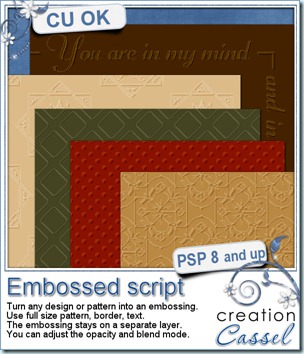
cass-Embossed-Samples And what about a little sampler of an embossed layer? Here are two samples. They will fit a photo or a mat about 7 x 5 inches. They are in PNG format, so you can use them in just about any graphic programs. And you can adjust them, blend them with a paper of a different color,  resize them, etc.

You need to be logged in to download this sample. You can either login, or register on the top of this page.


**********************


This week, i received a very nice email from Linda who had just purchased the ClipToIt script (released last week). She sent me a sample of her work (but i cannot share it here because we don’t have the credits). Here is her email:

Hi Cassel - I attached a template that I have never been able to use correctly until your new script "Clip To It",  and my layout includes the bright yellow glow under the template using your Colored Edge Script and the blue tab is from your felt presets -

You have made scrapbooking so enjoyable - I just can't tell you enough how much I enjoy all your tools.


News from the Campus


I hope you had a great start of 2012. Some of you did take advantage of our Ready Set Go promotion for January and are now enjoying one of the two courses of the Campus. Glad to see you on board.


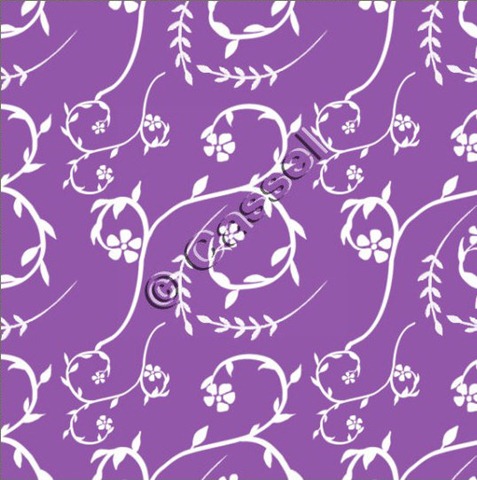
This Sunday, we will have our live presentation on Seamless patterns. Although there is a “tiling” effect in PSP, there are times when that effect does not do what you really want. Here is a section made seamless, and from scratch.

Seamless-Cassel

Date: January 8th, 2012

Time: 5PM Eastern time (GMT-5)

(notice that it is 2 hours later than usual;

hopefully our Australian colleagues will be able to attend)

Click this button to register and be sent reminders by email


Are you doing a Project 365 (or 366) this year? Do you want to know a little bit more about it? Check out last week’s article in the Campus Scrapping in the New Year – Project 365. There should be another article this weekend, along with a list of resources for you if you decide to take on that project. Are you starting one?