Web
Analytics

New script – Clip To It (and another script)

cass-ClipToIt

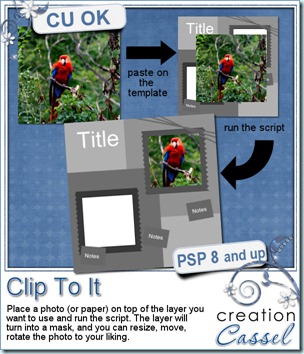
If you have lots of photos you want to use in your scrapping, you will definitely love this script, as it will save you a TON of time. Usually, if you are using a template, you have to place the photo on your work, resize, move and rotate the photo approximately to match the space you want to use in the template. You might play with the opacity to give you an idea of how to center Aunt Lucy’s face in the space, and then, you have to select, change layer, trim, and maybe you end up not happy with the result. Did that ever happen to you? This script will save you all that trouble. Once you add the photo on the template, run the script and magically, the template layer changes to a mask layer, and the photo gets slipped underneath, so you can actually SEE through the mask. Not only that, but you can still move, resize, rotate the image while you clearly see what it will look like. No more guessing, no more undoing. And once you are happy with the result, simply merge the group and that is it!

If you are using PSP9 or above, you can even bind this script so the whole process will be literally ONE CLICK. What do you think of that?? You can grab this script in my store: Creation Cassel .

If you want a chance to win this script, go add your name to this thread in the Happy Place and tell me what is your biggest challenge when using templates for layouts. I will be back on Monday with the name of a winner.
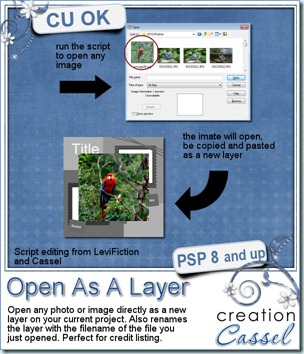
cass-OpenAsLayer Last week, i was discussing with another PSP user, who can code scripts. He showed me that he had tweaked and combined a couple of scripts from Corel so that you can open an image (or photo, element or paper), copy it, paste it as a new layer on your project, and close the initial file, all that in one run of a script. I thought it was a super idea. I then decided to tweak it myself too, so that the new layer will be renamed according to the filename of the image that was opened. And again, if you bind the script, you can do that as easily as choosing Open… command. Since this is NOT my script, i asked LeviFiction for the permission to distribute it in my store (until he has his own site up and running). Can you imagine the time you will save using this FREE script (calledOpenAsLayer) and theClipToIt script? You can create layouts using templates in a fraction of the time it would take you to do it the usual way.

But that is not all. Remember when you wanted to take note of all the products you used to list the credits? I have a script called Credit List Compilation. It will assume that you renamed all the layers according to the element you used. And it assumed that you did that manually. Now, you don’t have to do anything manually as this script will just do that for you! WOW!!!!

This script is only available in my personal store: Creation Cassel.
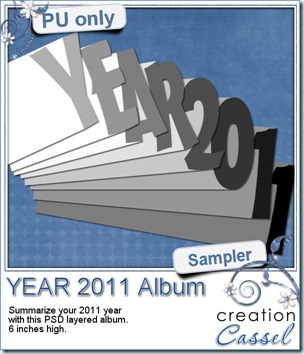
cass-WordAlbum-2011 I am sure some non-PSP users are anxious to grab a free sample from here, and the free script is really no use for them, so i decided, since it is the end of the 2011 year, that you might want to create another album to combine some photos from this last year. I had a similar album last year and i have to say that it was very popular!

You need to be logged in to download this sample. You can either login, or register on the top of this page.

I didn’t set up a pay-with-a-tweet or such, but i sure would appreciate it if you did tweet or post on FB about this.

Why not make a summary of your kids’ year, and repeat the same tradition every year. Imagine the nice collection they will have in the future!


News from the Campus

 

2012

Did you take lots of pictures during the holiday season? Do you plan on making lots of layouts in 2012? Do you want to start digital scrapbooking with PSP? or maybe, in 2012, you want to start creating some elements yourself, or at least add a little touch of YOURSELF instead of only relying on the kits made by others? You are in luck. If you keep an eye on the Campus, you will hear of a special promotion that will start on January 1st. Don’t blink because this promotion will ONLY last for 5 days (from January 1st to 5th). You will have a special price for the Basic Scrap course, and a special price for the Element Creation tutorials section.

TopSecret

Do you wonder what you can find in the Element Creation Tutorials? Keep your eyes open as there will be a super special secret sneak peak (that is a tongue twister, isn’t it?). What will it be? Well, if i told you, it would not be a secret, would it? So you will have to keep checking the Campus pages or even better, join the mailing list so you can get the news as soon as it is out!

 

button-yellow-subscribe

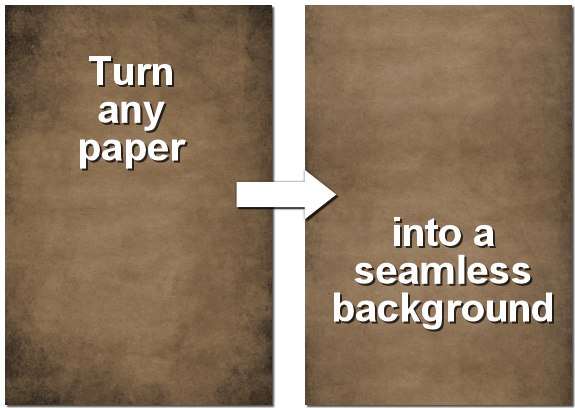
The next webinar will be held on January 8th, but this time, it will be 2 hours later than usual. Why? so we can offer a more reasonable time to our Aussie friends. I hope they will be able to make it. This month, we will look at different ways to create seamless designs, whether you want to use a particular paper or image on your blog and make it seamless as you scroll down, or if you want to create a paper pattern from scratch (and there is more to come too).
Seamless

Register now so you can get reminders ahead of time.

New script – Subway Art

cass-SubwayArt

Did you ever see those posters or other types of wordart using that kind of varied fonts and even width? Did you ever try to do it yourself? It is fairly easy, but tedious. And choosing random fonts yourself is never that simple. So this script will help you do it in just a few seconds. Once the script is edited to include the fonts YOU have on your computer, you simply have to type in your text, run the script and follow the prompts.

You can include ANY font you have on your computer, and once you have edited the script with them, you don’t have to do it again. You can list as many fonts as you want, and the script will randomly pick them for you. This also means that you can run the script 10 times, and get 10 different results.

Then, you can choose any solid color, gradient, or pattern or any combination of the three. Try with a single gradient, or two opposite ones, or combine a gradient with a matching or contrasting solid color. Just about anything goes. And once the script is done, you have UNMERGED vector layers. That means that you have all the liberty to do any type of edition, whether it is changing a color, changing a font, changing the text or even resizing the text to insert different elements to the design.

You can get this script in either of my store: Creation Cassel .

And this week, there is a RAK thread in the Happy Place, but there is a difference: EVERYONE who will post in the thread with a phrase about Christmas will get a present, whether you are a PSP user or not, so don’t be shy. Go post and add your name.

cass-SubwayArt-sample-Christmas As a sample, this week, i will give you this Merry Christmas wordart where i picked various ways to say “Merry Christmas” in different languages and ran the script on it (i do not know all those languages, so i relied on Google to help me; i hope there is not mistake).

You need to be logged in to download this sample. You can either login, or register on the top of this page.

This is a PNG format, 3600 pixels high. You can resize it to make a Christmas bookmark, or “stamp” it on the edge of a holiday layout. Your choice.


News from the Campus


Last week, we added the simple polka dot tutorial, but although it is a simple one, it is also very versatile as you can do more than dots!

Polkadot

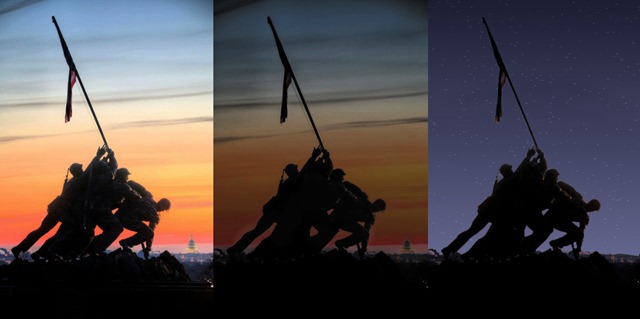
Did you have a chance to view the recording of the webinar on details added to a night time photo? Some of the participants seemed to have enjoyed it a LOT. See what Misty did following that webinar.

Misty-1

What do you think? Isn’t this great? You can view the recording in this section, HERE. What would you like to see as our January webinar? I have a couple of ideas, but i would like it to be what YOU want to see. Just let us know.

See you in the Campus.

New script – Word Edge Half Cut

cass-WordEdgeHalfCut

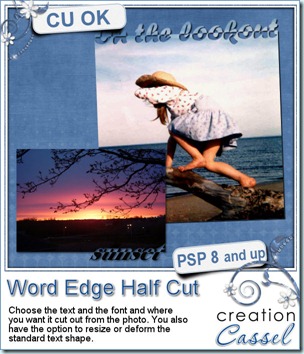
Although you might be able to cut out text along the edge of your photos, the script will make the whole process much faster, easier and more accurate every time. And you have so many options to choose from that you can run the script many, many times and get different result every time. You get to choose the text, the font, the edge to cut from, the alignment, and you even have the option to rotate, change size, skew, stretch the text to your liking.

You can run this script directly on your photo and the script will automatically create a duplicate so the initial photo will be left totally intact. You can also run the script on a paper to create a journaling mat, or turn this into a frame. This might be especially good if you have a photo where no edge can really be cut out from.

You can grab this script in my store: Creation Cassel .

And if you want a chance to win this script, check out this thread in the Happy Place and add your name to it, giving me suggestions on what set of words you can envision for a template pack.

cass-WordEdgeHalfCut-samples Of course, you surely will want to see the end result up close. So i made these 2 templates. Use them to trim a photo, or to journal about this year, or to frame fun photos.

You need to be logged in to download this sample. You can either login, or register on the top of this page.

And if you use those for a project of yours, i would LOVE to see it. Who knows? It might get displayed in this blog or in my newsletter.


Although i am not using the Pay-with-a-Tweet, i would really appreciate it if you did tweet about it anyways!


News from the Campus


Before you forget, there are still places available for our webinar on Details in the night, which is a repeat of last week. This time, i hope the schedule will allow our Aussie friends to attend (other people around their time zone are also invited!). It will take place Saturday, Dec 10th at 10h45PM Eastern time.

Register HERE

(it is FREE)

Check what we’ll show:

Sky-before-after

Subject-before-After

Windows-before-after

Christmas-before-after

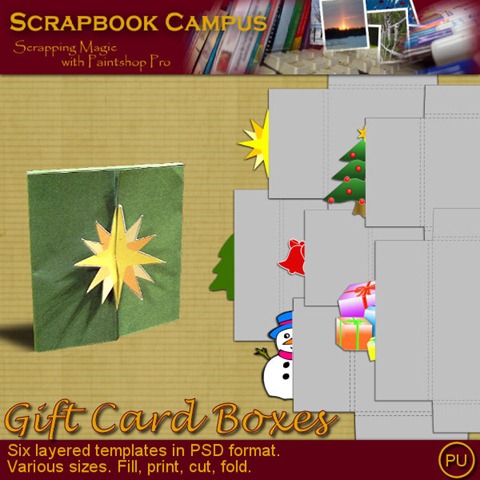
Free Products: for everyone visiting the Campus, you can grab this Gift Card Wrap box and if you are registered, you can also download the set of 6 templates that you can customize as you wish.

cass-GiftCardBox-Poinsettia  cass-GiftCardBox-Set1

As we are already planning for more webinars for 2012, what would you like to see? Post a comment with your suggestions.


This week, a new student registered to theElement Creation tutorials section and here is what she posted in her intro, the very  first day:

I found out about this through the DST forums. I am looking forward to trying these out during the Christmas break. I do not usually like video instructions, but i must say yours are nice, clear and easy to watch. love being able to download the instructions - nothing better than having a prompt sitting next to you as you go! - Marion

New script – Gift Card Box

cass-GiftCardBox

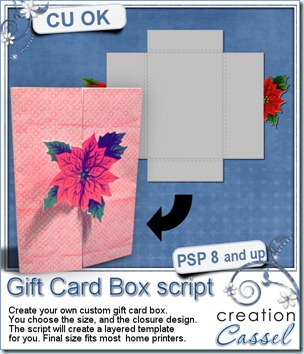
Last week, i downloaded a box template from one of those craft sites, and i printed it out, cut the piece and folded it. I realized that although it was a nice box, it would not fit something i had on my desk: a gift card. So that got me thinking that i would need a different format. And while checking out the measurements, i also noticed that all gift cards were not the same size so why not make a script that would take the needed dimensions and create the template of the correct size. Then, why not add a fun closure but something for the user to choose: ANY design! And that is how this script came to be. For this holiday season, you can create a seasonal design, use your favorite papers, and have fun. Since the script is totally customizable, you can decorate the box to your liking with whatever digital supplies you have and even with paper scrapping supplies. Add glitters, stamps, inking, alphas, anything you have on hand. Use a simple closure design, like a heart or a diamond, or something more intricate, like a  detailed flower. It is your choice. The script will create a template in three layers: the outline that you can use on the reverse of patterned papers, the shape template that you can use to fill with your digital papers, and the closure in case you want to cut it separately to glue on your patterned paper. You can print one or all the layers. The maximum size will fit a printing area of 8 x 10 inches, so it should allow you to print right at home!

You can grab this script and make many different gift boxes, in my store: Creation Cassel .

cass-GiftCardBox-sampleAnd how about a chance to win it? There is a thread in the DST forum where you can tell me how you wrap gift cards. I will come back on Monday night with a winner.

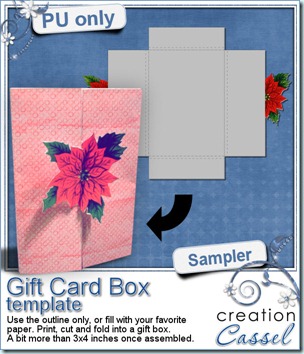
And of course, i am sure you would love to get your hand on this poinsettia gift card box. It is a layered template in PSD format so you can use it in just about any program.

You need to be logged in to download this sample. You can either login, or register on the top of this page.

News from the Campus


COREL PROMOTION - Did you take advantage of the super duper Black Friday/Cyber Monday price for the PSP X4? I hope so. If not, all is not lost as it is still somewhat on special, but not as low. Right now, you can get it at $59.99 instead of $79.99 (and free ground shipping).

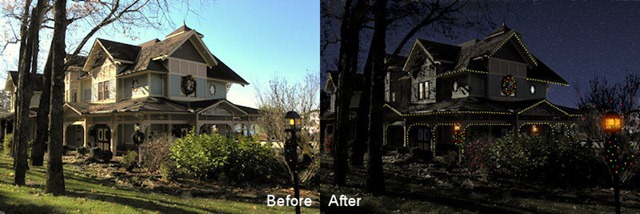
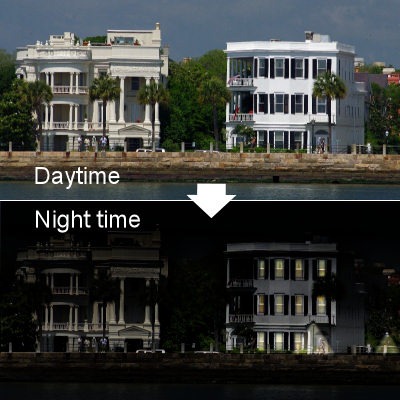
WEBINAR - This Sunday, December 4th, at 3pm Eastern time, we’ll have a follow-up on last month’s webinar. This time, we’ll look at additional details in a “day converted to night” photo.

  • Add lit windows
  • Add street lighting
  • Add holiday lights
  • Emphasize a subject in the night


DetailsInTheNight Original photo from Vicki (TravlynWomyn)

If you have photos you would like me to use, you can email me with a link to your photo (you can upload them on Photobucket, or somewhere else). Sending me a link instead of the actual photos will make it lighter in a message! This previous example is using a photo from Vicki. Come on, you have less than 2 days to register (and if there are enough people requesting this webinar who cannot attend due to time zone or others, i would consider repeating it, but you HAVE to register first).

FREE PRODUCTS - Did you like the free Gift Card Box template from above? In the Campus, there will be a set of SIX templates for you to grab.

cass-GiftCardBox-Set1

They will be uploaded this weekend so come back to the Campus (in the Free products section).

See you around.