cass-RibbonTagBorder

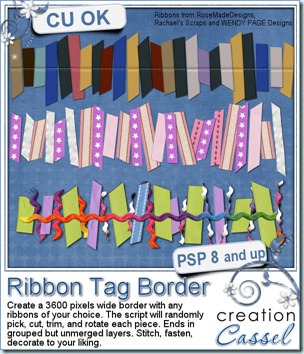
Placing one or two ribbons on a layout is pretty easy. Cutting a dozen pieces of ribbons to place on a layout or to create a cluster is starting to be a bit more tedious. But how about doing the same thing with 35 pieces? That is getting long, and possibly a task you wont even want to consider. But with this script, you will be able to do that, in less than ONE MINUTE. Oh yes, it might even take you as little as 30 seconds (although you might take longer to just pick and choose with ribbons to use for the script!). So, now that you have Paintshop Pro, you can save a LOT of time with this script. You can use ANY ribbon you have in your stash. You will not be limited to choosing the colors to create individual ribbons that will always look the same. Use your grosgrain ribbon, your ricrac ribbon, your lace ribbon, your organza ribbon, your twill ribbon. Anything can be used. The script will do the trimming and all that, but the best is that it will work “randomly”, choosing the ribbons, cutting and trimming, pasting and rotating the pieces all differently from one run to the other. So you will NEVER get the exact same result twice. NEVER.

If you like the look of a bunch of little pieces of ribbons stitched, staples, or glued to a page, this is perfect. If you like the look of little pieces of ribbons peaking out of a paper, a frame, or an image, this is also perfect. And if, in the end, you don’t like the ribbons all lined up, but would love to have a bunch of little pieces to play with, to twist, to make into clusters, that is fine too because all the pieces are left on separate layers so you can play with them all night if you want!

You can find this time saving script in my store: Creation Cassel.

But as usual, i also have a giveaway in the DST forum. You can check outthis thread and add your name with an idea on how you would use this script if you won it (or if you choose to buy it). I will be back on Monday with the name of a winner.
cass-RibbonTagBorder-sampler01

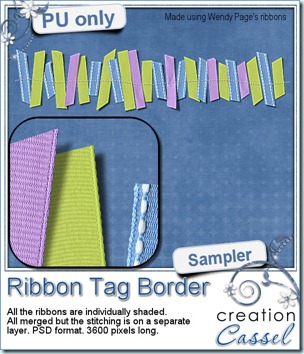
I know, you are waiting for your free sample, right? I created this 3600 pixels wide border using some of Wendy Page’s ribbons. I only chose 3 of them, ran the script, added the shadows on separate layers (the script prompted me to), but then, I added a stitching and played with the separate shadows to make this border more “alive” with some ribbons being lifted off the stitching. The whole set of ribbons is on ONE layer and the stitching is on a separate one. Maybe you will want to add your own stitching? or some staples? or other fasteners? If so, just use the stitching line as a guide and then hide it or delete it.

You can get this freebie simply by clicking on the preview. This week, no Pay-with-a-Tweet, but of course, you are more than allowed to tweet or post about it on Facebook. I would always appreciate the visibility, especially if some of your friends are using PSP (or considering using it) and don’t know my store and my products!


News from the Scrapbook Campus


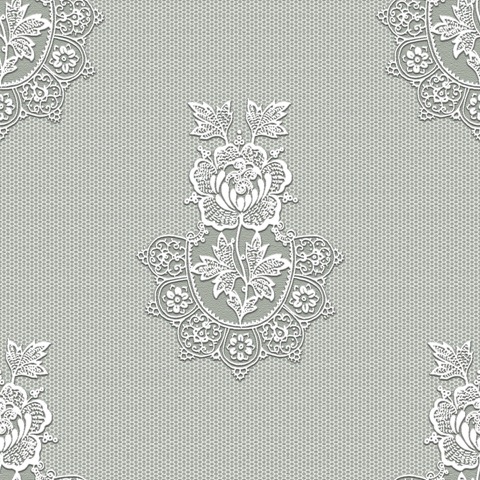
Last week, one student of the Campus sent me a sample she had made using the Tulle Lace tutorial (from the Element Creation tutorials section). I HAD to share. With Judy’s permission, see what she did:
judy_tulle_sample

I thought it was GORGEOUS! What do you think? The techniques in the tutorials are explained as basically as possible but you can see that there is much much more than the basic that can be done! Here is what another student said about the Campus:

As for the campus – WOW – what can I say? I’m having such a GREAT time, its not only learning the specific tasks, but also gaining the confidence to play around more with the controls on other projects. I suppose my main problem is that I’m still quite ignorant about how all the effects etc work, which is why I find it all so exciting – I’m like a kid let loose in the sweetie shop. I ‘made’ some ric rac trim at the weekend, and I was jumping around the kitchen feeling really pleased with myself……sad or what? Who cares, I’m having fun.
Best regards,
Sue

Did you download the 2012 Calendar Bookmark yet? You can get it HERE for FREE.


Our next Webinar will be held on December 4th, at 3pm Eastern time. We’ll look at ways to add some details to a daytime photo turned to night time.

  • Add lit windows
  • Add street lighting
  • Add holiday lights
  • Emphasize a subject in the night

Do you want to join us?


Are you a digital scrapper? There is also an article on the main page about 10 Common Mistakes in Digital Scrapbooking. Although the “mistakes” mentioned there are not always absolute, they can at least give you some things to think about when you are using digital medium to create your pages. There are lots of effects that can make or break a layout if you are not paying attention to them. Although rules are meant to be broken (so i heard), breaking them accidentally will often give an odd look to a layout without it being obvious. Just check those mistakes, and look at your layouts. Maybe you already know how to avoid them? Maybe you never thought of them? Maybe you’ll go “Ah-ah! that is why it looked “weird”.


Finally, if you have been thinking of getting your hand on a copy of PSPX4, there is a fantastic promotion at Corel until Nov 30th only : you can get the PSP X4 or the Ultimate version for a “steal”.

Paintshop Pro X4 for $29.99

Paintshop Pro X4 Ultimate for $39.99 (and this adds many extra goodies, including the NIK Efex Pro 3.0 photo filters which detail for $100 on their own; if you don’t believe me, just google it!)

A little detail i need to tell you: this deal is only for North America BUT, there’s nothing stopping someone from purchasing an extra copy for themselves and giving it as a “gift” (do you have a “friend” in Canada/US ?)

* hint * hint * hint *


See you around in the Campus.
New script – Close-up

19th November 2011

cass-CloseUp

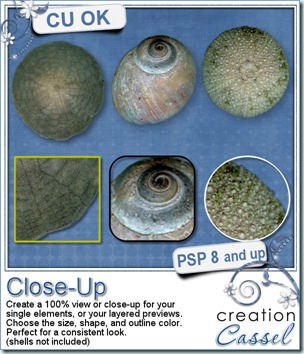
Are you a designer struggling to create previews? Are you a scrapper who loves to emphasize on details of photos? Either way, you will love this script. I have often seen designers add a close-up of their products to show the quality of the extractions, the texture of the paper or the details in a design. I have done it myself too. However, I found that often, i wanted a consistent look from preview to preview and that was not as easy as it seemed. This script will help you make those close-ups very quickly, and consistently. You can choose between 3 preset shapes, but you can also use your own (why not try with a star shape? or an arrow?). You can also choose the size of your close-up. Some designers like to have the whole thumbnail on the preview, while others are using quarter circles only. Depending on your own preferences, you can set the close-up thumbnail to be always the exact same size. And furthermore, you can decide on the color of the outline, so you can match your own preview, or the kit swatch. And it will work on a single layer or a multiple layer element without the need to merge anything. In fact, the original file will not even be touched.

Are you a scrapper? Think of those little details you might want to show in your layout, while maybe making a kind of mosaic of it. Have your Christmas tree photo and close-ups of the special decorations hanging in it. Or how about a close up of the tiny fingers and toes of your child (or grandchild)? Those can be soooooo cute!

You can get this great tool in my store: Creation Cassel.

And you can surely add your name to this thread in the forum for a chance to win this script. I would certainly love to see how creatively you can use it.

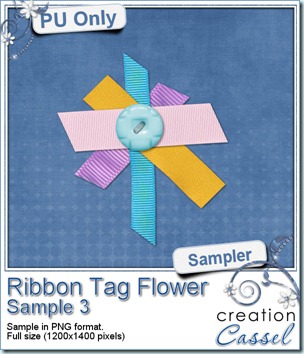
cass-RibbonTagFlower-Sampler3 Obviously, this week, i cannot give you a sample of the end result from this script since it is really just a tool script, so since i got a great response for the samples of last week, i decided to offer you another ribbon tab flower. They are so fun to make! Simply click on the preview to start the download.


Last week, i tried the Pay-with-a-Tweet function and it didn’t work very well as it said it could connect you to Facebook while it didn’t. I have now edited last week’s post and the Pay-with-a-Tweet button has been changed. From what i have seen, it does work better than the previous one so if you want to grab those other three ribbon tag flowers, just go ahead and pay with a Tweet or a Facebook post.


News from the Campus

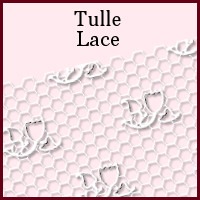
Last week, the added tutorial was the Tulle Lace. Can you think of any such delicate elements you can create with this technique?

TulleLace


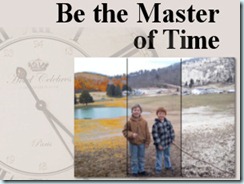
Last week, we repeated the webinar on “Be the Master of Time” and it was well received again. The recording has been edited, and uploaded to the Campus along with a cheat sheet with the various steps and settings used to achieve those time changes. You can view the webinarHERE (remember, you need to be logged in to access that page).


MasterofTime


Following that past webinar, another presentation is planned for December 4th, and this time, we will look at some additional details to include in your “day turned to night” photos, including lilt windows, street lights, Christmas decorations and more. Come and join us. Register now.


button-register-150


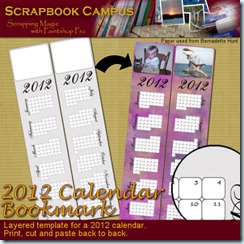
As the holidays approach, you might want to make some fun calendars as a present to family members, colleagues, friends. Check out what you can download for free in the Campus: a 2012 Calendar Bookmark. Yes, it is absolutely FREE


cass-2012CalendarBookmark

cass-RibbonTagFlower

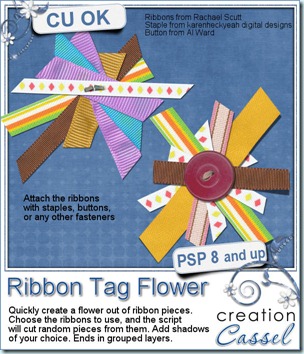
What do you do with your ribbons? Did you ever think of cutting some random pieces and place them into a flower shape? This is a fun twist to using ribbons, but it can be a bit tedious. That is, if you do it all manually. This new script for Paintshop Pro will let you create such a flower in less than one minute. This is a perfect tool to create an additional element for your kit, or to embellish your layout. Use ANY ribbon you have on hand, of any size, in any number. The script will randomly choose one ribbon at the time, and trim a piece of a random length and shape. Each flower can have a different number of pieces too. Basically, you can run this script hundreds of times and always get a different result.

The script will also allow you to add shadows to all the pieces if you want, and with the settings you want. And if you want even more choices, the script will give you the option to keep creating new flowers with the same ribbons, over and over again. Create 1 flower, or 10, or 50. Finish with your choice of fastener: staples, buttons, paperclips, stitching, etc.

You can get this fun script in either of my store: Creation Cassel .

cass-RibbonTagFlower-Sampler1But i am sure you would like to have this script for free, right? You have this option if you add your name to this thread in the DST forum. I will be back on Monday with a winner.

As usual, i will also give you the option to download a sample of what this script can do. In fact, i will give you the option to grab more than one sampler.

For this first sample, you can simply click on the preview to start the download. This flower is fairly small, as it is about 500 pixels in size.

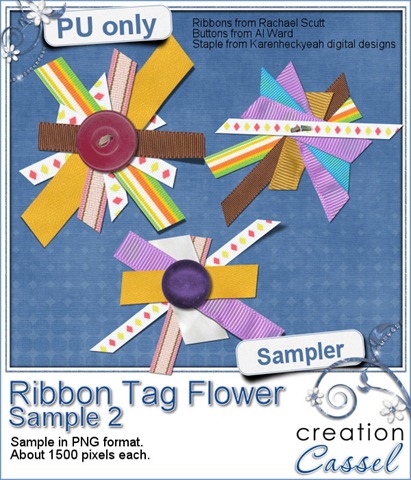
But here is the novelty: there is a second download available for you, which includes 3 full size ribbon flowers. They are much larger so you can adjust the size to fit your need. However, this one has a little twist to it: you have to pay with a tweet or a Facebook post to get it. Not too demanding? Check it out here:

cass-RibbonTagFlower-Sampler2


News from the Campus

Did you register for the Webinar for last week? Did you miss it? I know in our area, we had to turn the clocks back one hour to go from Daylight Saving time to Normal time, and that seemed to have affected several participants who might or might not have the time change. After several requests and inquiries from registrants who missed it, i decided to present the webinar a second time, and this will be held this Saturday (yes, tomorrow). It will also be held at a different time to allow our Aussie friends to join (last time, they were likely all asleep). So, don’t delay. See what you will be able to do afterward.

Seasons

Original photo from Bernicebutton-register-150

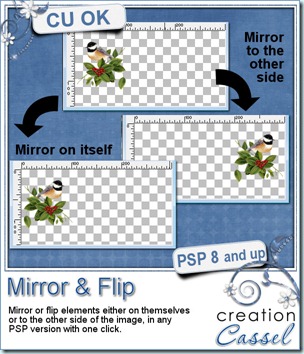
cass-Mirror&Flip

If you have been a Paintshop Pro user for any time, you surely remember the first time you used the Mirror command: the element you mirrored went all the way over to the other end of the canvas. You might have been wondering why it was not mirroring right there, where the element was in the first place. Then, over time, you found some great uses of that particular way it worked: you could easily duplicate and place elements in all four corners without measuring; you could place a decorative border evenly on opposite sides of the image, etc. However, when Paintshop Pro X4 was released, in September, the Mirror and Flip commands behaved differently. I can only guess that some users wished they could mirror and flip elements on themselves instead of across the canvas and I guess, Corel answered by changing that. Well, that might have been a great new feature, but it changed the way previous users were using those commands. So now, PSP versions X3 and before, worked one way, and PSP X4 works another way. Which way is best? It probably depends on what you want to do. In my opinion, they are BOTH equally useful. The problem is that none of the versions has BOTH options. That is… until now.

I started with the plan to create 4 scripts: 2 for X4 users to have their Mirror and Flip commands work like previous versions, and 2 for users of previous versions to have it work like PSP X4. All 4 scripts worked fine, but Suz Shook had a look at two of them and found an even faster way to get the same result. So, the set of 4 scripts include 2 from me, and 2 from Suz.

The zip file includes the scripts and instructions for binding the scripts. This means that, although you can run those scripts like other scripts (through the Script menu), you can ALSO have them directly in the Image menu, right with the default Mirror and Flip commands are. They will then run with ONE click, just like the default commands work. Isn’t that neat?

Best of all, this script is totally FREE. To me, it is a simple utility tool that should have been included with PSP and was forgotten so it is a gift to you. It is free now, and it will stay free in my store. You can go and grab it HERE.

Digital Scrapbooking Day

Yes, you heard about it. You have been stalking a few stores or designers to get the best deal. And you are waiting to see if i am having a sale too. You are right. I am having a sale through the whole store.

DSD-2011

News from the Campus

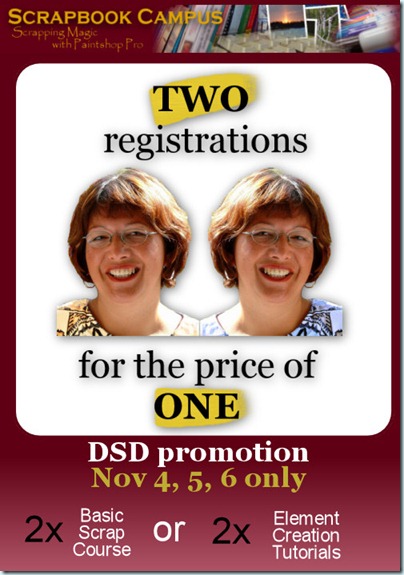
It is Digital Scrapbooking Day in the Campus too. There is a big promotion going on now, and only for 3 days.

 Two-for-One-ad-500

Did you find a friend you can share the registration with? Do you have 2 CT members who might benefit from the Basic Scrap Course? Hurry because this promotion is only for a limited time. It will end Sunday, at midnight! Choose your course now:

Basic Scrap Course

Element Creation Tutorials

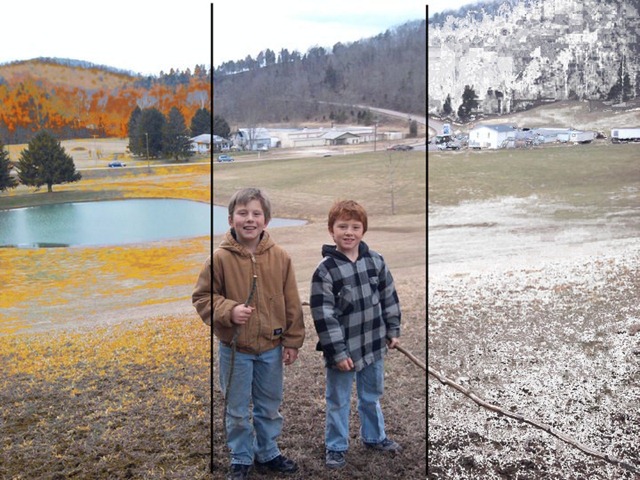
Finally, this Sunday, we will have our Webinar on photo editing: “Be the master of time”.

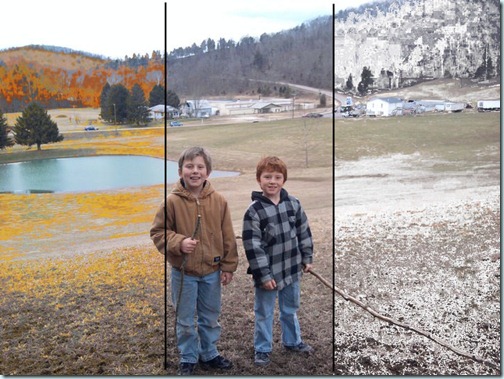
See some changes in seasons that we can achieve with a few clicks.

Seasons

Original photo from Bernice

Do you want to see more? Simple: click below to register!

If there are too many registrants for one webinar, i might consider presenting it a second time, so even if you are not 100% sure you can attend, REGISTER! And if you have some photos to offer, email them to me at admin@digiscrapcampus.com . I might or might not use them in the webinar, depending on the type and number of images i get, but would love to have several choices.