Newsletter
User comments
by Liaa Nakamura
Other
Categories
- ADSR5
- Blog Train
- Call
- Campus
- Challenges
- chat
- Contest
- Freebies
- Grab bag
- My products
- My stores
- New release
- News
- NSBD
- Presentation
- Promotion
- RAK
- Sales
- Tutorials
- Uncategorized
Archives
- June 2013
- May 2013
- April 2013
- March 2013
- February 2013
- January 2013
- December 2012
- November 2012
- October 2012
- September 2012
- August 2012
- July 2012
- June 2012
- May 2012
- April 2012
- March 2012
- February 2012
- January 2012
- December 2011
- November 2011
- October 2011
- September 2011
- August 2011
- July 2011
- June 2011
- May 2011
- April 2011
- March 2011
- February 2011
- January 2011
- December 2010
- November 2010
- October 2010
- September 2010
- August 2010
- July 2010
- June 2010
- May 2010
- April 2010
- March 2010
- February 2010
- January 2010
- December 2009
- November 2009
- October 2009
- September 2009
- August 2009
- July 2009
- June 2009
- May 2009
- April 2009
- March 2009
- February 2009
- January 2009
- December 2008
- November 2008
- October 2008
My stores
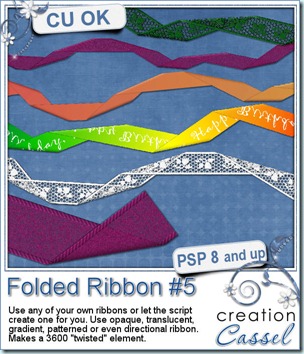
New script – Folded Ribbon #5
28th October 2011
Straight ribbons can be useful, but also boring. This script will turn just about any straight ribbon into a dynamic folded one. Whether you are using your own ribbon, or let the script create one, you can get pretty creative in what you will be using. In fact, you can use a plain ribbon but also a translucent one, a lace one, a patterned one, even one with directional designs like text. The script will pick the right segments to put end to end for a realistic “continuity” of the pattern.
The end result will be about 3600 pixels long so it will cover most of the width of your layout. And the layers will be left unmerged (but linked so you can move it around). You can then insert various trinkets if you want.
You can get this script in my store: CreationCassel .
And why not add your name to this thread in the DST forum Happy Place for a chance to win this script on Monday night. Just give me ideas of how you might be using this script. Be creative. I LOVE to read your suggestions.
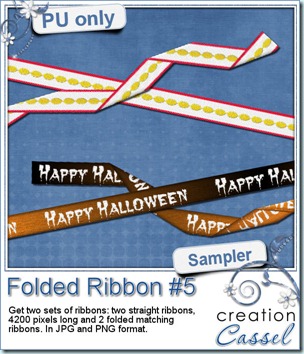
And for a closer look at the result of this script, i created 2 ribbons from scratch (so they are 100% original) and ran the script on them. You get both the straight version and the folded version of both. That means you can use them separately, together or even run another script on the straight ribbon. Remember that there are many other scripts in the store that could be used with a straight ribbon of yours!
Simply click on the image to start the direct download.
News from the Campus
“Be the master of time”. If you have not yet registered for the webinar planned for Nov 6th, you still have a week to do so. If there are too many registrations, i might consider making a second live presentation. That means that you might be able to attend at another time, live, and ask questions during the presentation. Also, if i present the webinar a second time, i would be using different photos. Do you have photos you would like me to use? Send them to me! Landscape images will be better for the season change, but to change the time of day, just about any image would probably do. So, remember, you need to register for me to know how many of you are interested!
If you are a registered member of the Element Creation Tutorials section, did you notice the newest tutorial posted last week? A quick and easy one, but still very useful in layouts or kits.
DSD is coming. Did you know that there will be a special promotion in the Campus? If you have been considering registering and thought you were a bit tight on money, you will want to keep a close eye on it. Do you have a friend who might be interested in registering to EITHER one of the courses? You might want to get in touch with that friend soon. The promotion will only last a few days. Don’t miss it. If you want to make certain you get the news in time, just add your name to our mailing list.
There are a few more advantages to be on the mailing list:
- you will automatically get a FREE ebook on how you can turn your “blah” photos into WOW photos, in 30 seconds or less
- you will get some EXCLUSIVE goodies too. Those goodies were actually suggested by the current members of the list (and they didn’t realize it yet as it will be a real surprise, even for them!)
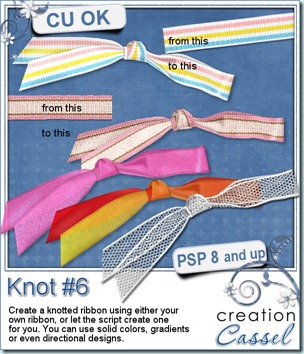
New script – Knot #6
21st October 2011
This week, you can get another knot script. Why another knot? Why not? You always have straight ribbons and would love to tie it to a tag, a frame or other decorative element. Now, if you have Paintshop Pro, and a straight ribbon, you might just be able to tie it into a realistic knot with shading. If you don’t have a ribbon to use, the script will create one for you. Unlike other knot/ribbon script, this one will actually have and accurate use of the length of the ribbon, so you can use a directional design, text, or gradient and have the knot look right. You can use opaque or translucent ribbon because the way the pieces are cut and shaped, they follow the actual path of a “normal” ribbon.
Not only you get a fun knot, but all the layers are left unmerged so you can insert elements between the layers or even inside the knot.
If you want the script to create the ribbon for you, you will end up with a 4200 pixels ribbon that you can use separately or to run another script on. For an interesting effect, choose a gradient or even a solid color with a texture (that will give you kind of a see-through ribbon!).
This script is available in my store: Creation Cassel .
And how about a chance to “tie the knot” for free? Everyone loves free stuff and i am sure you would love to get this script for free. Then, hop over to the DigishopTalk forum in this Knot script thread and give some ideas on how this script can be used. I will draw for a winner on Monday night. And remember, if you buy this script to take advantage of the sales price, you can still enter and if you win, you simply get a coupon for a future new release!
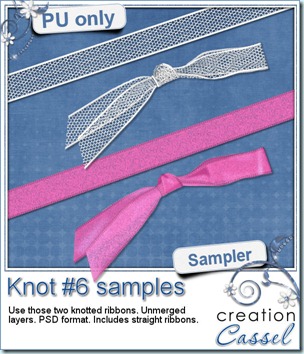
I am sure you want to see this knot up close so i made these two knots available for you. So in this samplers, i am including two straight ribbons and two knots made with them. The knots are in PSD format with unmerged layers so just about anyone can use them.
Simply click on the preview to start the download.
News from the Campus
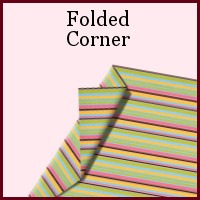
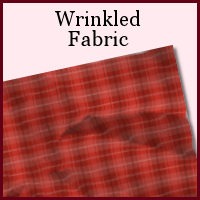
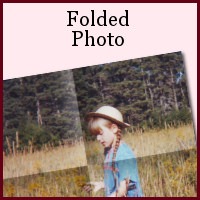
Did you see the tutorials that were added in the last few weeks in the Element Creation Tutorials section of the Campus? Here is a peak!
There are more but it would take up too much room in here. If you want to register to that section of the Campus, you can see more about theElement Creation Tutorials.
The PSPX4 special is still in effect, but hurry; I don’t know how long it will still be available! Get PSPX4 FULL version, downloadable or boxed for $39.99. This is a HUGE deal as it is 50% of the regular price. Hurry and grab it while you can.
And how about the Webinar on “Be the Master of Time”? You will see how to turn a summer photo into a fall or winter photo using only the tools and features of your Paintshop Pro. You will also see how to turn a daytime photo into a night time one, again, using only Paintshop Pro. It will be held on November 6th, at 3pm Eastern. Will you be there? Click the yellow button to register for it and you will get reminders ahead of time in case you forget!
If you are interested in attending, you can send me a couple of summer or daytime photos. I might use them to demonstrate the technique.
New script – Colored Edge
14th October 2011
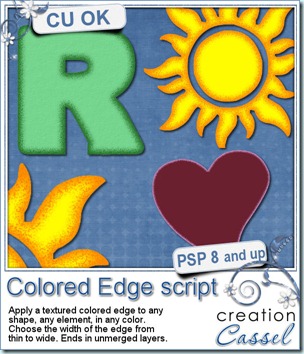
In just a couple of clicks in your Paintshop Pro, you can add a colored and textured edge to ANY shape, of ANY size and you choose the color and the width of the border. Whether you want to add a colored edge to an alpha, a preset shape, or even a cut up photo, this script will make it a breeze.
The script will create TWO colored edge layers and leave them unmerged. Once the script is finished, you can merge the layers, or play with the opacity, the blend mode or simply separate them to use only the edges without the base shape. Perfect to add a little detail directly onto a photo, or on your background paper to include some journaling.
You can get this script in my store: CreationCassel
If you want a chance to win this script for free, just go add your name to this thread in the DST forum, and tell me what you can think you could use this script for. I will be back on Monday night to announce a winner.
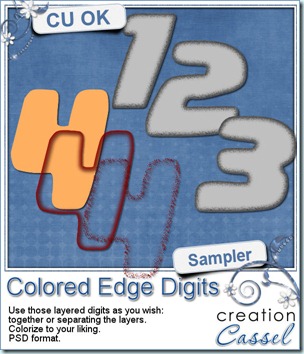
I know, you also want to have a peek at the result of this script by downloading a free sample, right? Well, I cannot disappoint you, can I? So here is your sampler. It is a set of digits in greyscale, layered in PSD format. You can easily recolor each layer separately, merge them or use them separately too. This set is CU.
Just click on the preview to start the direct download.
News from the Campus
The PSPX4 special is still in effect, but hurry as it is only until Sunday, Oct 16th! Get PSPX4 FULL version, downloadable or boxed for $39.99. This is a HUGE deal as it is 50% of the regular price. Hurry and grab it while you can.
(although i am an affiliate for Corel, this special is NOT through my affiliate link)
Did you have a look at the Webinar on Shadows? It is available for viewing for free. We showed tips for flat shadows, lifted shadows, cluster shadows and fantasy shadows. See what Carolyn said about the Webinar on shadows:
Cassel,
Thanks so much for posting your webinar on shadows in PSP. I learned a whole lot! I know that this will help my layouts as well as the presentation of my kits. Thanks!
I look forward to future webinars Unfortunately, I won’t be able to join them live if they are held on Sundays. However, I can still learn from them by viewing them online. Thanks again for these great resources!!
Carolyn S. Ritter
So what are you waiting for? There are 2 webinars available already. They are FREE. Check Webinar on Shadows And while you are there, you might as well register for NEXT Webinar. It will be on changing photos from day to evening/night and from summer to autumn/winter. Just like magic! And you can use ANY version of PSP.
Finally, The Basic Scrap Course with PSP is still on special and registration at the special price, with the special bonuses will only be until Sunday, October 16th. The registration will give you access to 12 units, 36 lessons, 45 video tutorials, with matching handouts you can download. And all that for unlimited access. Your registration will not run out after 6 months. It will not run out after you view all the videos. You can keep referring to them forever, with NO additional fee. Registration this weekend will give you a coupon for $5 from Mariscrap, 26 layered templates, 50 sketches, and a chance to win a copy of the DVD Slideshow Builder Pro to create fantastic slideshows with your photos or layouts. Perfect to prepare Holiday presents ahead of time!
Register Now for the Basic Scrap Course with PSP
New Tubes – Chain beads
7th October 2011
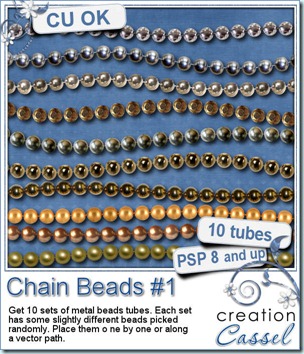
How about some metal beads to create necklaces, bracelets, frames, or any other element you can think of using “ball chain”look? You can now do it with those great Paintshop Pro Picture tubes. These sets of beads are not going to make a boring row of totally identical beads, but they incorporate some slight differences in the beads so it looks more realistic. You have some gold beads, silver beads, brass beads, and more. You can place them one by one by simply clicking here and there and everywhere. You can “draw” with them as they will follow your mouse movement as if you were drawing a line. Or you can also place them evenly along a vector path you could have drawn with your favorite tool. Use the Pen tool to create a base “thread”, and then use the Vector Tube script to place the beads along that path, for a great free flowing chain look.
Use the default settings, or change the size or the step for a different and custom look.
You can get these tubes in my store : Creation Cassel.
And how about a chance to win them all? Check this thread in the DST forum. Tell me what is your favourite set of beads and you might with them all.
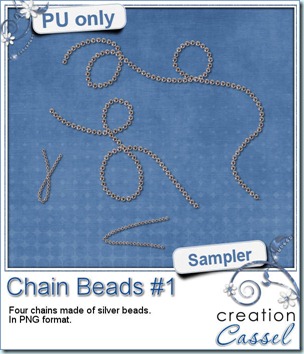
Time for a nice little freebie. I created those chains for you to incorporate into your layouts. There are 2 long chains and 2 small ones. The small ones can easily be used to attach a tag or other elements. They are in PNG format, so they should be useable in most graphic program.
Simply click on the preview to start the direct download.
News from the Campus
Last week, we had a webinar on using shadows. The most fun part was to show how to use layered shadows in clusters to make a fantastic end result. Most participants commented on that technique that was new to them. The webinar was recorded and should be available soon (hopefully this weekend), in the Webinar section of the Campus. It will be accessible to all registered members of the Campus (registration is free). The next Webinar will be organized this weekend, so you keep an eye on that page.
Did you want to register for the Basic Scrap Course? Did you postpone that decision? You might want to keep a close watch on the Campus as there will be another promotion coming up soon. You might want to join our many other members in the classroom. I can see several members having a blast with what they learn with the tutorials.
Big special for Paintshop Pro X4
Corel is having a big promotion for a limited time only. You can get a FULL version of PSPX4 for $39.99. We are not talking only update, but a complete version (the update is the same price too). This promotion is only until October 16. And if you have an old version of PSP, there is NO NEED to upgrade since you can run both versions side by side; you can get the newest tools and features, and still use the interface you are used to. And yes, you can have multiple versions installed on the same machine: i have versions 8, 9, X, X1, X2, X3 and X4 installed at the same time (occasionally, i even RUN 2 or 3 simultaneously when i am testing scripts).
(although i am an affiliate for Corel, this special is NOT through my affiliate link)
October Blog Train
1st October 2011
You probably are coming from Sugar Kissed Designs, right? How are you doing so far in the blog train? Did you find some great new designers? Did you rediscover some older ones you might have forgotten? Let’s hope so. Here is my contribution to the train. Just a note that there is a little extra in this zip file. I hope you will enjoy it.
Just click on the preview to start the direct download.
(i will post the slideshow as soon as i can figure out how!)
Your next stops should be these (i put two in case there is too much traffic in the next one, then you can keep going).
Truman Studio http://trumanstudio.com/blog
Let Me Scrapbook! http://LetMeScrapbook.blogspot.com
If you ever get lost along the way, you can always go back to the master list (which should be HERE although maybe due to time zones, was not up yet as i scheduled this post).
.
Corel Paintshop Pro X4
Scrapbook Campus
.