Web
Analytics

New script – Torn Apart

cass-TornApart

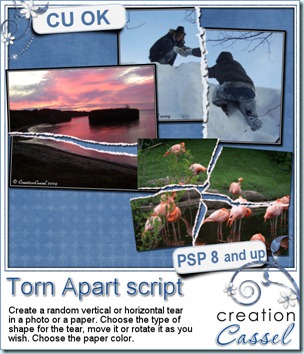
Following the great success of the Torn Edge script, i thought it would be great to have the option to tear in the center of an image or a paper instead of only the edge and so this idea came up. This script for Paintshop Pro will create a rip in the middle of any image, photo or paper, of any size. You can leave the tear in the center or you can move it around, and even rotate it, especially if you want to place it in a strategic place of the image. The torn edges will be left on separate layers so you can add a texture if you want. The layers will be unmerged but linked to the matching torn edge.

You can tear a paper once, or more than once, providing that you either merge the piece and the tear together before running the script a second time, of by copying and pasting the paper piece (without the torn edge) as a new image.

Decide if you want a vertical or horizontal tear.Choose if you want it to be kind of straight, slightly uneven, or more. Many interesting effects can be achieved with this script, tearing photos, papers, or even paper pieces like note papers, heart shapes, etc. This could be a fun way to get some journaling pieces.

You can get this script in my stores: Creation Cassel and DigiScrapWarehouse.

And as usual, you have a chance to win this script by adding your name to the RAK thread in the Happy Place. Unlike usually, the winner will be announced on TUESDAY night instead of Monday, since i will be out of town on Monday. Just tell me what you think you could use this script for.
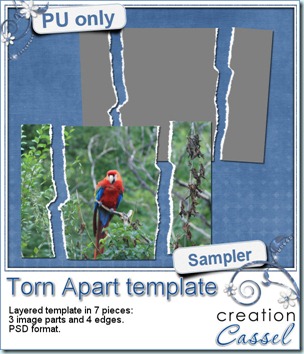
cass-TornApart-sample And here is your free sample. This is a layered template in PSD format. It consists of 3 “paper” pieces that will match perfectly, and 4 “edge” pieces. You can adjust the “edge” pieces to match any paper color, and the “paper” pieces are just like a puzzle and you can cut out your paper or photo using the magic wand. The “paper” piece layers are linked to the matching “edge” piece layers so you can move them around together, however, to help you with the “photo” part, all the “edge” pieces are below the “paper” pieces so you will have to rearrange the layers order when you decide to merge them.

You need to be logged in to download this sample. You can either login, or register on the top of this page.


News from the Campus

Not too much new YET, but i am working to bring you some super interesting bonus for the next registration period for the Basic Scrap Campus. So keep a close eye. This promotion will not last very long so you might want to register to the mailing list so you stay informed as soon as the registration re-open. The current students seem to really enjoy the lessons as i have seen some samples of their work. Seeing those, i am sure they are having a blast!

This weekend, we’ll have the FREE webinar on shadows in digital scrapbooking using Paintshop Pro. We’ll look at the regular basic shadows on a flat surface, shadows to make those ribbons look all curled up, shadows for your clusters, and then, shadows for the fantasy layouts.

Register here 

If you don’t register and decide to join Sunday, October 2nd, as it will be starting at 3pm Eastern, you can click HERE.

See you around!
New script – Template User Tool

cass-TemplateUserTool

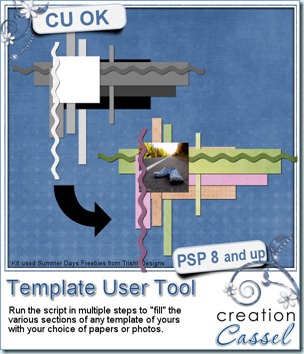
Once you created some fun templates with the Cluster Template Maker script, now you want to fill in all those shapes, either with papers or with photos. This can be a pretty tedious task of copying, pasting, adjusting, resizing, changing layer, selecting, deleting excess paper, deleting original layers, renaming layer. Now, this script will help you use any template even faster with your Paintshop Pro. This script will take care of those tedious tasks that are repeated layer after layer after layer. You will simply have to pick the paper or photo you want to use on each layer, resize, rotate, adjust them to fit the shape and the script will do the rest. How cool is that?

You can get this script in my stores now: Creation Cassel and DigiScrapWarehouse.

If you want a chance to win it (even if you already purchased it), you can simply add your name to this thread in the Happy Place of the DST forum. I will be back Monday night to announce a winner.

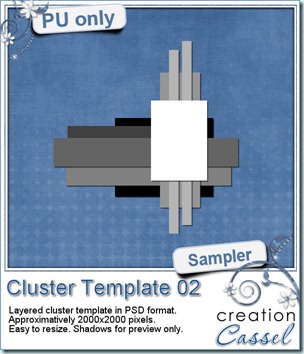
cass-ClusterTemplate-02 As usual, i have a free sample for you. Since this script is a tool to use with your own templates, i could not run it and give you the end result, but i could run the script from last week, and let you have another clustered template in PSD format.

You need to be logged in to download this sample. You can either login, or register on the top of this page.


News from the Campus

The registrations for the Element Creation tutorials section are still going but the deadline for the super duper bonus draw was last Sunday. The winners are:

Sue Turner: Paintshop Pro X4 Ultimate

Dianne Parham : $10 coupon the Scrapping Wright’s store

In addition, there was one draw in the Happy Place at DST and the winner was Limequilla. Let’s hope you all enjoy your treats. If you are a registered student to the Element Creation Tutorials section, remember to send me the suggestions for the next tutorials you would want to see.

Did you attend our Webinar 2 weeks ago about the Text tool in Paintshop Pro? If you did not, you can view the annotated recording, and download a handout in the Webinar section of the Campus. It is free to access but you have to be a registered member of the Campus (and the registration is free so there is absolutely no cost to you). If you are interested in attending the next Webinar, it will be held on October 2nd and will be about Shadows. You can register to the webinar now, and get reminders ahead of time, in case you are like me and tend to forget your “appointments” easily. Again, it is free to attend, so come on over and see me work live, directly from the comfort of your own home.

Register Now

If you have considered joining a course at the Campus, stay tuned for any upcoming promotion. Make sure you check your emails and obviously, have your name on my mailing list otherwise you will miss anything big!

Subscribe to Mailing List

New script – Cluster Template Maker

cass-ClusterTemplateMaker

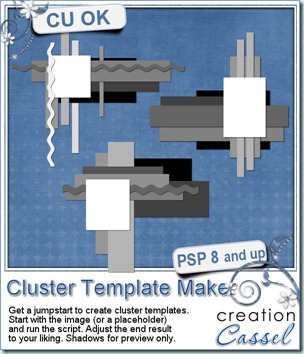
Some people love to create clusters, but feel they just can’t make anything reasonable. Someone asked me if i could make a script to do clusters for her. Well, I know for sure that a script in Paintshop Pro is a set of commands with mathematical values, so there is no way i can code what looks good and what does not, so i studied some clusters that looked good and tried to extract some mathematical similarities and that is what got into this script. It turned out to be quite good and the results are generally interesting.

The script will generate a random number of rectangles, horizontally and vertically, of different size and shape, all layered under an image or a placeholder. Once in a while, you will see a wavy line in the cluster. That is just added for fun. Once the script is done, if you REALLY don’t like the result, simply undo and run the script again. It is that easy. Once you are kind of happy with the result, you can still adjust and customize the layers, and the rectangles. Add more shapes, remove some layers, rotate others, rearrange the layer order, add some fancy edges on some rectangles, etc. Make it your own. And if you want more layers, just run the script a second time starting with the image layer, then you’ll have more layers and shapes to play with!

You can grab that script in either of my stores: Creation Cassel and DigiScrapWarehouse.

And for a chance to win this script, simply add your name to this thread in the Happy Place of the DST forum, and tell me how you go about to create your clusters. I will be back on Monday with the name of a winner.

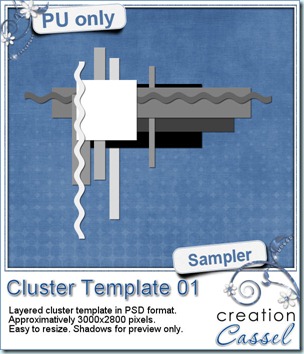
cass-ClusterTemplate-01 As usual, you want to get a freebie, right? Fair enough. I created this layered cluster template with the script. I added shadows to the preview only, since there is a chance you might want to change some layers and then, the shadows might not work. It is a PSD format, so most of you should be able to open it, and use it. If you DO use it, would you mind showing me how it turns out? I would love to see how different scrappers will turn this ONE template into many unique results.

You need to be logged in to download this sample. You can either login, or register on the top of this page.


News from the Campus

The Element Creation Tutorials with Paintshop Pro section has open and we are taking registrations. If you register on or before September 17th, your name will be put into a draw to win one copy of Paintshop Pro X4 Ultimate (freshly released last week).

But you have only a couple of days left!

I added a thread in the DST forum where you can win ONE membership to the Element Creation tutorials, and the draw will be on Sunday morning, just in time for the winner to have his/her name added to the draw for the PSPX4. Would you be lucky enough to win both? Maybe. Who knows?

Sunday, Sept 11th, we held a webinar on using the Text tool in Paintshop Pro. An edited recording of this webinar is currently posted in the Scrapbook Campus under the Webinars tab. A written handout will be added shortly. (you only have to be logged in to access it, but registration is totally free if you are not yet a member)

Do you want to register to our next webinar? It will be held on Oct 2nd at 3pm Eastern. You can register here so  you will be getting reminders ahead of time. The topic? Shadows!

New script – Shattered

cass-Shattered

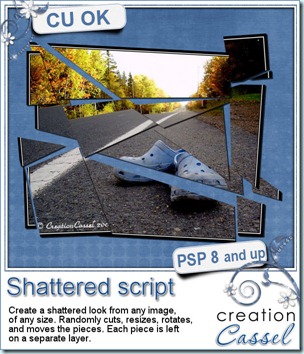
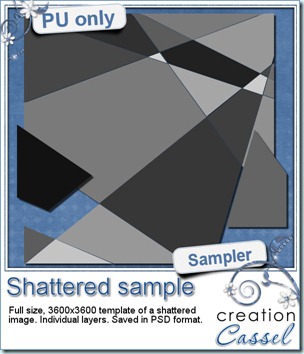
How long would it take you to cut an image in random pieces, separate them in individual layers, resize them, rotate them, move them and then add shadows to each of them? With your Paintshop Pro and this script, it will only take you a few seconds and a few clicks. And if you dont like the result, no problem; run the script again. You will NEVER get the same result twice because of the random features incorporated into the code.

You can stop the script right after the pieces are cut and separated in layers, or you can keep going and get each piece slightly resized, rotated and moved randomly.

You can stop the script here too, or choose to add a drop shadow. In this case, you will decide on all the settings for the shadow and the script will apply the exact same settings on all the pieces, no matter how many there are. Since the script ends with unmerged layers, you can keep manipulating all the pieces as you wish, deleting some, moving others, etc.

You can get this script in either of my stores: Creation Cassel or DigiScrapWarehouse.

cass-Shattered-sampleHow about a chance to win this script for free? You can, by simply adding your name to this thread in the DST Forum, telling me of one creative use you can think of for this script, and Monday, i will announce a winner.

And now, as usual, you are expecting a freebie, right? Well, since this script applies on a photos, i could hardly give you a cut up picture. I am sure you would not care to get one of MY pictures! So, i figured i could make a layered template with the pieces still in place, not resized, rotated or moved. That way, you can apply that template to any picture of YOURS and create a similar effect.

You need to be logged in to download this sample. You can either login, or register on the top of this page.

Paintshop Pro X4 is out.

Paintshop Pro X4 came out Wednesday this week. I have been part of the beta testing team for a few months. If you want to know about the improvements or additions, and if it is not too late for you, you can join their live demonstration tonight (there is one left, and you can register here). One thing i can say is that it is more stable than X3 was, so it might interest you!

News about the Campus

Did you add your suggestions for which type of elements you would like to learn to create yourself? If not, it is still time. Just hop over to this page and add your name and suggestion. And then, be sure to check your emails or check the Campus again very soon as the Element Creation Tutorials section should go live within a few days. And you will have a chance for some GREAT bonuses. And i mean GRRRRREAT. Subscribe to the mailing list on that page, follow us on Twitter, or like us on Facebook to be sure you know when the section goes live because you dont want to miss the time limited bonuses!

See you around the Campus.

New script – Waterwork

cass-Waterwork

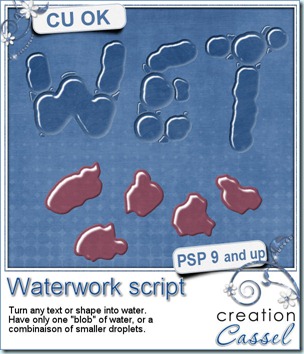
How about some fresh water added onto your layout? This script will convert the text or design of your choice into clear water, complete with shine and refraction from the bottom surface.

You can get the script to use smaller droplets to fill in the design, or use the shape as is. Use any color if you want to simulate juice drops!

Exceptionally, this script will only work with PaintShop Pro 9 and up (sorry for PSP8 users).

All the designs will be slightly distorted, so straight lines wont stay perfectly straight, and corners will be rounded off. Use the simple round brush and hand write or hand draw something. Draw random blobs to create droplets, or draw letters in an uneven manner for best result.

You can get this script in my stores: CreationCassel and DigiScrapWarehouse.

And how about winning this script? Check out this thread in the DST Happy Place. Simply give me ONE splashy word you can think of and add your name.

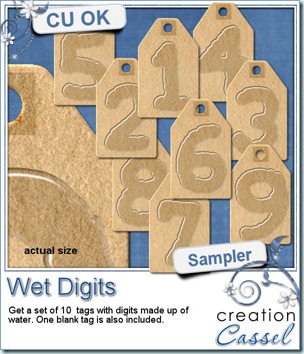
cass-Wet-Digits As usual, i have a little freebie for you. This is a set of wet digits on a tag. Each tag was made using handwritten digits run through the script. You get all 10 digits and one blank tag for you to add your own.

You need to be logged in to download this sample. You can either login, or register on the top of this page.

Each tag is pretty large so you can resize it as you need.


News from the Campus

Did you follow the newsletter from the Campus? Did you know that the second section should be released soon? Yes, the second section is all about creating elements yourself instead of solely relying on purchased supplies. You would then be able to either create your own elements yourself, from scratch with the shapes and colors you need, or you can learn to modify the elements you already have and personalize them to fit the layout you want to create. This should be open to registration soon. If you want to be among the first ones to register, you can add your name to this mailing list, and tell me which type of element/technique you want to learn about first. I have dozens and dozens of tutorials planned, but which ones will i release first? You tell me what YOU want! If you dont want to add your name to a list, you can just email me or even add a comment below. I will see it all.

Remember to keep an eye on the Campus and your emails as there will be some time limited special offers so, watch out.

Although most of you might be scrappers, i am sure you can find other uses for your scrapbooking supplies. Whether it is invitation cards, wishing cards, calendars, and more. Check out the article here.