Newsletter
User comments
by Kim Lichtfuss
Other
Categories
- ADSR5
- Blog Train
- Call
- Campus
- Challenges
- chat
- Contest
- Freebies
- Grab bag
- My products
- My stores
- New release
- News
- NSBD
- Promotion
- RAK
- Sales
- Tutorials
- Uncategorized
Archives
- February 2012
- January 2012
- December 2011
- November 2011
- October 2011
- September 2011
- August 2011
- July 2011
- June 2011
- May 2011
- April 2011
- March 2011
- February 2011
- January 2011
- December 2010
- November 2010
- October 2010
- September 2010
- August 2010
- July 2010
- June 2010
- May 2010
- April 2010
- March 2010
- February 2010
- January 2010
- December 2009
- November 2009
- October 2009
- September 2009
- August 2009
- July 2009
- June 2009
- May 2009
- April 2009
- March 2009
- February 2009
- January 2009
- December 2008
- November 2008
- October 2008
My stores
New script – Knot #5
27th May 2011
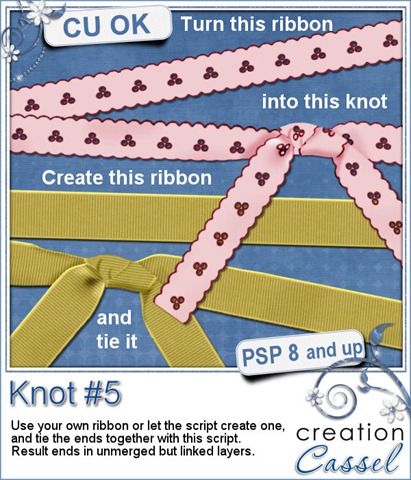
Do you have some ribbons you would like to tie? Do you want to use the ends of the ribbon as if it were REALLY tied, instead of drawn? This script will do just that. This script for Paintshop Pro will use YOUR ribbon, and “use” pieces as if it were a real ribbon. If you use a ribbon with a gradient or a directional pattern, you will see the pattern follow the ribbon, through the knot and into the loose ends. Like most of the knot scripts in the store, it ends in unmerged layers so you can insert something in the knot for more customizability.
If you do not have a ribbon to use for this script, you can create one from scratch at the first prompt. You will then get a ribbed ribbon in the color of your choice.
You can get this script in my store: Creation Cassel and DigiScrapWarehouse.
You have a chance to win this script (or a future new release if you have purchased it already) in this RAK thread of the DST forum. To enter, simply tell me if you own any of my other knot scripts. And come back on Monday night to see who won.
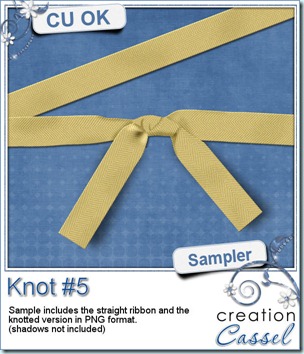
As usual, i made a sample for you to enjoy. You can grab this combo of a flat straight ribbon and matching knotted ribbon. Use them as is, or recolor them. Wrap the straight ribbon around a frame using the Quick Wrap script and add the knot to it if you want, or run the ribbon through any other knot script to add to your layout.
Click on the preview to start the direct download as i am not using any storage site for it (no 4Shared, no RapidShare, etc.)
********************************************************************
Now, this week i have a little something else to share with you. As i was doing some research for the Campus addressing the use of sketches or templates as a source of inspiration for digital scrap layouts, i came across a HUGE resource. I know that templates have become “in fashion” lately, but this book includes 500 sketches to jump start your inspiration. I LOVE templates, but i tend to use them most often as
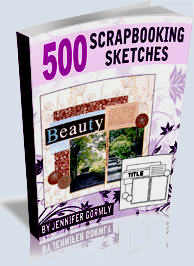
sketches instead of using the layered version, so seeing so many sketches in ONE file will definitely be a time saver too. And considering that you can always rotate, flip, mirror a sketch, you can get 2000 variations and then, you can add elements, subtract some, and replace others. If you are following that, you can get the equivalent of over 5000 starting point for your layouts. That is right, FIVE THOUSAND possible ideas. Now… you should not run out of ideas soon!
Just click on the preview to get it. You will adore it (i bought it too, and will be delighted to show you my pages!)
New Script – Quick Wrap
20th May 2011
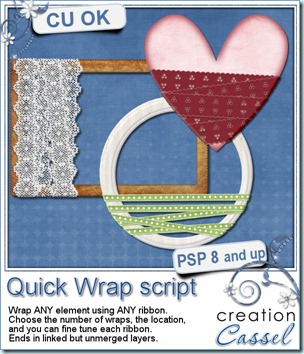
Do you sometimes want to wrap an element with a ribbon for a dramatic look? To achieve that result, you probably do it the long way: cutting a piece of ribbon, copying, pasting, moving, rotating, trimming, shading and then, onto the next piece. If you want only a couple of pieces, it might be a reasonable process but if you want 10 pieces, or if you want to use 2 different ribbons, then, it can become very tedious. This script for Paintshop Pro, will go through that process in less than one minute for you.
With this script, you are not limited to use one kind of frame, or one kind of ribbon. You can use ANY element to be wrapped, be it a frame, a photo, a tag, and you can use ANY ribbon or lace you want, as long as it is the correct length for the script to run smoothly. Then, you can choose how many “wraps” you want (from 3 to 10), and you can also choose to add a shadow to each of the layers (remember, you might have a few there!), with your choice of settings. In the end, the result will be on separate, but linked layers.
So, what do you think of such a script? You can get this script in my stores: CreationCassel and DigiScrapWarehouse.
If you want a chance to win this script free, just add your name to this RAK thread in the DST forum and tell me what you would wrap with this script. I will pick a winner Monday night.
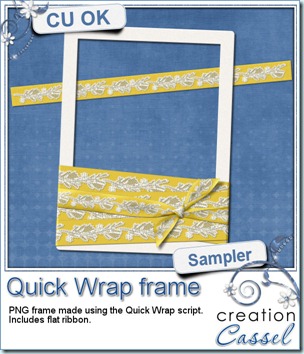
As usual, you surely want to have a closer look at what the script can do. So, as usual, i have a sampler for you. I created this wrapped frame from scratch. The ribbon uses a lace from Buzy Bee Scrap (i cannot find a valid link for her blog for now so if you have one, please, let me know). Not only the wraps were made using the Quick Wrap script, but i also added, manually, one piece made using the Knot #3 script.
The frame is a PNG format so just about anyone can use it. In addition, i am providing the straight ribbon so you can match it in your layout, or use it to make a bow or a knot or even to wrap other elements if you want! Simply click on the image to start the download.
REMINDER
Did you get a discount coupon from the April promotion i had in the store? Remember that this coupon is only valid in May 2011! You have just over a week left to use it! You better start shopping!
New script – Knot #3
13th May 2011
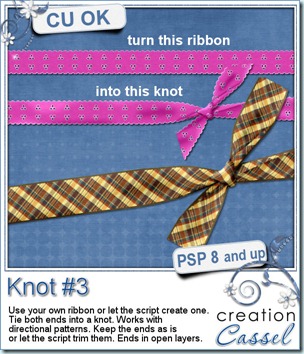
Do you sometimes wish you could tie your digital ribbon? Do you like to have ribbons wrapped around an element but would like to use your own ribbon and not one already made? This will be the perfect script for you. If you can use Paintshop Pro, you can get great knots using any ribbon you already have. Start with a ribbon that is 2000×150 pixels and you end up with a tied ribbon. The script can create a ribbon for you if you dont have one already made. You can use any kind of ribbon: opaque, translucent, eyelets, even ribbons with a directional design. If you want to have some fancy details on the ends, like beads or serrated edges, the script can keep them intact for you, or can trim the ends like a traditional knot. The end result will be left unmerged so you can insert decorative elements in the middle if you want. Of course, you can merge them all if you prefer.
You can get this script in my stores: Creation Cassel, and DigiScrapWarehouse.
You can go add your name to the RAK thread in the DST forum here, if you want a chance to win this fantastic script.
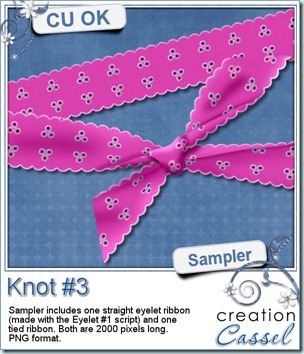
I am sure you would love to see the result of this script up close. I created this set for you. I used the Eyelet script to create a ribbon, and then, the Knot #3 script to turn it into a tied ribbon. It is in PNG format so most scrappers can use it. You get both in the zip. Simply click on the preview to start the direct download (no 4Shared, or RapidShare).
New Script – Palette Expander
5th May 2011
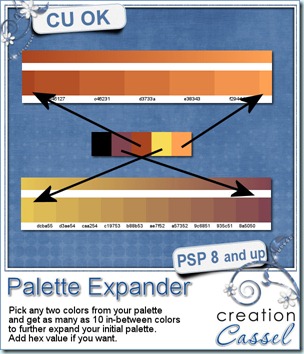
Do you sometimes have a color palette to work with but feel somewhat trapped by the given colors, wishing you had more options? Maybe you want some in-between colors that would still fit the palette, yet, be different enough to give some flexibility? This script will help you achieve this. All designers using Paintshop Pro will want this. If you have a starting palette of 5 colors, you will be able to expand your palette to add many many intermediate colors. Choose any 2 colors from the palette, and choose how many colors you want the script to generate (from 3 to 10), and just watch it go. It will take only seconds and you will now have a perfectly matched set of colors to create richly colored scrapbooking kits.
You can get this marvellous tool at my stores: Creation Cassel and DigiScrapWarehouse.
And if you want a chance to get this script free, add your name to the RAK thread here and i will come back Monday with a winner. Even if you decide to purchase it at sale price, you can still add your name and if you win, then you get a coupon for a future new release.
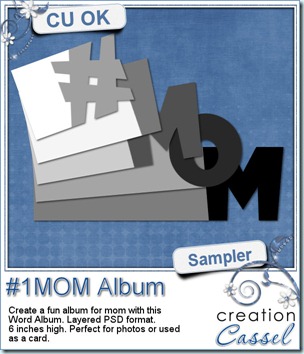
Since this weekend is Mother’s Day at least in some countries (i am not sure about everywhere in the world), i thought it might be a fun to create either an album or even a multipage wishing card for your mom or any other mom you know who deserves well wishes. This album, created with the Word Album script. It is 6 inches high and just over 10 inches wide. You can resize it down if you want to use it only as a card. It is available in layered PSD format for use with most graphic programs. Simply click on the preview to start the direct download.
Now…. are you shopping a lot for this iNSD weekend? Still some energy? Want a surprise?
I will have a 40% sale on ALL MY PRODUCTS Sunday, May 8th. If you missed my Birthday sale, this is the perfect opportunity to catch up. You are VERY lucky there is a second sale in my store within such a short period of time, as it is a very rare occurence. So, hold on to your wishlist and come back Sunday, for 24 hours.
———————————-
.
Corel Paintshop Pro X3
Scrapbook Campus
.