Tonight, is the end of the February Promotion on this blog. I want to thank everyone who entered. The winner will be picked this week, and announced in the newsletter, Sunday. Good luck to everyone, and see you soon.

Tonight, is the end of the February Promotion on this blog. I want to thank everyone who entered. The winner will be picked this week, and announced in the newsletter, Sunday. Good luck to everyone, and see you soon.
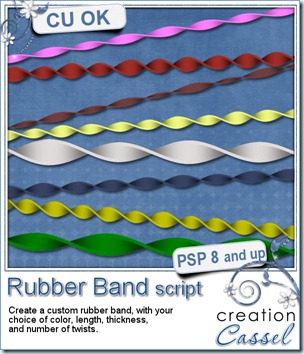
Rubber bands are one of those kinds of “fasteners” that can be very versatile. This script will let you create some with an almost infinite number of ways. Not only can you choose any color, but you can create them from 1000 to 4000 pixels long, from 20 to 100 pixel wide, and choose between 2 and 15 twists. In addition, you can have regular or slightly irregular twists, making this script perfect to get a different result every time.
What can you use rubber bands for? Maybe to wrap around a frame? To attach some flowers? maybe hold a charm or other pendant?
You can get this script in my stores: Creation Cassel and DigiScrapWarehouse.
And if you want a chance to win this script, go to the DST forum, here, and add your name to the thread.
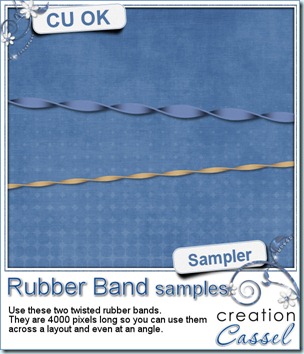 How about a little sampler? You can get those two twisted rubber bands for free, and you can use them as you want. You can color them, or use them as is. Double them, triple them around a frame or other element.
You need to be logged in to download this sample. You can either login, or register on the top of this page.
And remember, you just have a few days left to enter the big February Promotion.
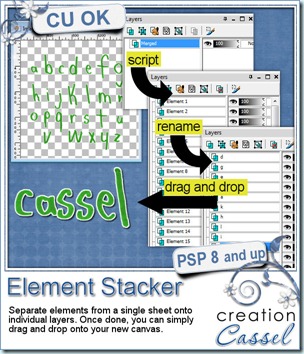
You might know of the Element Separator script that can separate multiple elements from a single sheet into individual files. This script is somewhat similar, but instead of giving you many individual files to work with, it will separate each element into its own layer. That means that you can have 10, 15, 20 elements but all separated at the same time. And what advantages are there to individual layers? First of all, it is faster to copy and paste since you don’t have to make a selection around your element. But there is another trick that can save you a lot of time too. It is simply a drag and drop. You can see a little video explaining it in the product description.
This tool can be great for designers who want to offer three formats for their alpha: single sheets, individual files, and layered file. And for scrappers, this tool will help make their scrapper at least a bit faster.
 You can get this script in my stores: Creation Cassel, and DigiScrapWarehouse.
You can also add your name to the RAK thread here for a chance to win this script.
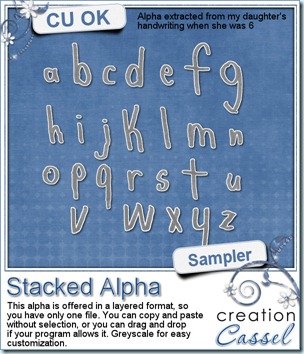
And to show you what you can do with a layered alphabet, i am giving you one that i made using my daughter’s handwriting when she was young. It is in greyscale so you can easily customize it to your layout. Each letter is on a separate layer, so you can copy and paste or drag and drop to use them. Your choice!
You need to be logged in to download this sample. You can either login, or register on the top of this page.
You can surely use this alpha to create a layout to enter the big February contest. Remember? You still have 10 days to enter! Check the details here.
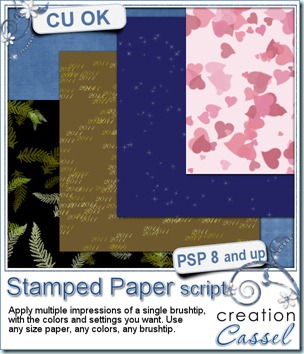
You can now create any size paper with any brushtip that you have. You choose any color palette (from 2 to 6 colors), the size, and the settings. You can opt to have all the “prints” in the same angle (like for text) or various random rotations. You can have all the “prints” using exactly the same settings that you set, or let the script vary the size, the saturation, etc. Try using this script with a texture brush to create your own textured overlay. Since the script uses a random feature, you will never get the same result twice. Run the script once, or continue to add more layers. In the end, use any layer you want, and delete the others. Apply effects to individual layers if you want. Change the blend mode for more possibilities.
The “stamped” layers will be added on a separate layer, so your initial image will be untouched. That means you can even run the script directly on your layout as you work!
You can get it in my stores: Creation Cassel and DigiScrapWarehouse.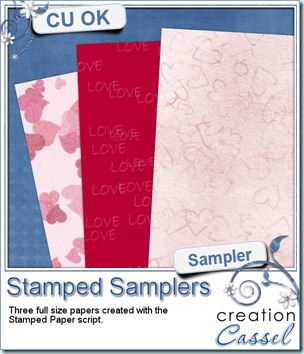
And if you want a chance to win this script, hop over the DST forum and add your name to the RAK thread there.
And how about a few papers made with this script? I got a little pack of 3 papers for you, that were made with this script. You can see the end result of one run using the brushtip always at the same angle, and two with varied settings, including the angle of rotation.
You need to be logged in to download this sample. You can either login, or register on the top of this page.
And remember, you can use this FREE paper to create a layout and enter the February Promotion contest.
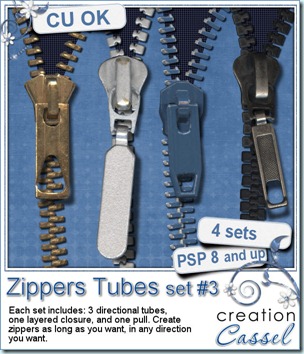
Yes, another set of Zipper tubes for Paintshop Pro. I had 2 plastic and 2 metal zippers scanned and i extracted the teeth and the pulls. Just like for the other 2 sets, they are tubes that can be used along any path, or “hand drawn” in any shape you want. The pull bases are layered PSD format so you can insert different types of pull, change the color, etc.
You can find this set in my stores: Creation Cassel and DigiScrapWarehouse.
And if you want a chance to win this set, just check out this thread and add your name to it.
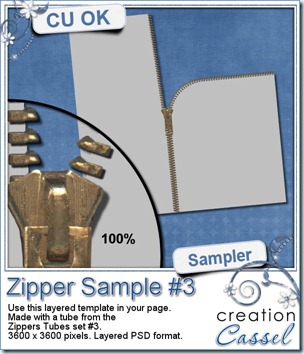
And now, is your free sample for this product. It is a PSD layered template. The pull, the zipper teeth and the “fabric” are on separate layers so you can change them or add other decorations to the pull. Just click on the image to start the direct download.
Remember that you can use ANY of my products for your third entry to the big February contest, including any FREE products from this blog.
It is time! I promised you all the details of this promotion TODAY. Were you stalking my blog? Ok so here are the details.
The promotion will last the whole month of February (it is only 28 days so the suspense will be shorter!). You will have THREE ways to enter your name into the draw. Yes, it will be a random draw because i personally do not like judged contest, and i want everyone to have the same chance, whether you are a beginner, or an experienced scrapper/designer. No favorite. Everyone is even.
FIRST WAY to enter: simply comment on this post that you want to enter the contest. Not too hard is it? So, by simply adding your name as a comment, you have ONE entry.
SECOND WAY to enter: this will require a tiny bit more work (but it wont be hard). Just browse in my store, and tell me, in a comment, what product of mine you find the most unique, original or useful. You can name only ONE (i know, that is the hardest part!). You simply post it in a comment to this post (you can put it in the same comment as your previous entry if you want, and i will count them separately).
THIRD WAY to enter: ok, this one will make you work, and that is why you have the whole month of February. I want you to make a layout or a montage using at least ONE of my products. It CAN be a product from the store, but it can also be one of the freebies from this blog. That means, you do not have to be a PSP user to participate. See? i am thinking of everyone here: PSP users, PS users, PSE users, GIMP users, etc. I know, some of you might have more than one of my products (from the store or the samplers), but you can enter only ONCE in this manner. You post the link to your layout, as it could be anywhere, on your blog, in a gallery, or even in MY gallery if you want (here).
Remember, no matter how many comments you make, how many products you name, or how many layout you show, you have a maximum of THREE possible entries (you wont get disqualified for showing more though!).
Now, what is there to win?
There will be three prizes.
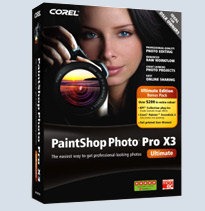
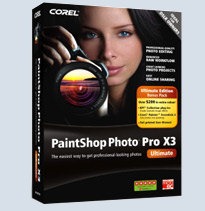
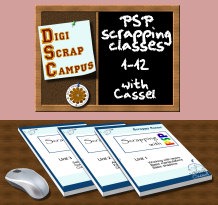
First prize: one full copy of Paintshop Photo Pro X3 (given to me by Corel!) and a full access to the PSP course i put up, including 36 video tutorials for scrappers, beginning designers or beginner PSP users. That is a value of $150 total.
Second prize: full access to the PSP course. Value of $50
Third prize: $15 GC to my store (and i have more than just PSP products!)
So, as you can see, it is a fun contest for PSP users who might want to get the latest version of PSP, or non-PSP users wanting to give it a try, but for more than the 30 day trial period allowed. What do you think? I am waiting for your entries through the comments on this post! So, is it worth it?
Let’s begin!
I am waiting for your comments!!!