Newsletter
User comments
by Dianne Parham
Other
Categories
- ADSR5
- Blog Train
- Call
- Campus
- Challenges
- chat
- Contest
- Freebies
- Grab bag
- My products
- My stores
- New release
- News
- NSBD
- Presentation
- Promotion
- RAK
- Sales
- Tutorials
- Uncategorized
Archives
- May 2013
- April 2013
- March 2013
- February 2013
- January 2013
- December 2012
- November 2012
- October 2012
- September 2012
- August 2012
- July 2012
- June 2012
- May 2012
- April 2012
- March 2012
- February 2012
- January 2012
- December 2011
- November 2011
- October 2011
- September 2011
- August 2011
- July 2011
- June 2011
- May 2011
- April 2011
- March 2011
- February 2011
- January 2011
- December 2010
- November 2010
- October 2010
- September 2010
- August 2010
- July 2010
- June 2010
- May 2010
- April 2010
- March 2010
- February 2010
- January 2010
- December 2009
- November 2009
- October 2009
- September 2009
- August 2009
- July 2009
- June 2009
- May 2009
- April 2009
- March 2009
- February 2009
- January 2009
- December 2008
- November 2008
- October 2008
My stores
New script – Flip It UP
30th September 2010
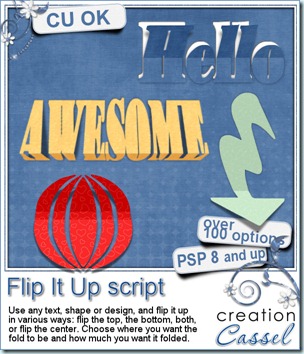
This new script will give VOLUME to your layouts and make your elements… STAND OUT. You can flip any text, design, shape in many ways. You can flip the top, the bottom, both, or flip from the middle. You can flip toward the left, the right or the center. Also, YOU decide where you want the fold to be, as it will not necessarily need to be in the center of the element. The script will also provide you with a shadow on a separate layer. You can copy the paper below, or cut out from it for even more creative use.
How flexible is that script? How many ways can you think of using it?
This script is available in my stores at Creation Cassel, Do It Digi and DigiScrapWarehouse.
And if you want a chance to win this script, you can go add your name to this thread in the Happy Place of the DST forum, and i will draw for a winner on Monday night.
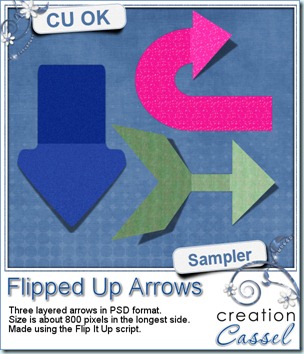
In the mean time, i have a little something for everyone. Here is a set of three arrows for you to use. They are layered PSD files so the shadow can be modified as you wish. Each arrow is about 800-900 pixels long. I am sure you can find some very creative ways to use those. Just click on the image to download.
Sampler – Halloween templates
25th September 2010
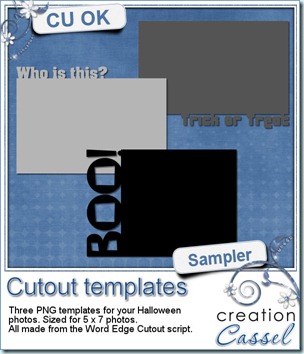
Since i cannot do any sampler using this week new released script, i figured you might want to get ready for Halloween with those templates. You get 3 templates that can be used with a 5 x 7 photo. Just a fun way to display some pictures. They were made from the Word Edge Cutout script, so if you want to create other types of templates for yourself, with different words, you can check it out (it also works directly on the pictures).
They are in PNG format so anyone can use them. How about showing me what you do with them? You might see your layout displayed in my newsletter!
And while you are here, why not subscribe to my newsletter (on the left)? You will be informed of all the new release and new freebies, right in your mailbox. What are you waiting for?
New script – Template resizer
24th September 2010
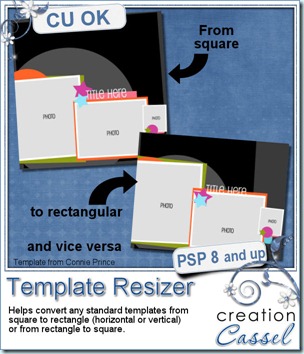
Do you create templates? Do you use templates? Do you want to offer templates in square AND rectangular formats for your customers? Do you sometimes find a great template but it is not in the format you like to scrap? This script will be a useful tool for both scrappers and designers. In seconds, it will turn a standard 12 x 12 layered template into a rectangular one (horizontal or vertical) or vice versa. Of course, you will still have some tweaking to do especially if some elements have a particular alignment, spacing or overlapping, but most of it would be done.
You can find this script in my stores: Creation Cassel, Do It Digi and Digiscrap Warehouse.
This script would be great in combinaison with the Template Maker and the Layer Separator.
If you want a chance to win this script, just go add your name to the thread in the Happy Place and tell me if you usually scrap with square or rectangular format.
New Script – Custom Sequins
17th September 2010
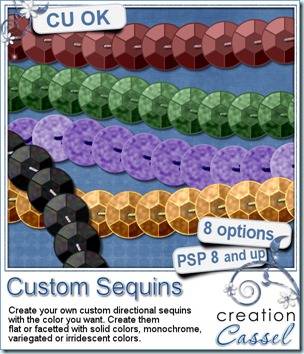
Create a string of sequins with the color or colors you want. You can create flat or facetted sequins, with a solid color, monochrome color, variegated colors or even iridescent colors. Then, you get a string of directional sequins that you can use in any direction, to draw with, to color with, to write with or place anywhere you want. Play with the steps to have the sequins tightly placed or more spread apart.
You can get this script in my stores: Creation Cassel, Do It Digi and DigiScrap Warehouse.
And if you want a chance to win this script, just go add your name to the RAK thread at DST. Tell me what comes to your mind when you hear of the word “sequins”. I will draw for a winner on Monday night.
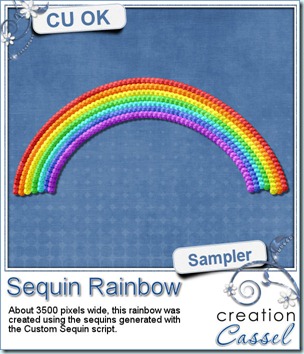
Now, just for the fun of it, here is a little something made entirely with sequins created with this script. Just click on the image to download. It is about 3500 pixels wide so you can use it in just about any layout you want, by sizing it down. It is a png format so useable with just about any program.
Wishlist
11th September 2010
Did you ever browse through my store and thought of this product or that product or maybe that other one that you wish you could get but you need to wait a little?
Now, you can create your own wishlist among the products in my store. Once you have a wishlist, you can refer to it when you suddenly are richer (yeah, we can wish, can’t we?) or when there is a sale.
Just go over to my store, browse as much as you want, and just “Add to my wishlist” on any element that you would like. I will keep an eye on your lists and the content of everyone’s wishlist might help me determine what kind of products i should add to the store, what types of product i might want to put on sale sometimes, and you never know… customers with a real interest in my store, setting up their wishlist might also get some … surprises! So go ahead, and create your wishlist.
New tubes – Zip it All Up
10th September 2010
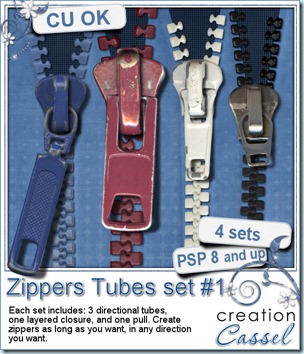
If you like to use zippers and can never find the right length, shape, format, then you will be in luck because this is a set of TUBES. And you know what tubes can do: you can draw with them wherever you want. That means that using them, you can draw any length of zipper, and even have them curved in the fanciest way you want. This contains 4 set of zippers. Each set has 3 tubes (closed teeth, left teeth and right teeth), a layered closure and matching pull. It is up to you to use the pull that is included, or create your own, since the closure is layered and you can insert anything in-between.
These are available in my stores: Creation Cassel, Do It Digi and DigiScrap Warehouse.
Do you want a chance to win this whole set? Go add your name to this RAK thread in the DST Forum. Don’t forget to give me ideas on how one could use zippers in a scrap page.
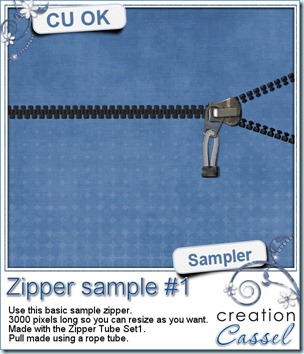
Now, you might want to play with one zipper and see what you can do with that? Here is your chance as i have this 3000 pixels long sample for you. It does include shadows as the element was pretty layered. Hopefully you can find some use for it?
Just click on the picture to download.
If you use this zipper, i would really love to see how creatively you can use it, so show it to me!
CT call with a twist (for PSP scrappers only)
7th September 2010
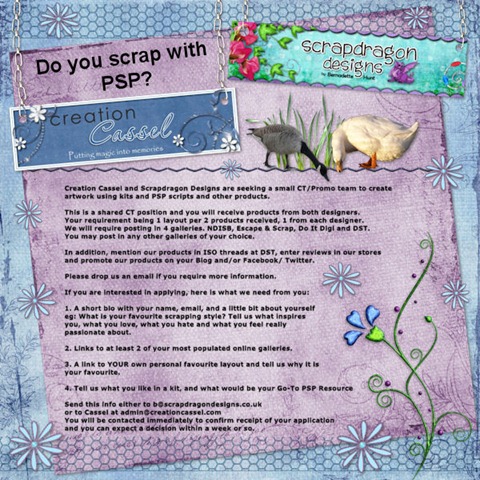
Creation Cassel and Scrapdragon Designs are seeking a small CT/Promo team to create artwork using kits and PSP scripts and other products. This is a shared CT position and you will receive products from both designers.
Your requirement being 1 layout per 2 products received, 1 from each designer.
We will require posting in 4 galleries. NDISB, Escape & Scrap, Do It Digi and DST.
You may post in any other galleries of your choice.
In addition, mention our products in ISO threads at DST, enter reviews in our stores
and promote our products on your Blog and/or Facebook/Twitter.
Please drop us an email if you require more information.
If you are interested in applying, here is what we need from you:
1. A short bio with your name, email, and a little bit about yourself
eg: What is your favourite scrapping style? Tell us what inspires
you, what you love, what you hate and what you feel really
passionate about.
2. Links to at least 2 of your most populated online galleries.
3. A link to YOUR own personal favourite layout and tell us why it is
your favourite.
4. Tell us what you like in a kit, and what would be your Go-To PSP Resource
Send this info either to b@scrapdragondesigns.co.uk
or to Cassel at admin@creationcassel.com
You will be contacted immediately to confirm receipt of your application
and you can expect a decision within a week or so.
PSP chat today
5th September 2010
Remember that we will be holding a PSP topic chat, today, at the DST chatroom.
Date: September 5th
Time: 3pmET (check this world clock for the time in your area)
Location: DST Chatroom
Topic: Playing with vectors
So come on over and have a chitchat with other PSPers.
New product – School Theme Text Path
3rd September 2010
Do you have some school related layouts to do? Would you like to add some journalling within particular school related shapes? Now you can do it with these text paths. You can use them on their own, using the detailed instructions included, or you can use them with the Text Wrapping script that will do most of the work for you (of course, YOU still have to compose the text!)
You get 12 paths with matching shape templates. You can keep the lines or hide them. You can use the templates to add some contrasting papers or create an outline. Or you can simply not use them at all.
They are available in my stores: Creation Cassel, Do It Digi and DigiScrap Warehouse.
And for a chance to win this set, go add your name to the RAK thread at DST. You still have until Monday night to add your name.
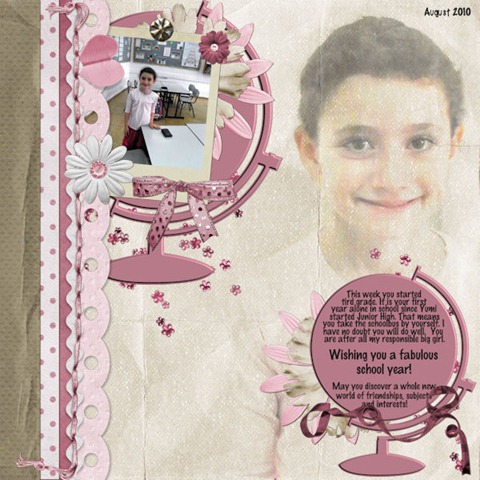
Nadine has played with some of those shapes and did this lovely layout using the globe shape/path. Isn’t that gorgeous? She used Merkeley Designs’ Hey Lady and It’s Pink.
.
Corel Paintshop Pro X4
Scrapbook Campus
.