Newsletter
User comments
by Tami Walker
Other
Categories
- ADSR5
- Blog Train
- Call
- Campus
- Challenges
- chat
- Contest
- Freebies
- Grab bag
- My products
- My stores
- New release
- News
- NSBD
- Presentation
- Promotion
- RAK
- Sales
- Tutorials
- Uncategorized
Archives
- May 2013
- April 2013
- March 2013
- February 2013
- January 2013
- December 2012
- November 2012
- October 2012
- September 2012
- August 2012
- July 2012
- June 2012
- May 2012
- April 2012
- March 2012
- February 2012
- January 2012
- December 2011
- November 2011
- October 2011
- September 2011
- August 2011
- July 2011
- June 2011
- May 2011
- April 2011
- March 2011
- February 2011
- January 2011
- December 2010
- November 2010
- October 2010
- September 2010
- August 2010
- July 2010
- June 2010
- May 2010
- April 2010
- March 2010
- February 2010
- January 2010
- December 2009
- November 2009
- October 2009
- September 2009
- August 2009
- July 2009
- June 2009
- May 2009
- April 2009
- March 2009
- February 2009
- January 2009
- December 2008
- November 2008
- October 2008
My stores
New paths – basic shapes
30th July 2010
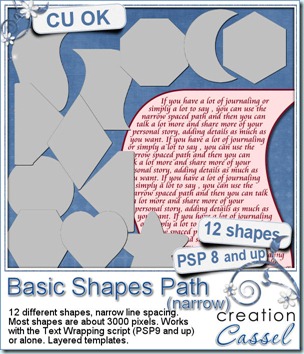
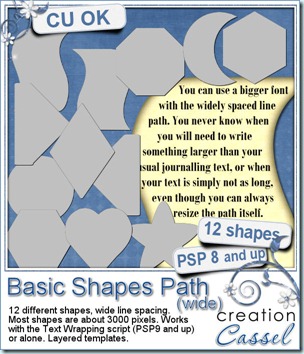
Last week, i released a script that allowed you to write within the boundaries of a preset shape, but this week, i am providing you with two sets of such preset shapes. The templates are identical, but the path has wider or narrower spacing and you can choose either one, depending on whether you have a lot to say or less. Although the Text Wrapping script is only working for PSP 9 and up, these path can be used starting with PSP8. They can be used with the script (if you have PSP9 and up) but they also work on their own, if you follow the detailed directions included. It is a bit more tedious, but at least, you CAN do it now, unlike before, since PSP does not have that feature available on its own.
Each set includes 12 layered templates: one layer is just a template that you can use or not (that is your option), and the other layer has a Path object that you will use to type your text on so it stays inside the boundaries. You do not have to start at the very top either. If you decide, say, to start on the third line, and use only the bottom part of the path, it is fine. You can also resize the path/template if you find it too big (they are all about 3000 pixels in height), or stretch/narrow it if you find it too narrow/wide for your need. (just make sure you do not flip it or mirror it as you will get pretty odd results!)
These sets are available in my stores: Creation Cassel and Do It Digi.
And if you want a chance to win those, check the Happy Place at DST and add your name to the thread. I will draw for a winner on Monday night.
New Script – Text Wrapping
23rd July 2010
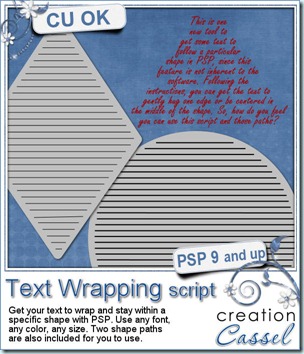
Do you sometimes, wish you could place text within a shape and have the text automatically wrap to the next line? You know that PSP does not have that feature. So, do you find yourself having to add spaces here and there to make the text somewhat fit the shape or the space you want to use? This script will now do it for you. Use one of the multiline shaped paths included (others will be made available soon), enter your text, and run the script. You can modify the size of the shape if you want and the text will fit that size/shape. If you want to add another paragraph, just go ahead. (be sure to read the instructions before using this script for better results and no frustration!).
Available at my stores: Creation Cassel, and Do It Digi.
And if you want a chance to win this script, go add your name to the RAK thread at DST. I will draw for one winner on Monday night.
Lace Edge #3 – Free Sample
17th July 2010
Get a closer look at what this Lace Edge #3 can do. Grab this set of three templates edged with some of the lace “characters”. Each template is a png format, and about 2400 pixels in size. It is up to you to resize it if you want.
Just click on the image to download.
New FONT – Lace Edge #3
16th July 2010
Now, you can create some delicate edges on any element you want with this Lace Edge Font. Yes, it is a FONT, so it means that you can use it even if you are not a PSP user. As long as your program can support outside fonts, you can use this one. Being a font, it is a vector, meaning that you can create a border in any size you want, without distortion. Choose the color, the length, follow a path if your program can do that. Use as the edge of a frame, border some ribbons, make it as stitching, the possibilities are endless.
You can grab it in my stores here: Creation Cassel, and Do It Digi.
PSP Chat
11th July 2010
Come and join us in the DST Chatroom at 3pm Eastern time.
Bring in your tip to improve everyday pictures so you can have the best possible pictures to scrap.
New Script – Contact Sheet
9th July 2010
This script falls in the category of TOOLS. If you are a digiscrapper, you might want to be able to have a visual catalogue of the content of your kits. If you are a designer, maybe you want to provide such a catalogue to your customer. If you are a fan of photography, maybe you want to have some thumbnails of all the cat photos, the vacation photos, etc.
You have several options to choose from but you can include: full path of the folder, frames around the images, shadows, filename. And the script will create (and number) as many pages as needed to display all the graphic files in the folder. It will generate a preview of files with these extensions: jpg, png, psd, psp, pspimage, tiff, wmf.
This script is available in my stores (always on sale until Sunday night): Creation Cassel, Do It Digi.
If you want a chance to win this script, check out this thread at the DST forum and add your name. A winner will be picked Monday night.
I Just joined Facebook – come join me
3rd July 2010
Yup, you saw it right. I joined Facebook. I am still getting used to it as it is a totally new concept for me. I am not familiar with those “social network” sites as i usually dont have time to devote to that. I am too busy coding scripts, and such.
I am sure many of you are already used to Facebook and you know your way around. Just join me and let’s see where it will lead.
Click here to reach my fan page. I wonder how long it takes to reach that 100 fans milestone. Why not help me reach it? Click on the image to find my fan page. See you there!
Glass Beads – Sampler
2nd July 2010
Check out those beads up close. This sampler included 12 black and white beads, some opaque, some translucent. Each bead is about one inch in diameter so you can resize them as you wish. Click on the image to download.
Each file is a png format so everyone can use them.
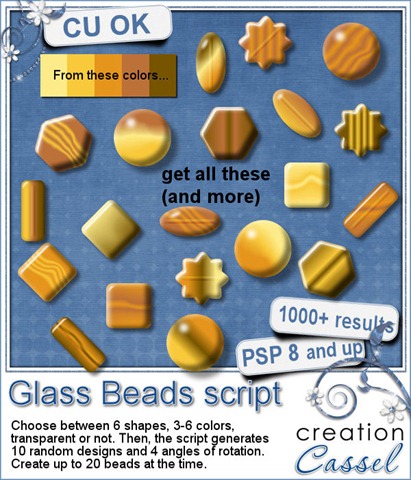
Create hundreds of beads to match your color palette or your layout with this script. Choose the colors, choose the shape (the script has 6 predefined shapes or you can draw your own), choose if you want translucent beads, and if you want to see the “hole” through it.
The script will generate several designs with random combinations of your colors and different angles for the beads (so the light spot stays consistently in the right place. Create up to 20 beads per run. Hundreds and thousands of possible results.
Available in my stores: Creation Cassel and Do It Digi
And if you want a chance to win this script, check out the RAK thread at DST here. If you are NOT a PSP user, you can still benefit from posting in that thread so go ahead, and add your name.
.
Corel Paintshop Pro X4
Scrapbook Campus
.